Roland HP-3 Digital Piano User Guide & HP-3 TurboStart Support Document
Summary
Explore musical excellence with this digital piano featuring an 88-key progressive hammer action keyboard, 64-note polyphony, and 20 CD-quality tones. This guide provides comprehensive instructions on utilizing advanced sound features, including selecting split dual tones, adjusting touch sensitivity levels, mastering various effects (Reverb/Chorus), and playing full demo songs with flexible tempo control. It is essential reading for musicians and students seeking deep control over their sound palette and practice routine.
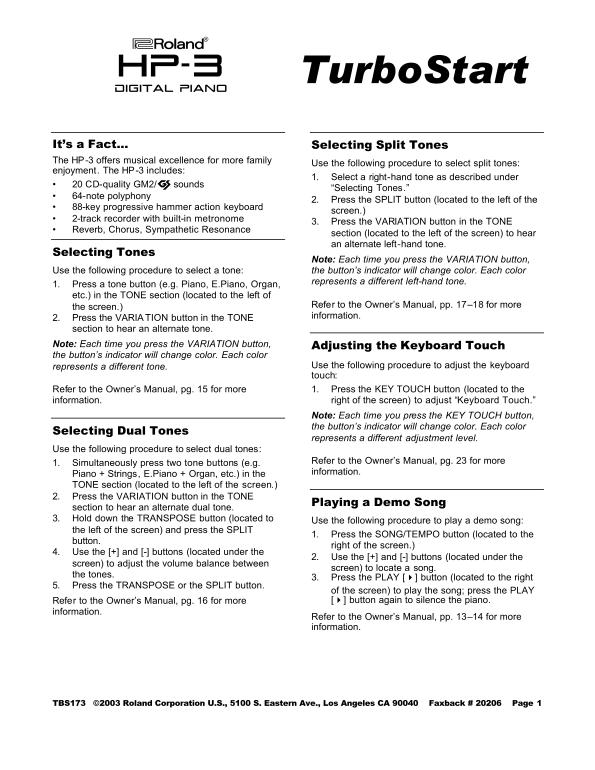
Page 1 Text Content
Turbo Start
digital piano
It’s a Fact… Selecting Split Tones The HP-3 offers musical excellence for more family
Use the following procedure to select split tones:
enjoyment. The HP-3 includes:
1. Select a right-hand tone as described under
• 20 CD-quality GM2/© sounds
“Selecting Tones.”
• 64-note polyphony
2. Press the SPLIT button (located to the left of the
• 88-key progressive hammer action keyboard
screen.)
• 2-track recorder with built-in metronome
3. Press the VARIATION button in the TONE
• Reverb, Chorus, Sympathetic Resonance
section (located to the left of the screen) to hear an alternate left-hand tone.
Selecting Tones
Note: Each time you press the VARIATION button,
Use the following procedure to select a tone: the button’s indicator will change color. Each color
represents a different left-hand tone.
1. Press a tone button (e.g. Piano, E.Piano, Organ, etc.) in the TONE section (located to the left of
Refer to the Owner’s Manual, pp. 17–18 for more
the screen.)
information.
2. Press the VARIA TION button in the TONE section to hear an alternate tone. Note: Each time you press the VARIATION button, Adjusting the Keyboard Touch the button’s indicator will change color. Each color
represents a different tone. Use the following procedure to adjust the keyboard touch:
Refer to the Owner’s Manual, pg. 15 for more 1. Press the KEY TOUCH button (located to the information. right of the screen) to adjust “Keyboard Touch.”
Note: Each time you press the KEY TOUCH button, the button’s indicator will change color. Each color
Selecting Dual Tones
represents a different adjustment level.
Use the following procedure to select dual tones:
Refer to the Owner’s Manual, pg. 23 for more
1. Simultaneously press two tone buttons (e.g.
information.
Piano + Strings, E.Piano + Organ, etc.) in the TONE section (located to the left of the screen.) 2. Press the VARIATION button in the TONE
Playing a Demo Song
section to hear an alternate dual tone. 3. Hold down the TRANSPOSE button (located to
Use the following procedure to play a demo song:
the left of the screen) and press the SPLIT
1. Press the SONG/TEMPO button (located to the
button.
right of the screen.)
4. Use the [+] and [-] buttons (located under the
2. Use the [+] and [-] buttons (located under the
screen) to adjust the volume balance between
screen) to locate a song.
the tones.
3. Press the PLAY [4] button (located to the right
5. Press the TRANSPOSE or the SPLIT button.
of the screen) to play the song; press the PLAY Refer to the Owner’s Manual, pg. 16 for more [4] button again to silence the piano.
information.
Refer to the Owner’s Manual, pp. 13–14 for more information.
TBS173 ©2003 Roland Corporation U.S., 5100 S. Eastern Ave., Los Angeles CA 90040 Faxback # 20206 Page 1
Page Summary Contents For Roland HP-3 Digital Piano User Guide & HP-3 TurboStart Support Document
Manual Details
| Brand | Roland |
|---|---|
| Pages | 1 |
| File Size | 246.00 KB |
| Published | June 02, 2026 |
Enter the captcha to get the download link:

Frequently Asked Questions
How do I adjust the sound when playing two different tones?
Press two tone buttons simultaneously, then press the VARIATION button to hear an alternate dual tone.
What are the features of the HP-3 digital piano?
It includes 88-key progressive hammer action, 64-note polyphony, and CD-quality GM2/© sounds.
How can I select a random left-hand tone for testing?
Press a tone button (like Piano) in the TONE section, and then press the VARIATION button repeatedly until you like a color/tone combination.
Where is the key touch adjustment function located?
Press the KEY TOUCH button located to the right of the screen.