Roland HP-503 Digital Piano User's Guide
Summary
Take full control of your Roland HP-503 SuperNATURAL Piano with this comprehensive guide designed for new owners. Learn how to customize detailed performance settings, including adjusting the metronome's time signature and tempo. The manual walks you through selecting specific tones from various categories, managing the Power Save feature, transposing the keyboard, and fully resetting the instrument to factory settings. Optimize your practice experience and make the most of every sound element.
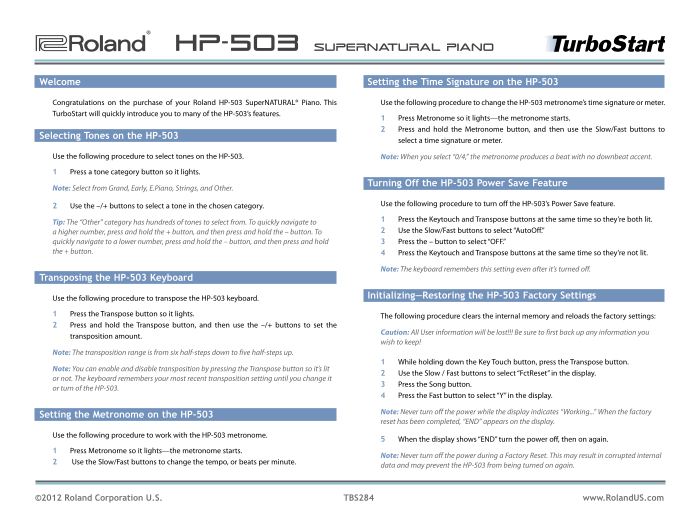
Page 1 Text Content
®ÂØÒňΠHP-503 Super NATURAL Piano
Welcome Setting the Time Signature on the HP-503
Congratulations on the purchase of your Roland HP-503 Super NATURAL® Piano. This Use the following procedure to change the HP-503 metronome’s time signature or meter. Turbo Start will quickly introduce you to many of the HP-503’s features.
1 Press Metronome so it lights—the metronome starts. 2 Press and hold the Metronome button, and then use the Slow/Fast buttons to
Selecting Tones on the HP-503
select a time signature or meter.
Use the following procedure to select tones on the HP-503. Note: When you select “0/4,” the metronome produces a beat with no downbeat accent.
1 Press a tone category button so it lights.
Turning Off the HP-503 Power Save Feature
Note: Select from Grand, Early, E.Piano, Strings, and Other.
Use the following procedure to turn off the HP-503’s Power Save feature.
2 Use the –/+ buttons to select a tone in the chosen category.
1 Press the Keytouch and Transpose buttons at the same time so they’re both lit.
Tip: The “Other” category has hundreds of tones to select from. To quickly navigate to
a higher number, press and hold the + button, and then press and hold the – button. To 2 Use the Slow/Fast buttons to select “Auto Off.”
quickly navigate to a lower number, press and hold the – button, and then press and hold 3 Press the – button to select “OFF.” the + button. 4 Press the Keytouch and Transpose buttons at the same time so they’re not lit.
Note: The keyboard remembers this setting even after it’s turned off.
Transposing the HP-503 Keyboard
Initializing—Restoring the HP-503 Factory Settings
Use the following procedure to transpose the HP-503 keyboard.
1 Press the Transpose button so it lights.
The following procedure clears the internal memory and reloads the factory settings:
2 Press and hold the Transpose button, and then use the –/+ buttons to set the
Caution: All User information will be lost!!! Be sure to first back up any information you
transposition amount.
wish to keep!
Note: The transposition range is from six half-steps down to five half-steps up.
1 While holding down the Key Touch button, press the Transpose button.
Note: You can enable and disable transposition by pressing the Transpose button so it’s lit
2 Use the Slow / Fast buttons to select “Fct Reset” in the display.
or not. The keyboard remembers your most recent transposition setting until you change it
3 Press the Song button.
or turn of the HP-503.
4 Press the Fast button to select “Y” in the display.
Note: Never turn off the power while the display indicates “Working...” When the factory
Setting the Metronome on the HP-503
reset has been completed, “END” appears on the display.
Use the following procedure to work with the HP-503 metronome.
5 When the display shows “END” turn the power off, then on again.
1 Press Metronome so it lights—the metronome starts.
Note: Never turn off the power during a Factory Reset. This may result in corrupted internal
2 Use the Slow/Fast buttons to change the tempo, or beats per minute.
data and may prevent the HP-503 from being turned on again.
©2012 Roland Corporation U.S. TBS284 www.Roland US.com
Page Summary Contents For Roland HP-503 Digital Piano User's Guide
Manual Details
| Brand | Roland |
|---|---|
| Pages | 1 |
| File Size | 43.35 KB |
| Published | June 02, 2026 |
Enter the captcha to get the download link:

Frequently Asked Questions
How do I adjust the metronome's time signature?
Press a tone category button, use the –/+ buttons to select your desired time signature or meter.
What is the procedure for turning off Power Save mode?
Press Keytouch and Transpose together, use Slow/Fast buttons with +/- to select 'AutoOff,' then press – to select 'OFF.'
Can I reset the HP-503 to its factory settings?
Hold Transpose while pressing Key Touch, then use Slow/Fast and Song button steps.
What is the transposition range for the keyboard?
The transposition adjustment range is from six half-steps down to five half-steps up.