Roland Aerophone AE-10 Owner's Manual
Summary
The Aerophone AE-10 is a versatile digital wind instrument designed to expand the musical expressiveness of saxophone players. Unlike traditional acoustic models, it recreates diverse tones—from sopranos and flutes to strings and powerful synthesizers—all while dynamically adjusting sound based on your breath force and embouchure. This manual provides comprehensive instructions for mastering the AE-10, covering advanced setup options like customizing fingerings, calibrating bite/breath sensors, configuring MIDI output, and utilizing full effect chains for studio-ready performance. It is essential reading for musicians ready to deepen their sonic palette.
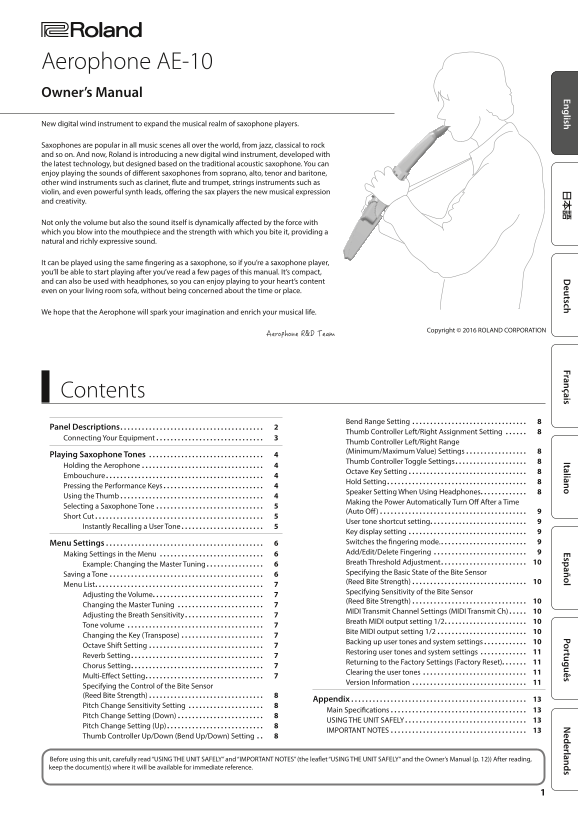
Page 1 Text Content
Aerophone AE-10 Owner’s Manual New digital wind instrument to expand the musical realm of saxophone players. Saxophones are popular in all music scenes all over the world, from jazz, classical to rock and so on. And now, Roland is introducing a new digital wind instrument, developed with the latest technology, but designed based on the traditional acoustic saxophone. You can enjoy playing the sounds of different saxophones from soprano, alto, tenor and baritone, other wind instruments such as clarinet, flute and trumpet, strings instruments such as violin, and even powerful synth leads, offering the sax players the new musical expression and creativity.
Not only the volume but also the sound itself is dynamically affected by the force with which you blow into the mouthpiece and the strength with which you bite it, providing a natural and richly expressive sound.
It can be played using the same fingering as a saxophone, so if you’re a saxophone player, you’ll be able to start playing after you’ve read a few pages of this manual. It’s compact, and can also be used with headphones, so you can enjoy playing to your heart’s content even on your living room sofa, without being concerned about the time or place.
We hope that the Aerophone will spark your imagination and enrich your musical life.
Contents
Bend Range Setting
Panel Descriptions 2
Thumb Controller Left/Right Assignment Setting
Connecting Your Equipment 3
Thumb Controller Left/Right Range (Minimum/Maximum Value) Settings 8
Playing Saxophone Tones
Thumb Controller Toggle Settings 8
Holding the Aerophone 4
Octave Key Setting 8
Embouchure 4
Hold Setting 8
Pressing the Performance Keys 4
Speaker Setting When Using Headphones 8
Using the Thumb 4
Making the Power Automatically Turn Off After a Time
Selecting a Saxophone Tone 5
(Auto Off) 9
Short Cut 5
User tone shortcut setting 9
Instantly Recalling a User Tone 5
Key display setting Menu Settings 6 Switches the fingering mode. 9 Add/Edit/Delete Fingering
Making Settings in the Menu
Breath Threshold Adjustment 10
Example: Changing the Master Tuning 6
Specifying the Basic State of the Bite Sensor
Saving a Tone 6
(Reed Bite Strength) 10
Menu List 7
Specifying Sensitivity of the Bite Sensor
Adjusting the Volume 7
(Reed Bite Strength) 10
Changing the Master Tuning
MIDI Transmit Channel Settings (MIDI Transmit Ch) 10
Adjusting the Breath Sensitivity 7
Breath MIDI output setting 1/2 10
Tone volume
Bite MIDI output setting 1/2 10
Changing the Key (Transpose) 7
Backing up user tones and system settings 10
Octave Shift Setting
Restoring user tones and system settings
Reverb Setting 7
Returning to the Factory Settings (Factory Reset) 11
Chorus Setting 7
Clearing the user tones
Multi-Effect Setting 7
Version Information
Specifying the Control of the Bite Sensor (Reed Bite Strength) 8
Appendix 13
Pitch Change Sensitivity Setting
Main Specifications 13
Pitch Change Setting (Down) 8
USING THE UNIT SAFELY 13
Pitch Change Setting (Up) 8
IMPORTANT NOTES 13
Thumb Controller Up/Down (Bend Up/Down) Setting
Before using this unit, carefully read “USING THE UNIT SAFELY” and “IMPORTANT NOTES” (the leaflet “USING THE UNIT SAFELY” and the Owner’s Manual (p. 12)) After reading, keep the document(s) where it will be available for immediate reference.
Page Summary Contents For Roland Aerophone AE-10 Owner's Manual
Manual Details
| Brand | Roland |
|---|---|
| Pages | 22 |
| File Size | 2.86 MB |
| Published | May 29, 2026 |
Enter the captcha to get the download link:

Frequently Asked Questions
How can I use the Aerophone with headphones?
It is compact and can be used with headphones, allowing you to practice anywhere without concern for time or place.
What controls the pitch variation of the sound?
The volume and sound itself are dynamically affected by both the force with which you blow into the mouthpiece and the strength with which you bite it through sensors.
How do I change a tone's key (transpose)?
You can adjust this using the 'Changing the Key (Transpose)' setting found in the menu list.
What is the procedure for backing up user tones?
Copy the AE10_BKUP.SVD file from the Aerophone/BACKUP folder on the USB drive to your computer, then eject and turn power off only when prompted by the display.