Roland CM-30 Monitoring Speaker Owner's Manual
Summary
The Roland CM-30 is a compact, 30W musical monitor amplifier designed for musicians requiring clear, versatile sound reinforcement. Featuring multiple inputs (including mic/line and stereo AUX) and advanced connectivity like Stereo Link, it ensures professional monitoring anywhere. This manual serves as your comprehensive guide, detailing setup, operation, safety protocols, and technical specifications to help users of all skill levels maximize the unit's performance while ensuring safe handling.
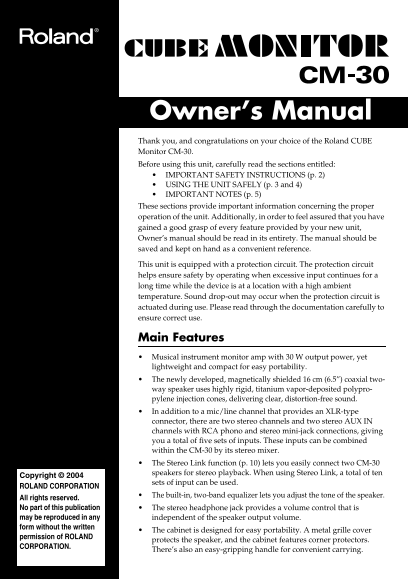
Page 1 Text Content
CM-30_e.book 1ページ 2004年7月28日 水曜日 午前9時32分
Owner’s Manual Thank you, and congratulations on your choice of the Roland CUBE Monitor CM-30. Before using this unit, carefully read the sections entitled: IMPORTANT SAFETY INSTRUCTIONS (p. 2) USING THE UNIT SAFELY (p. 3 and 4) IMPORTANT NOTES (p. 5) These sections provide important information concerning the proper operation of the unit. Additionally, in order to feel assured that you have gained a good grasp of every feature provided by your new unit, Owner’s manual should be read in its entirety. The manual should be saved and kept on hand as a convenient reference. This unit is equipped with a protection circuit. The protection circuit helps ensure safety by operating when excessive input continues for a long time while the device is at a location with a high ambient temperature. Sound drop-out may occur when the protection circuit is actuated during use. Please read through the documentation carefully to ensure correct use.
Main Features Musical instrument monitor amp with 30 W output power, yet lightweight and compact for easy portability. The newly developed, magnetically shielded 16 cm (6.5”) coaxial two- way speaker uses highly rigid, titanium vapor-deposited polypro- pylene injection cones, delivering clear, distortion-free sound. In addition to a mic/line channel that provides an XLR-type connector, there are two stereo channels and two stereo AUX IN channels with RCA phono and stereo mini-jack connections, giving you a total of five sets of inputs. These inputs can be combined within the CM-30 by its stereo mixer. The Stereo Link function (p. 10) lets you easily connect two CM-30 speakers for stereo playback. When using Stereo Link, a total of ten
Copyright © 2004
sets of input can be used.
ROLAND CORPORATION
The built-in, two-band equalizer lets you adjust the tone of the speaker.
All rights reserved. No part of this publication The stereo headphone jack provides a volume control that is may be reproduced in any independent of the speaker output volume. form without the written
The cabinet is designed for easy portability. A metal grille cover
permission of ROLAND
protects the speaker, and the cabinet features corner protectors.
CORPORATION.
There’s also an easy-gripping handle for convenient carrying.
Page Summary Contents For Roland CM-30 Monitoring Speaker Owner's Manual
Manual Details
| Brand | Roland |
|---|---|
| Pages | 16 |
| File Size | 573.11 KB |
| Published | May 29, 2026 |
Enter the captcha to get the download link:

Frequently Asked Questions
What is the CM-30's maximum power output?
It has a rated power output of 30 W.
How many total inputs does the unit offer?
The unit provides five sets of input: one mic/line, two stereo channels, and two AUX IN channels.
Is there a way to connect multiple speakers?
Yes, you can use the Stereo Link function (p. 10) to easily connect two CM-30 speakers for stereo playback.
What materials are used for the speaker cones?
They use highly rigid, titanium vapor-deposited polypropylene injection cones.