Page 1
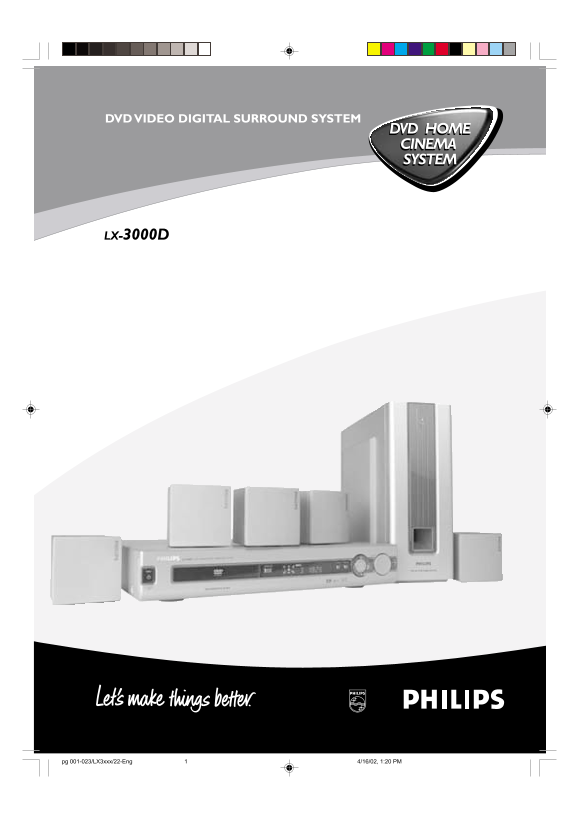
DVD VIDEO DIGITAL SURROUND SYSTEM DVD HOME CINEMA SYSTEM LX-3000D pg 001-023/LX3xxx/22-Eng 4/16/02, 1:20 PM1
Page 2
Important Note Important notes for users in the U.K. Italia Mains plug DICHIARAZIONE DI CONFORMITA’ This apparatus is fitted with an approved 13 Amp plug. Si dichiara che l’apparecchio LX-3000D Philip...
Page 3
Index English Français Español Deutsch -----------------------------------------------------62 Nederlands -------------------------------------------------81 Italiano Svenska Dansk ÏÏ rt sk sk It ed e...
Page 4
CAUTION WARNING: Due to the fact that the mains switch of sub-woofer was located at the rear panel, the apparatus must be located in an open area without any VISIBLE AND INVISIBLE LASER RADIATION WHEN...
Page 5
Contents Operations Information Discs information Basic playback 16–17 Features Skipping to another track/chapter Discs for playback Fast Search Player zone Continue playback from the last stop point ...
Page 6
Introduction and General Information Features Supplied accessories Your complete 7-piece 200-Watt DVD Digital Home a remote control with two AA batteries Cinema System creates the same dynamic sound q...
Page 7
Functional Overview Front and Rear panels DVD VIDEO DIGITAL SURROUND SYSTEM VOLUME OPEN/CLOSE SOURCE PROGRAM STANDBY ON STANDBY ON y PREV S / NEXT T to switch between power on and standby modes. in Di...
Page 8
Remote Control in disc mode, press to skip to the previous/next chapter/track. in disc mode, hold down to fast reverse/forward the disc. in Tuner mode, to tune to a lower or higher radio frequency. ÉÅ...
Page 9
Connections FL CFR SLSR LINE CENTER OUT AUDIO OUT AUDIO IN S-VIDEO VIDEO OUT OUT DIGITAL OUT FM DOLBY MANUFACTURED AND THE DOUBLE-D UNDER LICENSE SYMBOLARE FORM DOLBY TRADEMARKS LABORATORIES, OF DOLBY...
Page 10
L IN IA Use the supplied audio cables to connect AUDIO IN jacks Connecting the speakers to the corresponding AUDIO OUT jacks on the TV, VCR or Connect the supplied speaker systems using the supplied o...
Page 11
Preparations Setting up the surround sound remote control system Open the battery compartment. You must connect all the speakers and set up the system properly in order to enjoy the Digital Cinema exp...
Page 12
Changing the volume level System Setup (DVD) You can change the speakers’ sound distribution to suit The system setup is carried out via the TV, enabling you to your surround sound needs. customise th...
Page 13
Setting the sound 16:9 (Wide screen) 4:3 LB (Letter Box) – Digital Output 4:3 PS Digital output selection enables you to specify the type of (Pan Scan) digital output suitable for your amplifier or re...
Page 14
Use 34 keys to select a rating level. Setting the language Press OK to confirm. – Audio – Subtitle Rating - NO PARENT – Disc Menu If parental control is not activated, it will play all discs. This is ...
Page 15
Basic Functions VSS (Virtual Surround Sound) The Pro Logic MPEG or Dolby Digital surround channel is mode processed by a ‘virtualiser’ DSP to add surround effect from just the two front speakers. IMPO...
Page 16
Operations Notes: Discs information Your player will not play discs that have a region code different from the region code of your player. DVD-VIDEO DISC TITLE 1 TITLE 2 If the inhibit icon appears on...
Page 17
Special DVD/VCD features You can only select the repeat play mode during playback. A number of operations can be carried out directly via For DVD - Repeat chapter/title/disc the multiple menu bars on ...
Page 18
Changing sound track language To resume normal play, pressÉÅ. This operation works only on DVDs with multiple Note: soundtrack language. The sound will be muted during fast reverse or forward Select f...
Page 19
Zooming in Checking the contents of DVD This function allows you to enlarge the picture on the TV Press DISC MENU on the remote control. screen and to pan through the enlarged image. If the current ti...
Page 20
Special MP3-CD features JPEG format Max. 12 characters Max. nested directory is 7 levels The max. album number is 32 Supported VBR bit-rate Supported sampling frequencies for MP3 disc are : 32 k Hz, 4...
Page 21
Other Functions Listening to preset radio Press STANDBY ON to switch on the last selected stations source. In tuner mode, press 1 or 2 or use the numeric keypad Adjust SOURCE (or press TUNER) to selec...
Page 22
Specifications AMPLIFIER SECTION SPEAKERS Output power Front speakers / Centre speaker - Stereo mode (DIN) 2 x 25 W System 1-way shielded - Surround mode (1 k Hz) 15 W RMS/channel Impedance 4 Ω Total ...
Page 23
Troubleshooting WARNING! Under no circumstances should you try to repair the system yourself, as this will invalidate the warranty. Do not open the system as there is a risk of electric shock. If a fa...