# A B C D E F G H I J K L M N O P Q R S T U V W X Y Z

Philips Blu-ray Home Theater System HTB7150 93 Product Support & Manual Quick User Guide

Summary

Get started with your Philips HTB7150 Home Theater System using this comprehensive quick start guide. Designed for new homeowners, this manual provides step-by-step instructions covering everything from initial setup and language selection to complex source connections via HDMI ARC and Optical inputs. Learn how to seamlessly integrate your TV, music sources, and various entertainment devices. We cover the entire range of features needed to create a perfect home cinema experience, ensuring you can use your system correctly with confidence.
📄 Preview PAGE OF 12

Page 1 Text Content

HTB7150

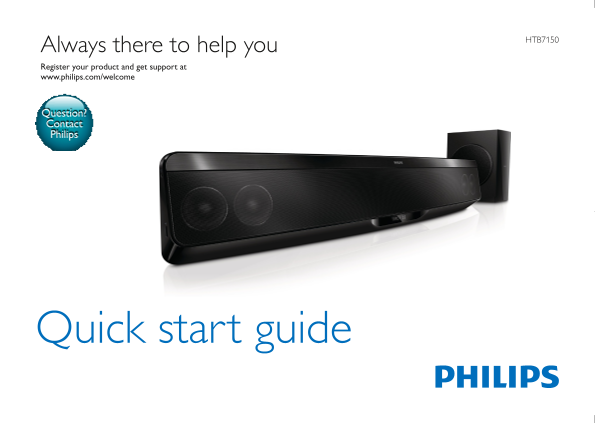
Always there to help you Register your product and get support at www.philips.com/welcome

Question? Contact Philips

Quick start guide

HTB7150_93_QSG_V1.0.indd 1 2012/7/12 9:52:59

Page Summary Contents For Philips Blu-ray Home Theater System HTB7150 93 Product Support & Manual Quick User Guide

Page 1 HTB7150 Always there to help you Register your product and get support at www.philips.com/welcome Question? Contact Philips Quick start guide HTB7150_93_QSG_V1.0.indd 1 2012/7/12 9:52:59
Page 2 EN Before using your product, read all accompanying safety information ZH-CN 使用产品前,请阅读所有随附的安全信息 Quick start guide Power Cord Cable Tie FM Antenna HDMI HTB7150_93_QSG_V1.0.indd 2 2012/7/12 9:52:59
Page 3 EN Connect and position the home theater ZH-CN 连接和放置家庭影院 HTB7150_93_QSG_V1.0.indd 3 2012/7/12 9:52:59
Page 4 HDMI ARC EN Connect to TV in one of these ways ZH-CN 通过这些方式连接至电视 HDMI OUT (ARC) HDMI IN (ARC) HTB7150_93_QSG_V1.0.indd 4 2012/7/12 9:53:00
Page 5 HDMI + OPTICAL VIDEO + AUDIO L/R OPTICAL AUDIO L/RVIDEO HDMI OUT (ARC) DIGITAL IN VIDEO OUT HDMI IN OPTICAL AUDIO OUT VIDEO IN OPTICAL OUT AUDIO IN- AUX HTB7150_93_QSG_V1.0.indd 5 2012/7/12 9:53:01
Page 6 EN Switch on the home theater ZH-CN 打开家庭影院 HTB7150_93_QSG_V1.0.indd 6 2012/7/12 9:53:01
Page 7 EN Complete the first time setup ZH-CN 完成首次设置 请选择语言并按OK. HOME THEATER HTB7150_93_QSG_V1.0.indd 7 2012/7/12 9:53:01
Page 8 EN Need help with your product? Select Help to access the onscreen user manual ZH-CN 需要有关产品的帮助吗?选择帮助以访问屏上 HOME THEATER HTB7150_93_QSG_V1.0.indd 8 2012/7/12 9:53:01
Page 9 EN Use your home theater ZH-CN 使用家庭影院 ANTENNA HTB7150_93_QSG_V1.0.indd 9 2012/7/12 9:53:02
Page 10 3.5MM STEREO MUSIC i LINK DCK306x DOCK for i Pod To TV To i Pod Dock HTB7150_93_QSG_V1.0.indd 10 2012/7/12 9:53:02
Page 11 HTB7150_93_QSG_V1.0.indd 11 2012/7/12 9:53:02
Page 12 Organize the cables EN For sustainability, the user manual is not printed and available in your product as onscreen help. A printable user manual as well as product updates is available from www.phili...

Manual Details

Brand Philips
Pages 12
File Size 2.23 MB
Published May 27, 2026
65 views

Enter the captcha to get the download link:

captcha

Frequently Asked Questions

How do I connect the HTB7150 to my TV?

You can connect it using HDMI OUT (ARC) and HDMI IN (ARC), or via other digital inputs like Optical.

Where can I find a printed user manual or product updates?

A printable user manual and product updates are available from www.philips.com/support.

What are the primary audio output options besides ARC HDMI?

Other options include pairing left/right optical video and audio outputs, or using the AUX input.