Philips DVDR980 and DVDR985 Recorders User Manual
Summary
Enhance your Philips DVDR980 or DVDR985 DVD recorder with advanced recording capabilities. This manual provides comprehensive instructions for upgrading, unlocking new functions like 'SP+' (2.5-hour) and 'EP+' (6-hour) modes, as well as MP3-CD playback and Cinema Link integration. It is essential reading for existing owners who need step-by-step guidance on the upgrade process, proper setup, and troubleshooting tips to maximize their DVD recorder's performance.
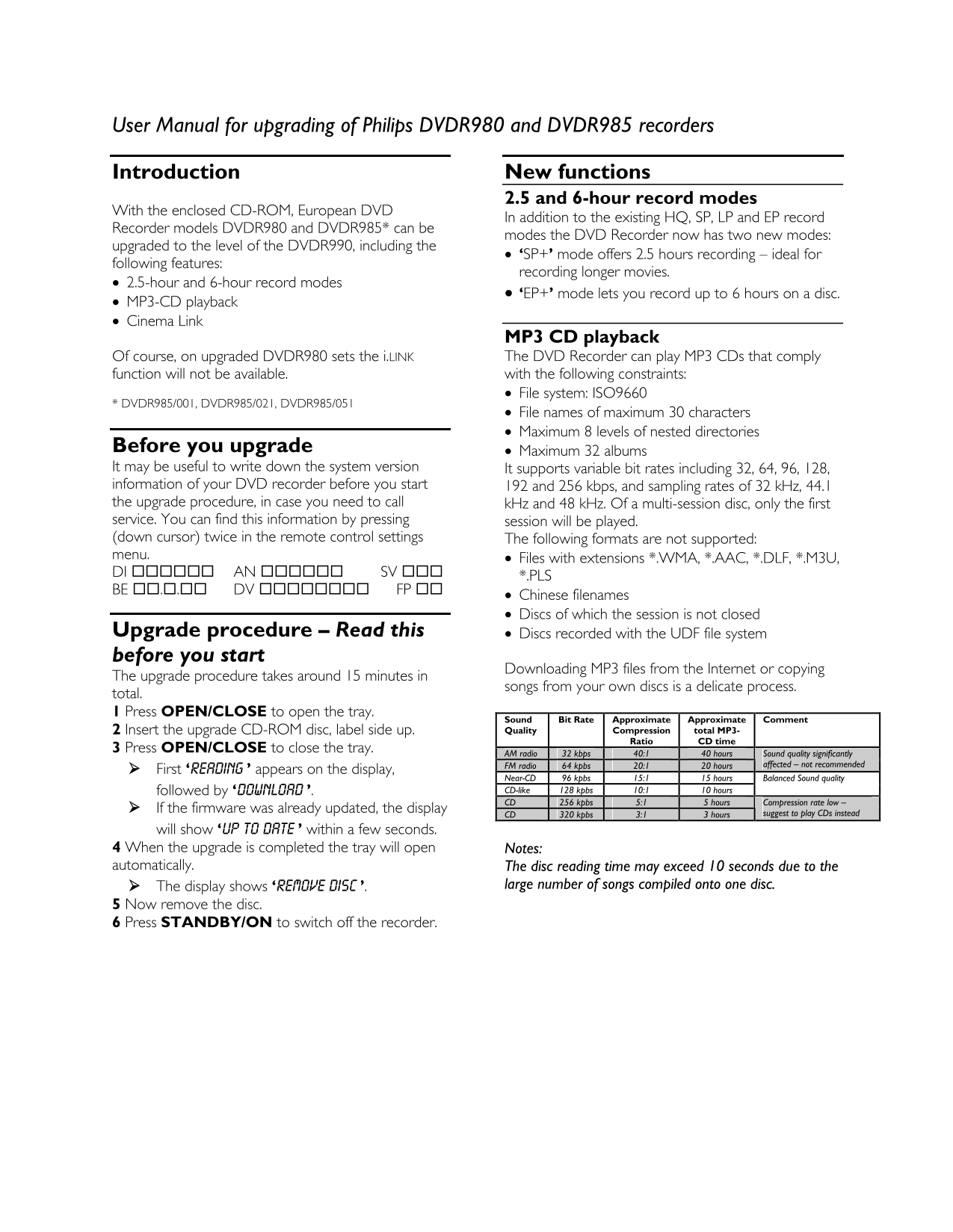
Page 1 Text Content
User Manual for upgrading of Philips DVDR980 and DVDR985 recorders
Introduction New functions
2.5 and 6-hour record modes
With the enclosed CD-ROM, European DVD
In addition to the existing HQ, SP, LP and EP record
Recorder models DVDR980 and DVDR985* can be
modes the DVD Recorder now has two new modes:
upgraded to the level of the DVDR990, including the
• ‘SP+’ mode offers 2.5 hours recording – ideal for
following features:
recording longer movies.
• 2.5-hour and 6-hour record modes
• ‘EP+’ mode lets you record up to 6 hours on a disc.
• MP3-CD playback • Cinema Link
MP3 CD playback Of course, on upgraded DVDR980 sets the i.LINK The DVD Recorder can play MP3 CDs that comply function will not be available. with the following constraints: • File system: ISO9660
* DVDR985/001, DVDR985/021, DVDR985/051
• File names of maximum 30 characters • Maximum 8 levels of nested directories
Before you upgrade • Maximum 32 albums It may be useful to write down the system version It supports variable bit rates including 32, 64, 96, 128, information of your DVD recorder before you start 192 and 256 kbps, and sampling rates of 32 k Hz, 44.1 the upgrade procedure, in case you need to call k Hz and 48 k Hz. Of a multi-session disc, only the first service. You can find this information by pressing session will be played. (down cursor) twice in the remote control settings The following formats are not supported: menu. • Files with extensions *.WMA, *.AAC, *.DLF, *.M3U, DI AN SV *.PLS BE . DV FP
• Chinese filenames • Discs of which the session is not closed
Upgrade procedure – Read this • Discs recorded with the UDF file system before you start
Downloading MP3 files from the Internet or copying
The upgrade procedure takes around 15 minutes in
songs from your own discs is a delicate process.
total. 1 Press OPEN/CLOSE to open the tray.
Sound Bit Rate Approximate Approximate Comment 2 Insert the upgrade CD-ROM disc, label side up. Quality Compression total MP3-
Ratio CD time
3 Press OPEN/CLOSE to close the tray.
AM radio 32 kbps 40:1 40 hours Sound quality significantly
FM radio 64 kpbs 20:1 20 hours affected – not recommended
First ‘READING ’ appears on the display,
Near-CD 96 kpbs 15:1 15 hours Balanced Sound quality followed by ‘DOWNLOAD ’. CD-like 128 kpbs 10:1 10 hours CD 256 kpbs 5:1 5 hours Compression rate low –
If the firmware was already updated, the display
CD 320 kpbs 3:1 3 hours suggest to play CDs instead
will show ‘UP TO DATE ’ within a few seconds. 4 When the upgrade is completed the tray will open Notes: automatically. The disc reading time may exceed 10 seconds due to the
The display shows ‘REMOVE DISC ’. large number of songs compiled onto one disc.
5 Now remove the disc. 6 Press STANDBY/ON to switch off the recorder.
Page Summary Contents For Philips DVDR980 and DVDR985 Recorders User Manual
Manual Details
| Brand | Philips |
|---|---|
| Pages | 3 |
| File Size | 138.27 KB |
| Published | July 06, 2026 |
Enter the captcha to get the download link:

Frequently Asked Questions
What new recording modes are available on upgraded VPDR models?
There are two new modes: 'SP+' for 2.5-hour recordings and 'EP+' for up to 6-hour recordings.
Can I play MP3 CDs with the recorder?
Yes, it can play MP3 CDs, provided they adhere to specific constraints like ISO9660 file system and maximum 30 characters for file names.
How do I troubleshoot 'BAD VERSION' or ‘BAD DISC’ errors?
These errors mean your current recorder version is newer than the disc-ROM requires, so upgrading with that disc is not possible.
What are the basic steps to perform a firmware upgrade?
You must insert the CD-ROM in the labeled side up. Then, follow the sequence of opening/closing the tray before powering off the recorder.