# A B C D E F G H I J K L M N O P Q R S T U V W X Y Z

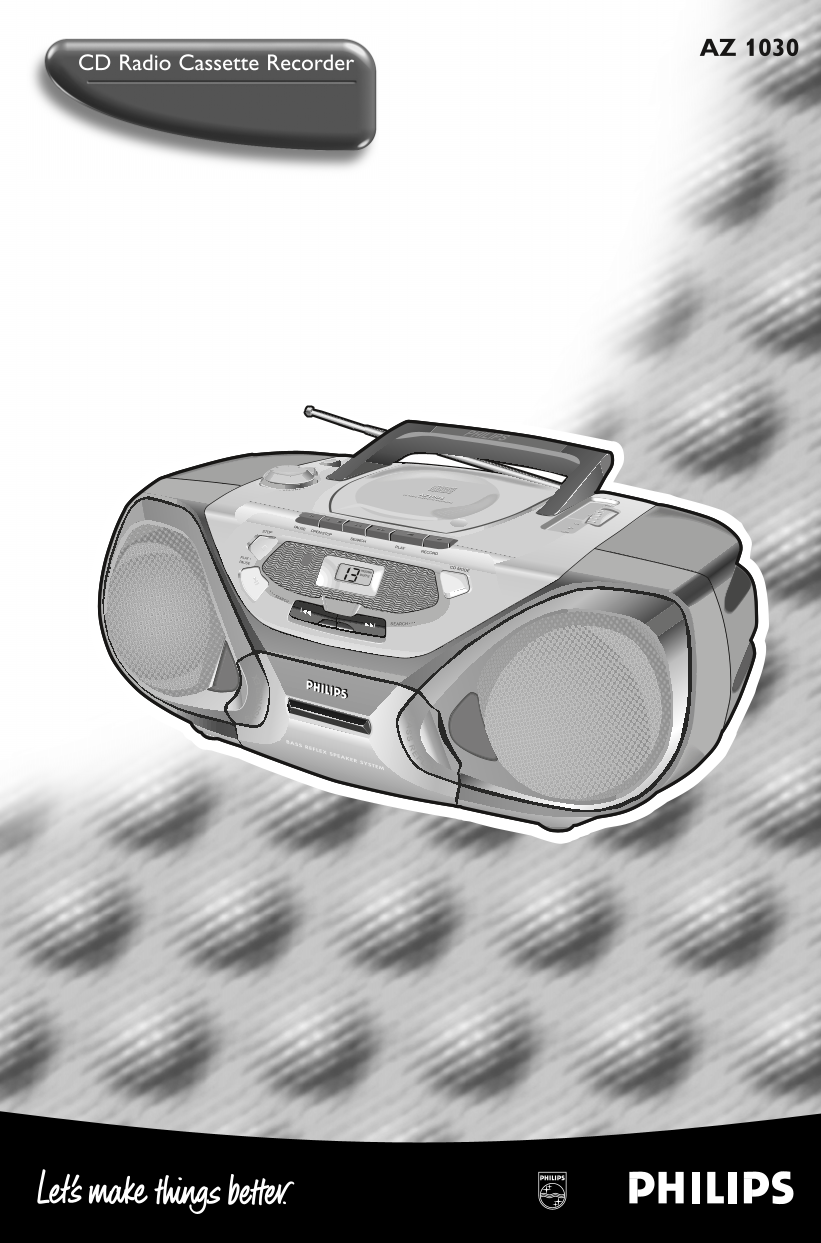
PHILIPS CD Radio Cassette Recorder AZ 1030 User Guide

Summary

This manual provides comprehensive instructions for operating your all-in-one Bass Reflex CD Radio Cassette Recorder. It serves as a complete guide for users, covering everything from basic setup and connecting methods to advanced functions like CD playback, radio tuning (AM/FM), and cassette recording. Detailed troubleshooting tips are included to help you maintain optimal sound quality and quickly resolve common operational issues.
📄 Preview PAGE OF 13

Page 1 Text Content

AZ1030/00 eng 31/5/01 14:23 Page 1

AZ 1030

CD Radio Cassette Recorder

FL EX

PHILIPS

VOLUME

AZ1035

PAUSE OPEN•STOP AM/FM

SEARCH

RECORD

PLAY •

PAUSE

PROGRAM CD MODE

SHUFFLE

SEARCH

SEARCH

BASS REFLEX SPEAKER SYSTEM

Page Summary Contents For PHILIPS CD Radio Cassette Recorder AZ 1030 User Guide

Page 1 AZ1030/00 eng 31/5/01 14:23 Page 1 AZ 1030 CD Radio Cassette Recorder FL EX PHILIPS VOLUME AZ1035 PAUSE OPEN•STOP AM/FM SEARCH RECORD PLAY • PAUSE PROGRAM CD MODE SHUFFLE SEARCH SEARCH BASS REFLEX SPE...
Page 2 AZ1030/00 eng 31/5/01 14:23 Page 2 AZ 1030 /00 page Important notes for users in the U.K. Norge Mains plug Typeskilt finnes på apparatens underside. This apparatus is fitted with an approved 13 Amp pl...
Page 3 AZ1030/00 eng 31/5/01 14:23 Page 3 AZ 1030 /00 page Controls..................................4 CD player ...........................7–9 English Power supply .........................5 Cassette record...
Page 4 AZ1030/00 eng 31/5/01 14:23 Page 4 AZ 1030 /00 page CONTROLS VOLUME AZ1030 STOP PAUSE OPEN•CLOSE AM/FM SEARCH PLAY RECORD PAUSE PLAY • PROGRAM CD MODE SHUFFLE SEARCH SEARCH SS FL EX BASS REFLEX SPEAKE...
Page 5 AZ1030/00 eng 31/5/01 14:23 Page 5 AZ 1030 /00 page POWER SUPPLY Batteries (optional) Open the battery compartment of the set and insert 6 batteries, type R20, UM-1 or D-cells (preferably alkaline). R...
Page 6 AZ1030/00 eng 31/5/01 14:23 Page 6 AZ 1030 /00 page BASIC FUNCTIONS RADIO Switching the set on and off Set the POWER slider to the desired sound source: POWER OFF CD TAPE FM CD, TAPE, or BAND (for rad...
Page 7 AZ1030/00 eng 31/5/01 14:23 Page 7 AZ 1030 /00 page CD PLAYER Playing a CD Set the POWER slider to CD. OPEN•CLO Press / OPEN to open the CD compartment. Insert an audio CD (printed side up) and close ...
Page 8 AZ1030/00 eng 31/5/01 14:23 Page 8 AZ 1030 /00 page CD PLAYER Search backward ∞ and forward § AZ1030 Selecting another track Briefly press the ∞ or button once/several times to skip to the STOP PAUSE ...
Page 9 AZ1030/00 eng 31/5/01 14:23 Page 9 AZ 1030 /00 page CD PLAYER CD MODE: Programming track numbers AZ1030 You can select a number of tracks and store these in the memory in the desired sequence. You can...
Page 10 AZ1030/00 eng 31/5/01 14:23 Page 10 AZ 1030 /00 page CASSETTE RECORDER Playing a cassette Set the POWER slider to TAPE. CD RADIO CASSETTE RECORDER AZ1030 Press OPEN·STOP / to open the cassette compart...
Page 11 AZ1030/00 eng 31/5/01 14:23 Page 11 AZ 1030 /00 page CASSETTE RECORDER Recording from the CD player – CD synchro start Set the POWER slider to CD. CD RADIO CASSETTE RECORDER AZ1030 Insert a CD and, if...
Page 12 AZ1030/00 eng 31/5/01 14:23 Page 12 AZ 1030 /00 page GENERAL INFORMATION General maintenance Do not expose the set, batteries, CDs, or tapes to humidity, rain, sand, or excessive heat (caused by heati...
Page 13 AZ1030/00 eng 31/5/01 14:23 Page 13 AZ 1030 /00 page TROUBLESHOOTING If a fault occurs, first check the points listed WARNING below before taking the set for repair. Under no circumstance should you t...

Manual Details

Brand Philips
Pages 13
File Size 2.14 MB
Published July 12, 2026
1 views

Enter the captcha to get the download link:

captcha

Frequently Asked Questions

What should I do if my unit has no sound?

First, check settings like volume adjustment or disconnected headphones. If those are fine, ensure the mains cable is properly connected.

How do I troubleshoot poor radio reception?

If reception is weak, try directing the antenna for optimum signal strength and keep the radio away from electrical devices like TVs and computers to minimize interference.

What type of fuse should I use when replacing a fuse in the U.K.?

The new fuse must be an approved BS1362 5 Amp, A.S.T.A., or BSI approved type. If no fuse is present, the distribution board fuse should not exceed 5 Amp.

What care do I take if the CD skips tracks?

Check if SHUFFLE or PROGRAM mode is active and ensure these functions are switched off. Also verify the CD is clean or undamaged.