# A B C D E F G H I J K L M N O P Q R S T U V W X Y Z

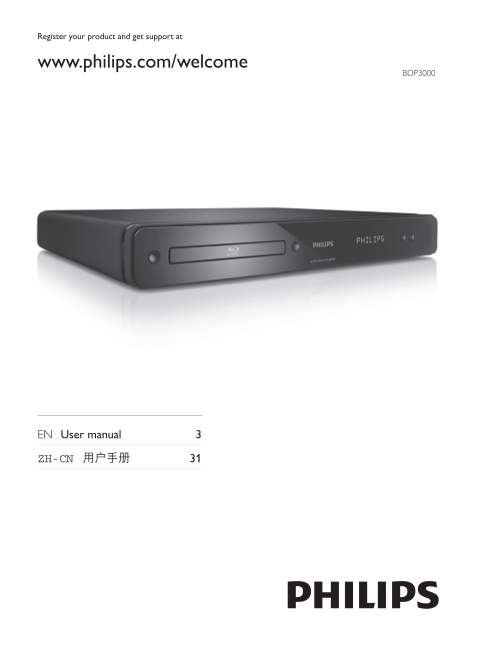
PHILIPS BDP3000 User Guide and Manual

Summary

Philips BDP3000 Blu-ray Disc player user manual provides complete setup and operation instructions for this home theater component. Covers connection options (HDMI, digital audio, component video), playback controls, disc compatibility, Picture-in-Picture secondary audio settings, aspect ratio configuration, and troubleshooting guidance. Includes environmental compliance information with China RoHS substance disclosure tables and detailed glossary of technical terms for home entertainment users.
📄 Preview PAGE OF 32

Page 1 Text Content

Register your product and get support at

www.philips.com/welcome

BDP3000

EN User manual

ZH-CN

Page Summary Contents For PHILIPS BDP3000 User Guide and Manual

Page 1 Register your product and get support at www.philips.com/welcome BDP3000 EN User manual ZH-CN
Page 2 O: Indicates that this toxic or hazardous substance contained in all of the homogeneous materials for this part is below the limit requirement in SJ/T11363 – 2006. X: Indicates that this toxic or haza...
Page 3 No secondary audio output for Picture-in-Picture Glossary feature. When [Bitstream] under the [HDMI Audio] or [Digital Audio] menu is selected, interactive sound like secondary sound for Picture-in- P...
Page 4 DTS Digital Theatre Systems. A surround sound system for providing 5.1 channels of discrete digital audio MP3 in consumer electronics products and software content. It is not developed by Dolby Digita...
Page 5 Open Source Software This product contains the following open source software packages, which are subject to their respective licenses. 1. Zlib general purpose compression library See http://www.zlib....
Page 6 The authors make NO WARRANTY or representation, either express or implied, with respect to this software, you, its user, assume the entire risk as to its quality and accuracy. purpose, without fee, su...
Page 7 ANY WAY OUT OF THE USE OF THIS SOFTWARE, EVEN IF ADVISED OF THE POSSIBILITY OF SUCH DAMAGE. Original SSLeay License The implementation was written so as to conform with Netscapes SSL. This library is ...
Page 8 NOTICE SOFTWARE END USER LICENSE AGREEMENT LIFESTYLE B.V. A DUTCH LIMITED LIABILITY COMPANY, WITH ITS PRINCIPAL OFFICE AT HIGH TECH CAMPUS 37, 5656 AE EINDHOVEN, THE NETHERLANDS AND ITS SUBSIDIARY COM...
Page 9 Secure Content. Microsoft may, in conjunction with such license, also download revocation lists onto your Device on behalf of Secure Content Owners, which may disable your Device’s ability to copy, st...
Page 10 10. NO OTHER WARRANTIES. EXCEPT AS SET FORTH ABOVE, PHILIPS AND ITS LICENSORS DO NOT WARRANT THAT THE SOFTWARE WILL OPERATE ERROR FREE OR UNINTERRUPTED, OR WILL MEET YOUR REQUIREMENTS. YOU ASSUME ALL ...
Page 12 CLASS LASER PRODUCT
Page 16 HDMI IN Pb Y Pr AUDIO IN
Page 17 COAXIAL AUDIO IN VIDEO IN AUDIO IN
Page 18 Settings
Page 19 Menu Language Video Setup Parental Control Screen Saver Audio Setup Change Password Preference Setup Display Panel Auto Standby Easy Link Setup VCD PBC Advanced Setup
Page 20 BD-video, DVD-video title 1 title 2 chapter 2chapter 1 chapter 3chapter 2chapter 1 Audio CD track 2track 1 track 5track 4track 3 MP3, Windows Media™ Audio, JPEG folder (group) 1 folder (group) file 2f...
Page 25 Menu Language English Video Setup Parental Control Off Audio Setup Screen Saver Off Change Password Preference Setup Display Panel Normal Auto Standby On Easy Link Setup VCD PBC On Advanced Setup
Page 27 Off BD Live Security Video Setup Network Audio Setup Software Download Clear Memory Preference Setup Div X® VOD Code Version Info Easy Link Setup Restore Default Settings Advanced Setup
Page 32 © 2009 Koninklijke Philips Electronics N.V. All rights reserved. BDP3000_93_UM_V3.0_1008

Manual Details

Brand Philips
Pages 32
File Size 1.39 MB
Published June 18, 2026
5 views

Enter the captcha to get the download link:

captcha

Frequently Asked Questions

Will a CD-R/CD-RW work with the Blu-ray Disc player?

No. Blu-rays can hold much more data than a regular CD, and cannot be played on CDs.

Why do I see 'Digital Audio' messages or 'EasyLink feature does not work'?

Ensure the product is connected to a compatible Philips EasyLink TV and that the [EasyLink] setting is set to [On].

How do I maximize picture quality for video playback?

Use the best available source. For optimal viewing, connect to an HDMI source.

What does 'Environmental Protection Use Period' refer to?

It specifies the period (e.g., 10 years) during which contained substances will not leak or mutate, preventing severe environmental pollution.