Page 1
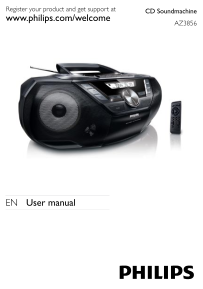
CD Soundmachine Register your product and get support at www.philips.com/welcome AZ3856 EN User manual
Page 4
EN 1 Important Safety Important Safety Instructions a Read these instructions. b Keep these instructions. c Heed all warnings. d Follow all instructions. e Do not use this apparatus near water. f Clea...
Page 5
as power-supply cord or plug is damaged, liquid has been spilled or objects have fallen into the apparatus, the apparatus has been exposed to rain or moisture, does not operate normally, or has been d...
Page 6
higher decibel ranges are offered for those that may have already experienced some hearing loss. Sound can be deceiving. Over time your hearing ‘comfort level’ adapts to higher volumes of sound. So af...
Page 7
Notice This product complies with the radio interference requirements of the European Community. This product complies with the requirements of the following directives and guidelines: 2004/108/EC + 2...
Page 8
Your system consists of materials which can be recycled and reused if disassembled by a specialized company. Please observe the local regulations regarding the disposal of packaging materials, exhaust...
Page 9
The type plate is located on the back of the apparatus. • What’s in the box Check and identify the contents of the package: Main unit• AC power adaptor• Remote control• User Manual• Quick Start Guide•...
Page 10
Select a preset radio station.• Skip to the previous/next album.• 7 PROGRAM Program tracks and browse the program. • MODE Select a play mode: REPEAT or SHUFFLE.• 8 SOURCE Select a source.• 9 IR Remote...
Page 11
Overview of the remote control (See 2) 1 CD Select disc source.• 2 / Skip to the previous/next album.• Select a preset radio station.• Tune to a radio station.• Skip to the previous/next track.• Start...
Page 12
12 USB Select USB source. • 13 TUNER Select tuner source.• 3 Get started Caution Use of controls or adjustments or performance of procedures • other than herein may result in hazardous radiation expos...
Page 13
Install remote control batteries Caution Risk of explosion! Keep batteries away from heat, sunshine or • fire. Never discard batteries in fire. Risk of decreased battery life! Never mix different bran...
Page 14
1 Connect the power adaptor to the DC input jack on the apparatus and to the power supply socket. To switch the apparatus off completely, disconnect the power • adaptor from the power supply socket. (...
Page 15
Play tape When you play or record a tape, the sound source cannot be • changed. 1 Press SOURCE to select the tape source. 2 Open the tape button cover. 3 Press to open the tape door. 4 Load the tape w...
Page 16
Listen to an external device You can listen to an MP3 player through this apparatus. 1 Use a cable with 3.5mm plugs on both ends (not supplied) to connect MP3 LINK jack (3.5mm) on this apparatus and t...
Page 17
2 To return to normal play, press MODE repeatedly until play mode icons are no longer displayed. Only • and can be selected when you play programmed tracks. Program tracks You can program a maximum of...
Page 18
2 Press and hold / for more than 2 seconds. [SEARCH] (search) is displayed. » The radio tunes to a station with strong reception automatically. » 3 Repeat step 2 to tune to more stations. To tune to a...
Page 19
The preset number and the frequency of the preset station are » displayed. 4 Repeat the above steps to program other stations. To overwrite a programmed station, store another station in • its place. ...
Page 20
The quality of recorded sound can differ depending on the • source and the tape used. Record from CD to tape 1 Press CD to select disc source. 2 Load a disc. 3 Stop disc playback. 4 Press to open the ...
Page 21
To pause recording, press• . To resume, press this button again. To stop recording, press• . Record from USB 1 Press USB to select USB source. 2 Connect a USB device. 3 Stop USB playback. 4 Press to o...
Page 22
Listen through headphone 1 Plug a headphone into the socket on the unit. Turn on/off the screen backlight To turn on/off the screen backlight of main unit, 1 Press and hold SLEEP. 8 Product informatio...
Page 23
Tuner Tuning Range FM: 87.5 - 108MHz; MW: 531 - 1602k Hz Tuning grid 50 k Hz (FM); 9 k Hz (MW) Total Harmonic Distortion <3% Signal to Noise Ratio >50 d B Tape deck Frequency response 125 - 8000...
Page 24
Supported MP3 disc formats ISO9660, Joliet• Maximum title number: 512 (depending on file name length)• Maximum album number: 255• Supported sampling frequencies: 32 k Hz, 44.1k Hz, 48 k Hz• Supported ...
Page 25
Maintenance Clean the cabinet Use a soft cloth slightly moistened with a mild detergent solution. Do • not use a solution containing alcohol, spirits, ammonia or abrasives. Clean discs When a disc bec...
Page 26
If you encounter problems when using this apparatus, check the following points before requesting service. If the problem remains unsolved, go to the philips web site (www.philips.com/support), or con...
Page 27
USB device not supported The USB device is incompatible with the apparatus. Try another one.• No disc detected Insert a disc.• Check if the disc is inserted upside down.• Wait until the moisture conde...
Page 28
© Royal Philips Electronics N.V. 2009 All rights reserved. Specifications are subject to change without notice. Trademarks are the property of Koninklijke Philips Electronics N.V. or their respective ...