Philips AZ1027 12 User Guide
Summary
This comprehensive manual provides owners of Philips Soundmachines with detailed guidelines for safe operation and optimal performance. It covers essential safety warnings concerning electrical use, battery handling, and proper disposal of electronic components. Use dedicated to general users who require instructions on playing various media formats (cassettes, CDs), troubleshooting common operational issues like no power or poor sound quality, and understanding product specifications to ensure the longevity and safe maintenance of their audio system.
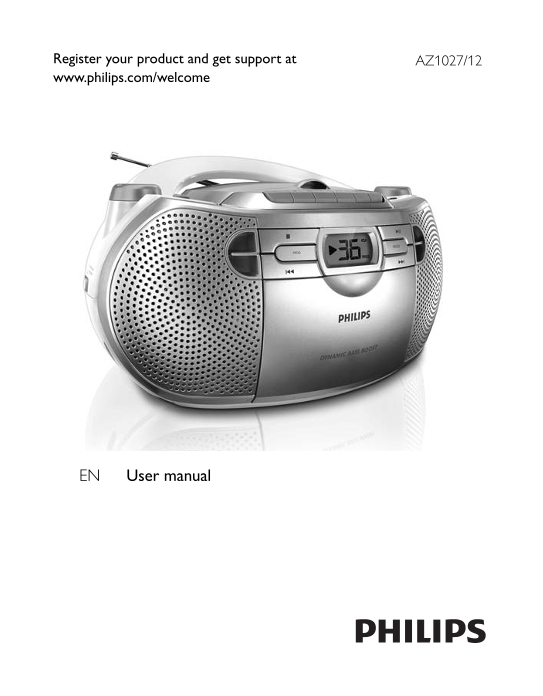
Page 1 Text Content
Register your product and get support at AZ1027/12 www.philips.com/welcome
EN User manual
Page Summary Contents For Philips AZ1027 12 User Guide
Page 1
Register your product and get support at AZ1027/12 www.philips.com/welcome EN User manual
Page 2
LINE-IN LINE-IN
Page 3
6 x 1.5V R-14/UM-2/C-cell
Page 4
English 1 Important Safety a Read these instructions. b Keep these instructions. c Heed all warnings. d Follow all instructions. e Do not use this apparatus near water. f Clean only with dry cloth. g ...
Page 5
m Unplug this apparatus during lightning storms or when unused for long periods of time. n Refer all servicing to qualifi ed service personnel. Servicing is required when the apparatus has been damage...
Page 6
Notice This product complies with the radio interference requirements of the European Community. This product complies with the requirements of the following directives and guidelines: <Radio Intef...
Page 7
Information on Disposal in other Countries outside the European Union These symbols are only valid in the European Union. If you wish to discard these items, please contact your local authorities or d...
Page 8
b DBB Turn the bass enhancement on/off • c Cassette recorder buttons Pause play or record Stop cassette play or record Open the cassette holder Fast forward/rewind cassette Start cassette play Start c...
Page 9
l Telescopic antenna Improve FM reception • m AC MAINS~ Socket for the power cord • n Battery door o Source selector: CD , TUNER , LINE-IN , TAPE/OFF Select sound source • Switc • h to standby mode 3 ...
Page 10
corresponds to the voltage printed on the back or the underside of the Soundmachine. Risk of electric shock! When you unplug the AC adaptor, always pull the • plug from the socket. Never pull the cord...
Page 11
[ » ] is displayed. (see 4) To pause CD play, press • . To resume CD play, press • again. To stop CD play, press • . Select a track 1 During play, press / to select a track. Find a passage within a tr...
Page 12
Select play modes Repeat play You can repeat a track, a disc, or a program. • [ ] – plays the current track continuously • [ ALL] – repeats the entire CD/program 1 During play, press MODE repeatedly u...
Page 13
1 Switch the source selector to TAPE/OFF . 2 Press to open the cassette holder, insert a cassette tape, and then close the cassette holder. 3 Press to start play. To pause play, press • . To stop the ...
Page 14
5 Close the holder. 6 Press to start to record. To pause, press • . To resume, press • again. To stop, press • . 5 Troubleshooting Warning Never remove the casing of this Soundmachine. • To keep the w...
Page 15
Ensure that the CD is a fi nalised CD/CD-R/CD-RW. • Ensure that the laser lens is clean. • Ensure that the CD is not encoded with copyr ight protection • technologies. The CD skips tracks Ensure that ...
Page 16
© 2010 Koninklijke Philips Electronics N.V. All rights reserved. AZ1027_12_UM_V2.0
Manual Details
| Brand | Philips |
|---|---|
| Pages | 16 |
| File Size | 1.32 MB |
| Published | July 06, 2026 |
2 views
Enter the captcha to get the download link:
