# A B C D E F G H I J K L M N O P Q R S T U V W X Y Z

Panasonic WVCU550B User's Guide and Manual

Summary

The WV-CU550B is a high-capacity System Controller designed for professional surveillance installations. It manages complex networks, enabling flexible control and routing of up to 128 cameras across 16 monitors when coupled with optional matrix units. This manual provides comprehensive instructions covering features, complete installation guides, operating controls (including zoom/focus), specifications, and critical safety precautions. It is for system integrators and technical professionals managing large-scale commercial security systems.
📄 Preview 📖 Table of Contents Contents PAGE OF 11

Page 1 Text Content

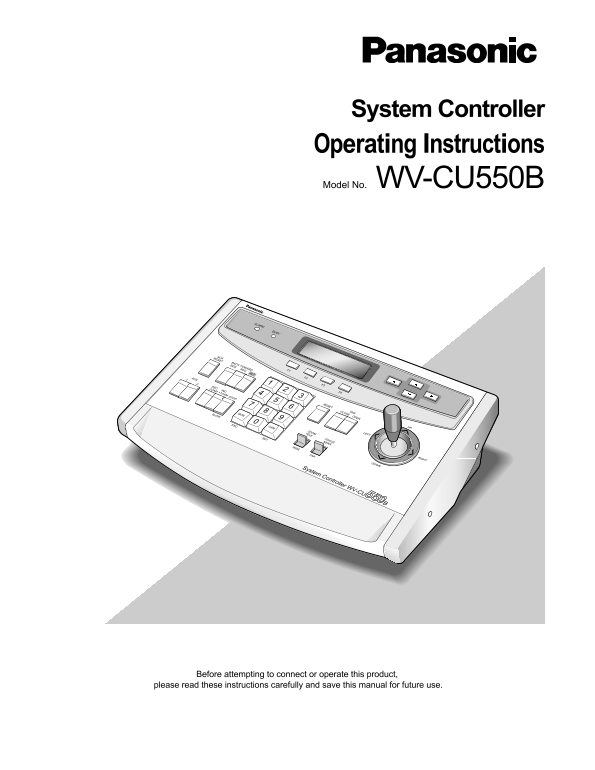
System Controller Operating Instructions Model No. WV-CU550B

ALARM

ACKRESET

BACK SEQ

FOWARD SEQ

AUX F2

DEC-1CAM F3

INC+1CAM F4

RESET

CLOSE OPEN IRIS

SLOW MON

ESC CAM

ZOOMTELE

SET FOCUS NEAR

System Controller WV-CU550B

Before attempting to connect or operate this product,

please read these instructions carefully and save this manual for future use.

Page Summary Contents For Panasonic WVCU550B User's Guide and Manual

Page 1 System Controller Operating Instructions Model No. WV-CU550B ALARM ACKRESET BACK SEQ FOWARD SEQ AUX F2 DEC-1CAM F3 INC+1CAM F4 RESET CLOSE OPEN IRIS SLOW MON ESC CAM ZOOMTELE SET FOCUS NEAR System Con...
Page 2 CONTENTS PREFACE ..........................................................................................................................................................................................
Page 3 PREFACE The WV-CU550B System Controller, when combined with the optional WJ-SX550B Matrix Switcher and WJ-AD550 Extension Unit, allows for flexible control of 128 cameras and 16 monitors. When used in...
Page 4 PRECAUTIONS Refer all work related to the installation of this Do not use strong or abrasive detergents when product to qualified service personnel or system cleaning the appliance body. installers. U...
Page 5 MAJOR OPERATING CONTROLS AND THEIR FUNCTIONS ■Front View ALARM BUSY !8 UP ACK FORWARD IRIS RESET SEQ SEQ ALT PRESET CLOSE OPEN AUX DEC INC ZOOM FOCUS –1CAM +1CAM STOP TELE NEAR MON CAM SLOW FARWIDE ES...
Page 6 Alarm Indicator (ALARM) !1 Camera (Set) Key [CAM (SET)] Blinks to indicate that an alarm condition exists. CAM: Used for camera selection. To select a camera, It changes to steady light when the alarm...
Page 7 !7 Auxiliary Button (AUX 1,2) #4 Mode Selection Switch (MODE) These buttons toggle the auxiliary switches in the These switches are used to set the mode of the System Receiver on and off. Controller c...
Page 8 INSTALLATION The installation described below should be made by qualified service personnel or system installers and should conform to all local codes. ■Replacing the Side Panels with the optional WV-...
Page 9 SPECIFICATIONS Power Supply: 120 V, AC 60 Hz Power Consumption: Approx. 4 W Data Input/Output: 6-conductor Modular Jack (RS-485, 4-wire) Switching Functions: Program Sequence/Tour Sequence Group Seque...
Page 10 STANDARD ACCESSORY Data Cable 3 m (9.8 ft.) ................................................................. 1 pc. Templates For WJ-FS616.................................................................
Page 11 Panasonic Security and Digital Imaging Systems Company Panasonic Canada Inc. 5770 Ambler Drive, Mississauga, A Division of Matsushita Electric Corporation of America Ontario, L4W 2T3 Canada (905)624-5...

Manual Details

Brand Panasonic
Pages 11
File Size 139.65 KB
Published June 21, 2026
6 views

Enter the captcha to get the download link:

captcha

Frequently Asked Questions

What is the WV-CU550B's camera control range?

It enables routing of up to 128 cameras to any one of 16 monitors.

What are the recommended units for pairing this controller with?

It works best when combined with the WJ-SX550B Matrix Switcher and WJ-AD550 Extension Unit.

Who should perform maintenance or repair on the system?

Servicing must be done by qualified service personnel only, as there are no user-serviceable parts inside.

What is the operational temperature range for this unit?

The ambient operating temperature range is between –10°C and +50°C.