# A B C D E F G H I J K L M N O P Q R S T U V W X Y Z

Panasonic TH-42PF20U TH-50PF20U User Manual

Summary

This comprehensive operating manual provides essential instructions for Panasonic High Definition Plasma Displays. Designed for owners and professional users of these flat panel screens, the guide thoroughly covers everything from initial setup and basic operation controls to advanced network functions and maintenance procedures. It ensures safe usage of your unit by detailing critical safety precautions and connectivity guidelines.
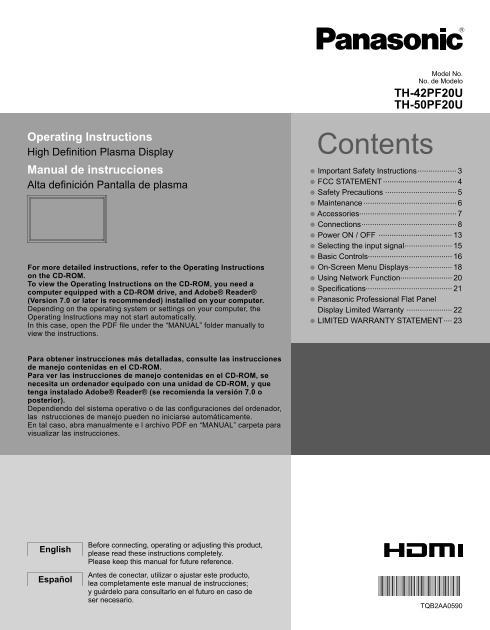
📄 Preview 📖 Table of Contents Contents PAGE OF 25

Page 1 Text Content

Model No. No. de Modelo

TH-42PF20U TH-50PF20U

Operating Instructions

High Defi nition Plasma Display Contents

Manual de instrucciones • Important Safety Instructions ..................

Alta defi nición Pantalla de plasma • FCC STATEMENT .................................. • Safety Precautions ................................. • Maintenance ........................................... • Accessories............................................. • Connections ............................................ • Power ON / OFF .................................. • Selecting the input signal ...................... • Basic Controls.......................................

For more detailed instructions, refer to the Operating Instructions • On-Screen Menu Displays .................... on the CD-ROM.

• Using Network Function........................

To view the Operating Instructions on the CD-ROM, you need a computer equipped with a CD-ROM drive, and Adobe® Reader® • Specifications........................................ (Version 7.0 or later is recommended) installed on your computer. • Panasonic Professional Flat Panel Depending on the operating system or settings on your computer, the Display Limited Warranty ..................... Operating Instructions may not start automatically.

In this case, open the PDF fi le under the “MANUAL” folder manually to • LIMITED WARRANTY STATEMENT ....

view the instructions.

Para obtener instrucciones más detalladas, consulte las instrucciones de manejo contenidas en el CD-ROM. Para ver las instrucciones de manejo contenidas en el CD-ROM, se necesita un ordenador equipado con una unidad de CD-ROM, y que tenga instalado Adobe® Reader® (se recomienda la versión 7.0 o posterior). Dependiendo del sistema operativo o de las confi guraciones del ordenador, las nstrucciones de manejo pueden no iniciarse automáticamente. En tal caso, abra manualmente e l archivo PDF en “MANUAL” carpeta para visualizar las instrucciones.

Before connecting, operating or adjusting this product,

English

please read these instructions completely. Please keep this manual for future reference. Antes de conectar, utilizar o ajustar este producto,

Español

lea completamente este manual de instrucciones; y guárdelo para consultarlo en el futuro en caso de ser necesario.

TQB2AA0590

Page Summary Contents For Panasonic TH-42PF20U TH-50PF20U User Manual

Page 1 Model No. No. de Modelo TH-42PF20U TH-50PF20U Operating Instructions High Defi nition Plasma Display Contents Manual de instrucciones • Important Safety Instructions .................. Alta defi nició...
Page 2 CAUTION RISK OF ELECTRIC SHOCK DO NOT OPEN WARNING: To reduce the risk of electric shock, do not remove cover or back. No user-serviceable parts inside. Refer servicing to qualifi ed service personnel...
Page 3 Important Safety Instructions 1) Read these instructions. 2) Keep these instructions. 3) Heed all warnings. 4) Follow all instructions. 5) Do not use this apparatus near water. 6) Clean only with dry ...
Page 4 FCC STATEMENT This equipment has been tested and found to comply with the limits for a Class B digital device, pursuant to Part 15 of the FCC Rules. These limits are designed to provide reasonable pro...
Page 5 Safety Precautions CAUTION This Plasma Display is for use only with the following optional accessories. Use with any other type of optional accessories may cause instability which could result in the ...
Page 6 Safety Precautions WARNING Setup Do not use any power supply cord other than that provided with this unit. Do not place the Plasma Display on sloped or unstable • Doing so may cause fi re or electric ...
Page 7 Accessories Accessories Supplied Check that you have the Accessories and items shown Operating CD-ROM Remote Control Transmitter Batteries for the Instruction book (Operating N2QAYB000432 Remote Contr...
Page 8 Connections Speaker connection When connecting the speakers, be sure to use only the optional accessory speakers. Refer to the speaker’s Installation Manual for details on speaker installation. Speake...
Page 9 Connections Video equipment connection PC IN: PC Input Terminal SERIAL: Control the Connect to video terminal Plasma Display of PC or equipment with by connecting Y, PB(CB) and PR(CR) to PC. output. (...
Page 10 Connections HDMI connection [Pin assignments and signal names] Pin No. Signal Name Pin No. Signal Name T.M.D.S Clock T.M.D.S Data2+ Shield T.M.D.S Data2 T.M.D.S Clock- Shield T.M.D.S Data2- CEC T.M.D....
Page 11 Connections PC Input Terminals connection (Female) COMPUTER Stereo mini plug (M3)Audio Connect a cable which matches the audio output terminal on the computer. Conversion adapter (if necessary) Mini D...
Page 12 Connections SERIAL Terminals connection The SERIAL terminal is used when the Plasma Display is controlled by a computer. (Male) COMPUTER RS-232C Straight cable Pin layout for SERIAL Terminal (Female) ...
Page 13 Power ON / OFF Connecting the AC cord plug to the Plasma Display. Connecting the plug to the Wall Outlet. Note: When disconnecting the AC cord, be absolutely sure to disconnect the AC cord plug at the...
Page 14 Power ON / OFF When fi rst switching on the unit Following screen will be displayed when the unit is turned on for the fi rst time. Select the items with the remote control. Unit buttons are invalid. ...
Page 15 Selecting the input signal Press to select the input signal to be played back from the equipment which has been connected to the Plasma Display. Input signals will change as follows: PC COMPONENT* DVI...
Page 16 Basic Controls Main Unit Remote control sensor Volume Adjustment Volume Up “+” Down “–” When the menu screen is displayed: “+” : press to move the cursor up “–” : press to move the cursor down (see pa...
Page 17 Basic Controls Remote Control Transmitter OFF TIMER button The Plasma Display can be preset to switch to stand- ACTION button by after a fi xed period. The setting changes to 30 Press to make selectio...
Page 18 On-Screen Menu Displays Remote Control Unit Display the menu screen. Press several times. MENU Each time the MENU button is pressed, the Press to select. menu screen will switch. (Example: PICTURE men...
Page 19 On-Screen Menu Displays Overview Note: Menu that cannot be adjusted is grayout. Adjustable menu changes depending on signal, input and menu setting. POS. /SIZE SET UP 1/2 SIGNAL [ VIDEO ] NORMAL NORMA...
Page 20 Using Network Function This unit has a network function to control the network connected display with your computer. Note: To use the network function, set each “NETWORK SETUP” setting and make sure t...
Page 21 Specifi cations TH-42PF20U TH-50PF20U Power Source 110 - 127 V AC, 50/60 Hz Power Consumption Rated Power Consumption 400 W 475 W On mode Average Power Consumption∗ Stand-by condition Save OFF 0.9 W, ...
Page 22 (for the U.S.A and Puerto Rico) Panasonic Professional Display Company Unit of Panasonic Corporation of North America One Panasonic Way 1F-10 Secaucus, NJ 07094 Panasonic Professional Flat Panel Displ...
Page 23 (for Canada) Panasonic Canada Inc. 5770 Ambler Drive, Mississauga, Ontario L4W 2T3 LIMITED WARRANTY STATEMENT WARRANTY COVERAGE PERIOD EXCEPTIONSPanasonic Canada Inc. (also known as PCI) warrants this...
Page 25 <Software Information for This Product> This product has software installed partially licensed under the Free BSD LICENSE. Free BSD LICENSE regulations under the above specifications are as foll...

Manual Details

Brand Panasonic
Pages 25
File Size 1.76 MB
Published June 17, 2026
5 views

Enter the captcha to get the download link:

captcha

Frequently Asked Questions

What type of outlet must I use for the power cord?

The unit requires a three-pin grounding-type power plug, and you should not defeat this safety feature.

How do I access the detailed operating instructions?

You need a computer equipped with a CD-ROM drive and Adobe Reader version 7.0 or later installed.

What is the correct procedure for cleaning the unit?

Clean only with a dry cloth, and never expose the apparatus to rain or moisture.

Where can I find my product's unique identification numbers?

The model number and serial number are located on the back cover of the unit.