# A B C D E F G H I J K L M N O P Q R S T U V W X Y Z

Panasonic RX-ES29 ES23 User's Manual

Summary

Manage your listening experience with this comprehensive operating guide for your Portable Stereo CD System. Inside, you will find detailed instructions on using various features, including CDs, MP3 players, radio functions, and cassette tape recording. The manual ensures optimal performance by covering setup procedures, safety precautions, maintenance tips, and troubleshooting solutions. This essential resource is designed for new users to ensure safe and effective operation of their high-quality audio unit.
📄 Preview PAGE OF 16

Page 1 Text Content

E_EB_GN_RQT7912-B.book 1 ページ 2004年12月8日 水曜日 午後4時15分

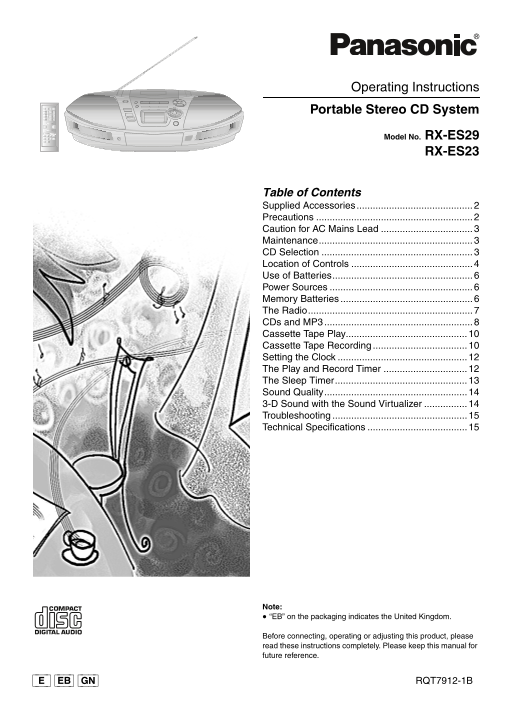
Operating Instructions Portable Stereo CD System

Model No. RX-ES29

RX-ES23

Table of Contents Supplied Accessories Precautions Caution for AC Mains Lead Maintenance......................................................... CD Selection Location of Controls Use of Batteries.................................................... Power Sources Memory Batteries The Radio............................................................. CDs and MP3....................................................... Cassette Tape Play............................................. Cassette Tape Recording Setting the Clock The Play and Record Timer The Sleep Timer................................................. Sound Quality..................................................... 3-D Sound with the Sound Virtualizer Troubleshooting Technical Specifications

Note: “EB” on the packaging indicates the United Kingdom.

Before connecting, operating or adjusting this product, please read these instructions completely. Please keep this manual for future reference.

[_E_] [EB] [GN] RQT7912-1B

Page Summary Contents For Panasonic RX-ES29 ES23 User's Manual

Page 1 E_EB_GN_RQT7912-B.book 1 ページ 2004年12月8日 水曜日 午後4時15分 Operating Instructions Portable Stereo CD System Model No. RX-ES29 RX-ES23 Table of Contents Supplied Accessories Precautions Caution for AC Mains L...
Page 2 E_EB_GN_RQT7912-B.book 2 ページ 2004年12月8日 水曜日 午後4時15分 Dear Customer THIS UNIT IS INTENDED FOR USE IN MODERATE Thank you for purchasing this product. CLIMATES. For optimum performance and safety, please ...
Page 3 E_EB_GN_RQT7912-B.book 3 ページ 2004年12月8日 水曜日 午後4時15分 Caution for AC Mains Lead 1. Open the fuse cover with a screwdriver. Figure A Figure B (For United Kingdom) Fuse cover (“EB” area code model only) F...
Page 4 E_EB_GN_RQT7912-B.book 4 ページ 2004年12月8日 水曜日 午後4時15分 CD recording mode button (CD REC MODE)....... (l 11) Location of Controls Play timer/record timer button ( PLAY/REC) (l 13) Clock/timer button (CLOC...
Page 5 E_EB_GN_RQT7912-B.book 5 ページ 2004年12月8日 水曜日 午後4時15分 CD/Tape mode select/stop button Display panel (∫ TAPE/CD) (l 8, 9, 10, 11) CD tray open/close button (< CD) (l 8, 11) Press [∫ TAPE/CD] to stop p...
Page 6 E_EB_GN_RQT7912-B.book 6 ページ 2004年12月8日 水曜日 午後4時15分 Use of Batteries Memory Batteries If this unit is not used for a long period of time or is used Memory batteries retain memory (clock/timer/CD/radio...
Page 7 E_EB_GN_RQT7912-B.book 7 ページ 2004年12月8日 水曜日 午後4時15分 VOLUME Preset tuning The Radio Up to 16 stations can be set in the FM and AM band. Preparation: [1] Press [REW/–/6] or [5/+/ FF] to tune to the When...
Page 8 E_EB_GN_RQT7912-B.book 8 ページ 2004年12月8日 水曜日 午後4時15分 TAPE ⁄ CD CD VOLUME Advanced CD and MP3 Functions CDs and MP3 Preparation: Press [∫ TAPE/CD] to switch to CD mode. To play a disc [CD-DA] [MP3] Remo...
Page 9 E_EB_GN_RQT7912-B.book 9 ページ 2004年12月8日 水曜日 午後4時15分 Repeat play and Album play [MP3] Program play [CD-DA] [MP3] You can program up to 24 tracks. You can play ( ) or repeat play ( ) tracks only in the ...
Page 10 E_EB_GN_RQT7912-B.book 10 ページ 2004年12月8日 水曜日 午後4時15分 TAPE ⁄ CD VOLUME Volume and sound quality in recording Cassette Tape Play Recording level is set automatically. Recordings are unaffected by change...
Page 11 E_EB_GN_RQT7912-B.book 11 ページ 2004年12月8日 水曜日 午後4時15分 1-REC [CD-DA] [MP3] To Operations Records a selected track from the CD and stops. stop recording Press [∫ TAPE/CD]. Preparation: pause recording Pr...
Page 12 E_EB_GN_RQT7912-B.book 12 ページ 2004年12月8日 水曜日 午後4時15分 TAPE ⁄ CD VOLUME Setting the Clock The Play and Record Timer You can set the timer to come on at a certain time to wake you This is a 24-hour clock...
Page 13 E_EB_GN_RQT7912-B.book 13 ページ 2004年12月8日 水曜日 午後4時15分 To turn the timer on The Sleep Timer [4] Press [ PLAY/REC] to display the timer indicator. Remote control only Each time you press the button: You ...
Page 14 E_EB_GN_RQT7912-B.book 14 ページ 2004年12月8日 水曜日 午後4時15分 SOUND EQ Sound Quality 3-D Sound with the Sound Virtualizer You can choose one of four types of sound quality. Heavy: Adds punch to rock Remote con...
Page 15 E_EB_GN_RQT7912-B.book 15 ページ 2004年12月8日 水曜日 午後4時15分 Troubleshooting Before requesting for service, make the following checks. If you cannot fix the unit as described below, or if something not listed...
Page 16 E_EB_GN_RQT7912-B.book 16 ページ 2004年12月8日 水曜日 午後4時15分 CAUTION! Utstyret bør plasseres i nærheten av AC-stikkontakten, og støpslet må være lett tilgjengelig hvis det skulle DO NOT INSTALL OR PLACE THIS ...

Manual Details

Brand Panasonic
Pages 16
File Size 2.06 MB
Published June 18, 2026
1 views

Enter the captcha to get the download link:

captcha

Frequently Asked Questions

What steps are required when replacing the mains fuse?

Open the fuse cover with a screwdriver; ensure the replacement fuse is 5-ampere and approved by ASTA or BSI before closing the cover.

Are there any specific safety precautions regarding placement?

Do not operate this unit in a bathroom, avoid direct sunlight for long periods, and keep it away from humidity or splashing water.

How is sound quality optimized using this stereo system?

The unit supports 3-D Sound with the inclusion of a Sound Virtualizer feature for enhanced audio performance.