Page 1
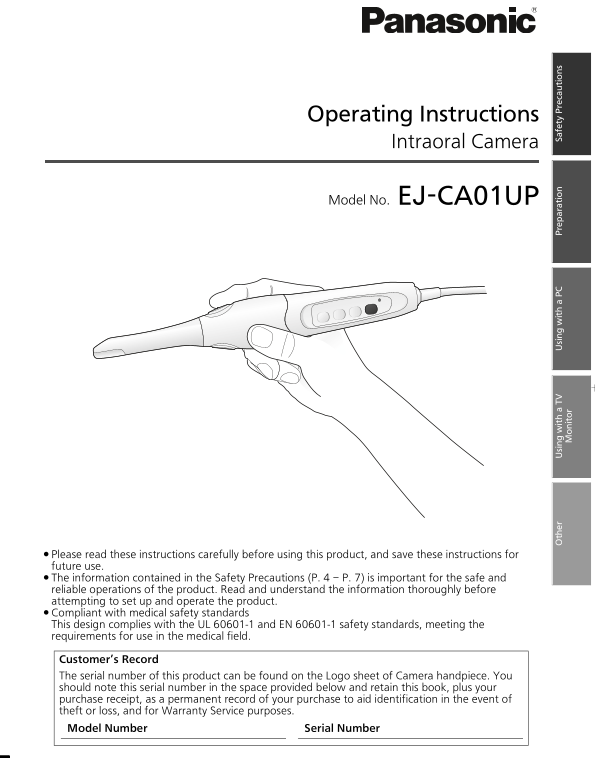
EJ-CA01UP&EP_mst.book 1 ページ 2011年4月5日 火曜日 午前10時18分 Operating Instructions Intraoral Camera Model No. EJ-CA01UP ≥Please read these instructions carefully before using this product, and save these i...
Page 2
EJ-CA01UP&EP_mst.book 2 ページ 2011年4月5日 火曜日 午前10時18分 Introduction This Intraoral Camera captures and displays inside of the patient’s mouth. This product achieves accurate color reproducibility insi...
Page 3
EJ-CA01UP&EP_mst.book 3 ページ 2011年4月5日 火曜日 午前10時18分 Table of Contents Read “Safety Precautions” (P.4 – P.7) thoroughly before use. Introduction . . . . . . . . . . . . . . . . . . . . . . . . . . 2...
Page 4
EJ-CA01UP&EP_mst.book 4 ページ 2011年4月5日 火曜日 午前10時18分 Safety Precautions (These must be observed) The following symbols describe the need to observe certain content in order to prevent human injury o...
Page 5
EJ-CA01UP&EP_mst.book 5 ページ 2011年4月5日 火曜日 午前10時18分 In the following situations, stop using it and disconnect the power plug; — smoke rise from the product, — the product is abnormally hot, — the p...
Page 6
EJ-CA01UP&EP_mst.book 6 ページ 2011年4月5日 火曜日 午前10時18分 Safety Precautions (These must be observed)–Continued WARNING When the LED light of the product is illuminated, do not look directly into the LED...
Page 7
EJ-CA01UP&EP_mst.book 7 ページ 2011年4月5日 火曜日 午前10時18分 When performing maintenance or when the product is not to be used for a long period of time, disconnect the power plug to ensure safety. Leaving ...
Page 8
EJ-CA01UP&EP_mst.book 8 ページ 2011年4月5日 火曜日 午前10時18分 Information for your safety General The switching power supply is intended use for medical electrical equipment purpose, not direct to contact to...
Page 9
EJ-CA01UP&EP_mst.book 9 ページ 2011年4月5日 火曜日 午前10時18分 - For U.S.A. - FCC STATEMENT: Note: This equipment has been tested and found to comply with the limits for a Class B digital device, pursuant to ...
Page 10
EJ-CA01UP&EP_mst.book 10 ページ 2011年4月5日 火曜日 午前10時18分 Before using Handling this product ≥Do not exert strong shocks or vibrations on the product by dropping it, hitting it, etc. Also, do not apply ...
Page 11
EJ-CA01UP&EP_mst.book 11 ページ 2011年4月5日 火曜日 午前10時18分 Accessories Check the accessories. The listed part numbers are current as of May 2011. AC adaptor ···1 Cable box ···1 LSEQ0879 LSEQ0884 Cable...
Page 12
EJ-CA01UP&EP_mst.book 12 ページ 2011年4月5日 火曜日 午前10時18分 Optional Accessories The following optional accessories can be used with this product. The listed part numbers are current as of May 2011. Stati...
Page 13
EJ-CA01UP&EP_mst.book 13 ページ 2011年4月5日 火曜日 午前10時18分 Part names and functions Camera handpiece In this document, the main unit part of the product (figure below) is called the Camera handpiece. (Ex...
Page 14
EJ-CA01UP&EP_mst.book 14 ページ 2011年4月5日 火曜日 午前10時18分 Part names and functions – Continued Note: ≥When capturing extraoral images, turn off the LED light. Failure to do so could result in images bec...
Page 15
EJ-CA01UP&EP_mst.book 15 ページ 2011年4月5日 火曜日 午前10時18分 Cable box Camera handpiece connection terminal DC IN terminal USB terminal VIDEO OUT terminal Terminal cover Slide the cover to the left to acce...
Page 16
EJ-CA01UP&EP_mst.book 16 ページ 2011年4月5日 火曜日 午前10時18分 Product display symbols This describes the symbols displayed on the main unit of the product and the meaning of those symbols. Type BF Applied P...
Page 17
EJ-CA01UP&EP_mst.book 17 ページ 2011年4月5日 火曜日 午前10時18分 Fitting / Removing the Disposable cover To prevent infection, damage to the product, and accidental ingestion of parts, the specified Disposable...
Page 18
EJ-CA01UP&EP_mst.book 18 ページ 2011年4月5日 火曜日 午前10時18分 Fitting / Removing the Disposable cover– Continued Removing Pinch the hem of the Disposable cover. Turn the Disposable cover toward the front en...
Page 19
EJ-CA01UP&EP_mst.book 19 ページ 2011年4月5日 火曜日 午前10時18分 Installing the software Dental@i Viewer is software to save, play back and manage of Intraoral Camera images on your PC. Note: Software does not...
Page 20
EJ-CA01UP&EP_mst.book 20 ページ 2011年4月5日 火曜日 午前10時18分 Installing the software – Continued Limitations (Continued) ≥Operation is not guaranteed when 2 or more of this product have been connected to 1...
Page 21
EJ-CA01UP&EP_mst.book 21 ページ 2011年4月5日 火曜日 午前10時18分 Uninstalling Select the installation destination Use the following method to uninstall the folder, and click [Next]. software. 1. Select [Start]...
Page 22
EJ-CA01UP&EP_mst.book 22 ページ 2011年4月5日 火曜日 午前10時18分 Connecting to a PC Camera handpiece AC adaptor Electrical outlet Cable box AC cord USB cable Connect the cable of the Camera handpiece to the Ca...
Page 23
EJ-CA01UP&EP_mst.book 23 ページ 2011年4月5日 火曜日 午前10時18分 Starting the software Double click the desktop shortcut icon to start the software. It is possible to start the software from the Windows start ...
Page 24
EJ-CA01UP&EP_mst.book 24 ページ 2011年4月5日 火曜日 午前10時18分 Capturing images on a PC After Dental@i Viewer starts, the main screen is displayed on the PC. This document outlines and introduces the screen ...
Page 25
EJ-CA01UP&EP_mst.book 25 ページ 2011年4月5日 火曜日 午前10時18分 Connecting to a TV monitor AC adaptor Camera handpiece Electrical outlet Cable box AC cord AUDIO IN Video cable VIDEO IN TV monitor Connect the ...
Page 26
EJ-CA01UP&EP_mst.book 26 ページ 2011年4月5日 火曜日 午前10時18分 Capturing images on a TV monitor (Still pictures only) Press the POWER button on the Camera handpiece to turn the power on. ≥The image taken wit...
Page 27
EJ-CA01UP&EP_mst.book 27 ページ 2011年4月5日 火曜日 午前10時18分 Playing back images on a TV monitor Press the MODE button to switch to Playback mode. Each press of the MODE button, the mode changes as follows...
Page 28
EJ-CA01UP&EP_mst.book 28 ページ 2011年4月5日 火曜日 午前10時18分 Maintenance Daily maintenance CAUTION: When performing maintenance, disconnect the power plug. Main unit: Camera handpiece and Camera stand ≥Use...
Page 29
EJ-CA01UP&EP_mst.book 29 ページ 2011年4月5日 火曜日 午前10時18分 Troubleshooting Even if it appears that something is malfunctioning, it might be quickly fixed with a small operation or careful attention. Befo...
Page 30
EJ-CA01UP&EP_mst.book 30 ページ 2011年4月5日 火曜日 午前10時18分 Specifications General Usage conditions: Ambient temperature: 5 °C to 35 °C (41 e F to 95 e F ) ambient temperature / relative Relative humidity...
Page 31
EJ-CA01UP&EP_mst.book 31 ページ 2011年4月5日 火曜日 午前10時18分 AC adaptor Rated input power AC V – 240 V 50 Hz/60 Hz DC output DC 5 V 1.2 Input capacitance 0.17 A – 0.10 mm k 61 mm k 31 mm (length k width k ...
Page 32
EJ-CA01UP&EP_mst.book 32 ページ 2011年4月5日 火曜日 午前10時18分 EMC Relevant Information 1.The Intraoral Camera needs special precautions regarding EMC and needs to be installed and put into service according...
Page 33
EJ-CA01UP&EP_mst.book 33 ページ 2011年4月5日 火曜日 午前10時18分 Guidance and manufacturer’s declaration - electromagnetic immunity The Intraoral Camera is intended for use in the electromagnetic environment s...
Page 34
EJ-CA01UP&EP_mst.book 34 ページ 2011年4月5日 火曜日 午前10時18分 EMC Relevant Information – Continued Guidance and manufacturer's declaration - electromagnetic immunity The Intraoral Camera is intended for use...
Page 35
EJ-CA01UP&EP_mst.book 35 ページ 2011年4月5日 火曜日 午前10時18分 Recommended separation distances between portable and mobile RF communications equipment and the Intraoral Camera The Intraoral Camera is intend...
Page 36
EJ-CA01UP&EP_mst.book 36 ページ 2011年4月5日 火曜日 午前10時18分 Information on Disposal in other Countries outside the European Union This symbol is only valid in the European Union. If you wish to discard th...