Page 1
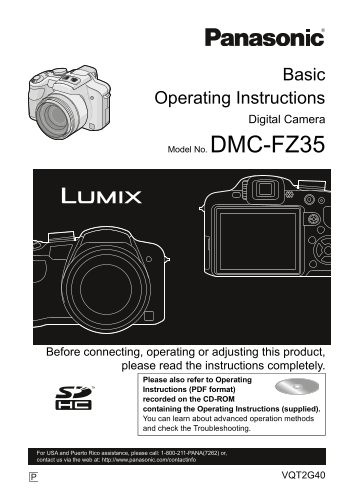
DMC-FZ38&FZ35P-VQT2G40_eng.book 1 ページ 2009年6月30日 火曜日 午後6時33分 Basic Operating Instructions Digital Camera Model No. DMC-FZ35 Before connecting, operating or adjusting this product, please read the ...
Page 2
DMC-FZ38&FZ35P-VQT2G40_eng.book 2 ページ 2009年7月1日 水曜日 午後4時0分 Dear Customer, Thank you for choosing Panasonic! You have purchased one of the most sophisticated and reliable products on the market tod...
Page 3
DMC-FZ38&FZ35P-VQT2G40_eng.book 3 ページ 2009年7月1日 水曜日 午後4時0分 FCC Note: This equipment has been tested and found to comply with the limits for a Class B digital device, pursuant to Part 15 of the FCC...
Page 4
DMC-FZ38&FZ35P-VQT2G40_eng.book 4 ページ 2009年7月1日 水曜日 午後4時0分 About the battery pack CAUTION Battery pack (Lithium ion battery pack) Use the specified unit to recharge the battery pack. Do not use th...
Page 5
VQT2G40~Safety_eng.fm 5 ページ 2009年7月1日 水曜日 午後7時11分 Cautions for Use Do not use any other AV cables except the supplied one. Do not use any other cables except a genuine Panasonic HDMI mini cable (RP-CD...
Page 6
DMC-FZ38&FZ35P-VQT2G40_eng.book 6 ページ 2009年7月1日 水曜日 午後4時0分 Care of the camera Do not strongly shake or bump the camera by dropping or hitting it. Do not subject to strong pressure. The camera may ...
Page 7
DMC-FZ38&FZ35P-VQT2G40_eng.book 7 ページ 2009年6月30日 火曜日 午後6時33分 About cards that can be used in this unit You can use an SD Memory Card and SDHC Memory Card. When the term card is used in these opera...
Page 8
DMC-FZ38&FZ35P-VQT2G40_eng.book 8 ページ 2009年7月1日 水曜日 午後4時0分 Contents Information for Your Safety................................................................................................. Bef...
Page 9
DMC-FZ38&FZ35P-VQT2G40_eng.book 9 ページ 2009年6月30日 火曜日 午後6時33分 Before Use Before Use Standard Accessories Check that all the accessories are included before using the camera. Product numbers correct...
Page 10
DMC-FZ38&FZ35P-VQT2G40_eng.book 10 ページ 2009年6月30日 火曜日 午後6時33分 Before Use Names of the Components Lens Flash Self-timer indicator AF assist lamp Flash open button Diopter adjustment dial Viewfinder...
Page 11
DMC-FZ38&FZ35P-VQT2G40_eng.book 11 ページ 2009年6月30日 火曜日 午後6時33分 Before Use [REC]/[PLAYBACK] selector switch LCD monitor [EVF/LCD] button [DISPLAY] button Delete button/ Single or Burst Mode button [...
Page 12
DMC-FZ38&FZ35P-VQT2G40_eng.book 12 ページ 2009年6月30日 火曜日 午後6時33分 Before Use Shoulder strap eyelet Be sure to attach the shoulder strap when using the camera to ensure that you will not drop it. [HDMI...
Page 13
DMC-FZ38&FZ35P-VQT2G40_eng.book 13 ページ 2009年6月30日 火曜日 午後6時33分 Preparation Preparation Charging the Battery About batteries that you can use with this unit The battery that can be used with this un...
Page 14
DMC-FZ38&FZ35P-VQT2G40_eng.book 14 ページ 2009年6月30日 火曜日 午後6時33分 Preparation Charging Charging time Approx. 120 min The indicated charging time is for when the battery has been discharged completely....
Page 15
DMC-FZ38&FZ35P-VQT2G40_eng.book 15 ページ 2009年6月30日 火曜日 午後6時33分 Preparation Recording conditions by CIPA standard CIPA is an abbreviation of [Camera Imaging Products Association]. Temperature: o C (...
Page 16
VQT2G40~Body1_eng.fm 16 ページ 2009年7月1日 水曜日 午後6時39分 Preparation Inserting and Removing the Card (optional)/the Battery Check that this unit is turned off. Close the flash. We recommend using a Panasonic...
Page 17
DMC-FZ38&FZ35P-VQT2G40_eng.book 17 ページ 2009年6月30日 火曜日 午後6時33分 Preparation Setting Date/Time (Clock Set) The clock is not set when the camera is shipped. Turn the camera on. The [PLEASE SET THE CLO...
Page 18
DMC-FZ38&FZ35P-VQT2G40_eng.book 18 ページ 2009年6月30日 火曜日 午後6時33分 Preparation Setting the Menu This camera offers menu selections that allow you to customize its operation to maximize your picture tak...
Page 19
DMC-FZ38&FZ35P-VQT2G40_eng.book 19 ページ 2009年6月30日 火曜日 午後6時33分 Preparation Switching to the [SETUP] menu Press 2. Press 4 to select the [SETUP] menu icon [ Press 1. Select a menu item next and set ...
Page 20
DMC-FZ38&FZ35P-VQT2G40_eng.book 20 ページ 2009年6月30日 火曜日 午後6時33分 Basic Mode switching Basic Selecting the [REC] Mode Turn the camera on. [REC]/[PLAYBACK] selector switch The power lamp 2 lights when ...
Page 21
DMC-FZ38&FZ35P-VQT2G40_eng.book 21 ページ 2009年6月30日 火曜日 午後6時33分 Basic Advanced Aperture-priority AE mode The shutter speed is automatically determined by the aperture value you set. Shutter-priority...
Page 22
DMC-FZ38&FZ35P-VQT2G40_eng.book 22 ページ 2009年6月30日 火曜日 午後6時33分 Basic [REC] Mode: ñ Taking pictures using the automatic function (ñ: Intelligent Auto Mode) The camera will set the most appropriate s...
Page 23
VQT2G40~Body1_eng.fm 23 Basic Scene detection When the camera identifies the optimum scene, the icon of the scene concerned is displayed in blue for 2 seconds, after which its color changes to the usu...
Page 24
DMC-FZ38&FZ35P-VQT2G40_eng.book 24 ページ 2009年6月30日 火曜日 午後6時33分 Basic [REC] Mode: ³ Taking pictures with your favorite settings (³: Program AE Mode) The camera automatically sets the shutter speed a...
Page 25
DMC-FZ38&FZ35P-VQT2G40_eng.book 25 ページ 2009年6月30日 火曜日 午後6時33分 Basic [REC] mode: Recording Motion Picture This can record high definition motion pictures compatible with the AVCHD format or motion ...
Page 26
DMC-FZ38&FZ35P-VQT2G40_eng.book 26 ページ 2009年6月30日 火曜日 午後6時33分 Basic Start recording by pressing the motion picture button. Available recording time Elapsed recording time The audio is also recorde...
Page 27
DMC-FZ38&FZ35P-VQT2G40_eng.book 27 ページ 2009年6月30日 火曜日 午後6時33分 Basic [PLAYBACK] Mode: ¸ Playing back Pictures ([NORMAL PLAY]) Slide the [REC]/[PLAYBACK] selector switch A to [(]. Normal playback is...
Page 28
DMC-FZ38&FZ35P-VQT2G40_eng.book 28 ページ 2009年6月30日 火曜日 午後6時33分 Basic [PLAYBACK] Mode: ¸ Deleting Pictures Once deleted, pictures cannot be recovered. Pictures on the built-in memory or the card, wh...
Page 29
DMC-FZ38&FZ35P-VQT2G40_eng.book 29 ページ 2009年6月30日 火曜日 午後6時33分 Others Others Reading the Operating Instructions (PDF format) You have practised the basic operations introduced in these operating in...
Page 30
DMC-FZ38&FZ35P-VQT2G40_eng.book 30 ページ 2009年6月30日 火曜日 午後6時33分 Others Others Specifications Digital Camera: Information for your safety Power Source: DC 8.4 Power Consumption: 1.3 W (When recording...
Page 31
DMC-FZ38&FZ35P-VQT2G40_eng.book 31 ページ 2009年6月30日 火曜日 午後6時33分 Others Hi-speed burst Burst speed: Approx. 10 pictures/second (Speed priority) Approx. 6 pictures/second (Image priority) (3M (4:3), 2...
Page 32
DMC-FZ38&FZ35P-VQT2G40_eng.book 32 ページ 2009年7月1日 水曜日 午後4時0分 Others Picture size Still picture: When the aspect ratio setting is [X] 4000k3000 pixels, 3264k2448 pixels, 2560k1920 pixels, 2048k1536 ...
Page 33
DMC-FZ38&FZ35P-VQT2G40_eng.book 33 ページ 2009年6月30日 火曜日 午後6時33分 Others Interface Digital: “USB 2.0” (High Speed) Analog video/audio: NTSC Audio line output (stereo) Terminal [DIGITAL/AV OUT]: Dedica...
Page 34
DMC-FZ38&FZ35P-VQT2G40_eng.book 34 ページ 2009年6月30日 火曜日 午後6時33分 Others Others Digital Camera Accessory System Accessory# Description Figure CGR-S006A Lithum Ion Battery DMW-AC7PP AC Adaptor 1 DMW-LP...
Page 35
DMC-FZ38&FZ35P-VQT2G40_eng.book 35 ページ 2009年6月30日 火曜日 午後6時33分 Others Digital Camera Accessory Order Form Please photocopy this form when placing an order. 1. Digital Camera Model # 2. Items Ordere...
Page 36
DMC-FZ38&FZ35P-VQT2G40_eng.book 36 ページ 2009年6月30日 火曜日 午後6時33分 Others Request for Service Notice Please make a copy of this page and note the problem you are having. Include it with your proof of p...
Page 37
DMC-FZ38&FZ35P-VQT2G40_eng.book 37 ページ 2009年6月30日 火曜日 午後6時33分 Others Limited Warranty PANASONIC CONSUMER ELECTRONICS COMPANY, DIVISION OF PANASONIC CORPORATION OF NORTH AMERICA One Panasonic Way, ...
Page 38
DMC-FZ38&FZ35P-VQT2G40_eng.book 38 ページ 2009年6月30日 火曜日 午後6時33分 Others Carry-In or Mail-In Service For Carry-In or Mail-In Service in the United States and Puerto Rico call 1-800-211-PANA (7262). Th...
Page 39
VQT2G40~Body4_eng.fm 39 ページ 2009年7月2日 木曜日 午後6時0分 Others Customer Services Directory Obtain Product Information and Operating Assistance; locate your nearest Dealer or Service Center; purchase Parts an...
Page 40
DMC-FZ38&FZ35P-VQT2G40_eng.book 40 ページ 2009年6月30日 火曜日 午後6時33分 SDHC Logo is a trademark. The “AVCHD”, “AVCHD Lite” and the “AVCHD”, “AVCHD Lite” logo are trademarks of Panasonic Corporation and Son...