Page 1
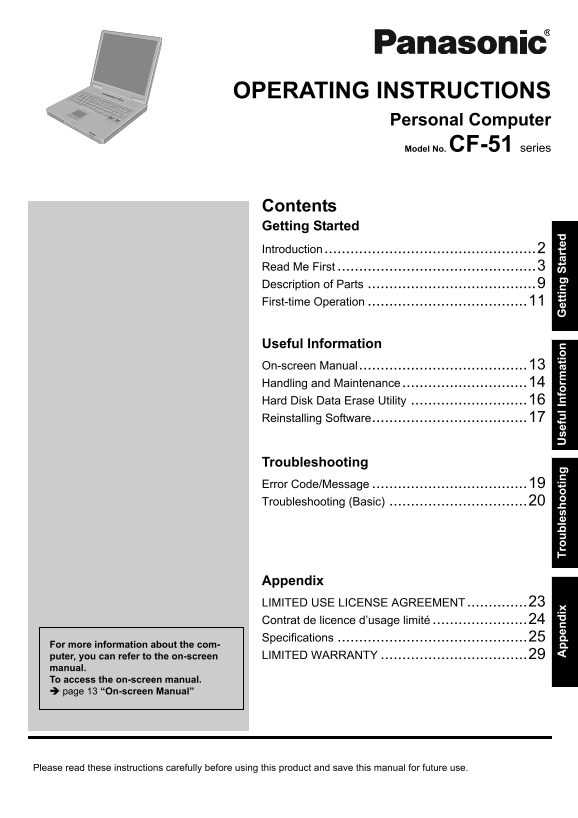
OPERATING INSTRUCTIONS Personal Computer Model No. CF-51 series Contents Getting Started Introduction.................................................2 Read Me First .....................................
Page 2
pp en di Tr ou bl es ho ot in se fu l I nf or at io et tin St ar te Introduction Thank you for purchasing this Panasonic computer. For optimum performance and safety, please read these instruc- tions ...
Page 3
Read Me First Models for U.S.A. Federal Communications Commission Radio Fre- harmful interference to co-channel Mobile Satellite sys- quency Interference Statement tems. High power radars are allocate...
Page 4
pp en di Tr ou bl es ho ot in se fu l I nf or at io et tin St ar te Read Me First transmitted page or on the first page of the transmis- “Caution : To reduce the risk of fire, use only No.26 AWG or si...
Page 5
<Only for model with wireless LAN> Industry Canada This product complies with RSS210 Industry Canada. Operation is subject to the following two conditions; (1) this device may not cause interfer...
Page 6
pp en di Tr ou bl es ho ot in se fu l I nf or at io et tin St ar te Read Me First Information to the User <Only for model with wireless LAN and/or Bluetooth> Using this product on board of airpl...
Page 7
Precautions This computer has been designed so as to minimize shock to the LCD and hard disk drive, the leakage of liquid (e.g., water) on to the keyboard, etc., but no warranty is provided against su...
Page 8
pp en di Tr ou bl es ho ot in se fu l I nf or at io et tin St ar te Read Me First Precautions (Battery Pack) Care should be exercised with regard to the following If the battery pack will not be used ...
Page 9
Description of Parts A : Speaker Hard disk drive status Reference Manual “Key Combinations” Power status B : Ventilation hole (Off: Power off/Hibernation, Green: Power on, C : DC-IN jack Blinking gree...
Page 10
et tin St ar te Description of Parts A : Serial port I : Multimedia pocket release button B : Modem port Reference Manual “Multimedia Pocket” Reference Manual “Modem” J : Expansion bus connector C : V...
Page 11
First-time Operation Preparation Check and identify the supplied accessories. If you do not find the described accessories, contact Panasonic Technical Support ( page 29). AC Adaptor . . . . . . 1 AC ...
Page 12
et tin St ar te First-time Operation Turn on the computer. Slide the latch (A), and open the display. Press and hold the power button for approximately one second until the power indicator lights. CAU...
Page 13
On-screen Manual You can access the Reference Manual and the Important Tips on the computer screen. When you access the Reference Manual and the Important Tips for the first time, the License Agreemen...
Page 14
pp en di Tr ou bl es ho ot in se fu l I nf or at io et tin St ar te Handling and Maintenance Operation Environment Place the computer on a flat stable surface. Do not place the computer upright or tur...
Page 15
Maintenance To clean the LCD panel Do not use water to clean the panel. Ingredients included in water may leave scratches and reduce readability of the screen. To remove dust or dirt, do not use a clo...
Page 16
pp en di Tr ou bl es ho ot in se fu l I nf or at io et tin St ar te Hard Disk Data Erase Utility When disposing the computer or transferring the ownership, erase all hard disk data in order to avoid d...
Page 17
Reinstalling Software When you reinstall the software, the hard disk data will be erased. Back up important data before reinstallation. Reinstalling software will return the computer to the default co...
Page 18
pp en di Tr ou bl es ho ot in se fu l I nf or at io et tin St ar te Reinstalling Software Select the [Exit] menu and then select [Save Current Values], then press Enter. At the confirmation message, s...
Page 19
Error Code/Message Follow the instructions below when an error message or code appears. If the problem persists or if the error code/mes- sage is not shown here, contact Panasonic Technical Support ( ...
Page 20
pp en di Tr ou bl es ho ot in se fu l I nf or at io et tin St ar te Troubleshooting (Basic) Follow the instructions below when a problem has occurred. There is also an advanced troubleshooting guide i...
Page 21
Starting Up [Enter Password] does not To display [Enter Password] at resuming, set the Windows password. The password appear when resuming from you have set in the Setup Utility is not requested at re...
Page 22
pp en di Tr ou bl es ho ot in se fu l I nf or at io et tin St ar te Troubleshooting (Basic) Display The external display does If the external display does not support the power saving function, it may...
Page 23
LIMITED USE LICENSE AGREEMENT THE SOFTWARE PROGRAM(S) (“PROGRAMS”) FURNISHED WITH THIS PANASONIC® PRODUCT (“PRODUCT”) ARE LICENSED ONLY TO THE END-USER (“YOU”), AND MAY BE USED BY YOU ONLY IN ACCORDAN...
Page 24
pp en di Tr ou bl es ho ot in se fu l I nf or at io et tin St ar te Contrat de licence d’usage limité Le(s) logiciel(s) (les “Logiciels”) fournis avec ce produit Panasonic® (le “Produit”) sont exclusi...
Page 25
Specifications This page provides the specifications for the basic model CF-51PFVDEBM/CF-51PF2DEBM/CF-51PFVEEBM/ CF-51PF2EEBM/CF-51PFVGEBM/CF-51QFVDEBM/CF-51QF2DEBM/CF-51QFVEEBM/CF-51QF2EEBM/ CF-51RCL...
Page 26
pp en di Tr ou bl es ho ot in se fu l I nf or at io et tin St ar te Specifications Main Specifications Model No. CF-51PFVDEBM / CF-51PF2DEBM / CF-51RCLDFBM / CF-51RCBDFBM / CF-51RCVDNBM CF-51PFVGEBM /...
Page 27
*11 For information on TPM, click [start] - [Run] and input “c:\util\drivers\tpm\README.pdf”, and refer to the Installation Manual of “Trusted Platform Module (TPM)”. *12 This slot does not support th...
Page 28
pp en di Tr ou bl es ho ot in se fu l I nf or at io et tin St ar te Specifications Wireless LAN <Only for model with wireless LAN> Intel® PRO / wireless 3945 ABG (802.11 a + b + g) PCI Ex. 1/4 D...
Page 29
LIMITED WARRANTY For U.S.A. PANASONIC PERSONAL COMPUTER AND PERIPHERALS LIMITED WARRANTY Panasonic Computer Solutions Company (referred to as “Panasonic”) will repair this product (other than software...
Page 30
pp en di Tr ou bl es ho ot in se fu l I nf or at io et tin St ar te LIMITED WARRANTY For Canada PANASONIC COMPUTER AND PERIPHERALS LIMITED WARRANTY Coverage – Panasonic Canada Inc. (“PCI”) warrants to...
Page 31
pp en di Tr ou bl es ho ot in se fu l I nf or at io et tin St ar te
Page 32
As an ENERGY STAR® Partner, Matsushita Electric Industrial Co., Ltd. has determined that this product meets the ENERGY STAR® guidelines for energy efficiency. Outline of the International ENERGY STAR®...