Page 1
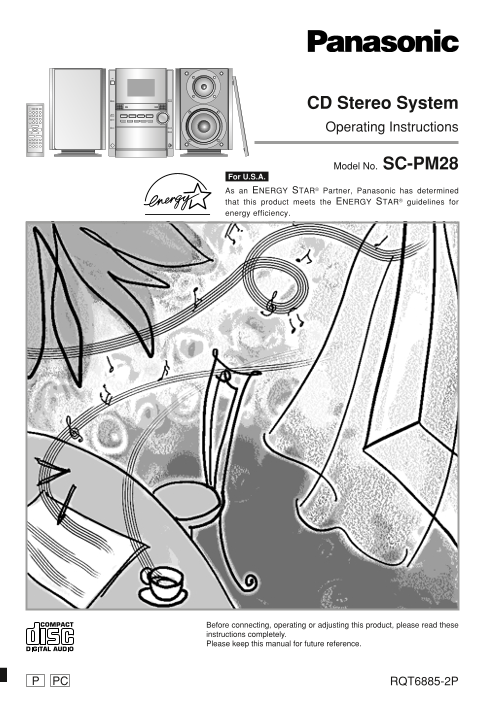
CD Stereo System Operating Instructions Model No. SC-PM28 For U.S.A. As an ENERGY STAR® Partner, Panasonic has determined that this product meets the ENERGY STAR® guidelines for energy efficiency. Bef...
Page 2
Dear customer Table of contents ef re se Thank you for purchasing this product. For optimum performance and safety, please read these instructions carefully. Before use These operating instructions ar...
Page 3
THE FOLLOWING APPLIES ONLY IN THE U.S.A. Supplied accessories CAUTION: Please check and identify the supplied This equipment has been tested and found to comply accessories. with the limits for a Clas...
Page 4
ef re se IMPORTANT SAFETY INSTRUCTIONS Read these operating instructions carefully before using the unit. Follow the safety instructions on the unit and the applicable safety instructions listed below...
Page 5
Listening caution The remote control Battery installation EST. 1924 R6, AA, UM-3 Selecting fine audio equipment such as the unit you’ve just purchased is only the start of your musical enjoyment. Now ...
Page 6
Connections ef re se Plug the AC power supply cord into a household AC outlet only after all other connections have been made. To prepare the AM loop antenna wire and speaker cords, twist the vinyl co...
Page 7
Connections FM outdoor antenna Optional antenna connections (not included) You may need an outdoor antenna if you use this system in a mountainous region or inside a reinforced-concrete building, etc....
Page 8
Front panel controls ef re se Main unit 1Cassette lid 2Cassette open button (c OPEN) 3AC supply indicator (AC IN) This indicator lights when the unit is connected to the AC mains supply. 4Standby/on s...
Page 9
Front panel controls CLOCK PLAY Remote Control AUTO OFF TIMER REC SLEEP DIMMERDISPLAY Buttons such as 4 function in exactly same way as the ABC DEF buttons on the main unit. GHI JKL MNO éAuto off + Sl...
Page 10
The radio: manual tuning ef re se is te in er at io Press [TUNER/BAND] to select “FM” or “AM”. The unit comes on automatically. Every time you press the button: AUTO OFF CLOCK TIMER REC PLAY FM ↔ AM S...
Page 11
The radio: preset tuning AUTO OFF CLOCK TIMER REC PLAY SLEEP DIMMERDISPLAY DISC ABC DEF By remote control only PROGRAM GHI JKL MNO PROGRAM WXYZPQRS PLAY MODE TUV There are two methods of pre-setting s...
Page 12
is te in er at io This unit can play WMA, MP3 and CD-DA (digital audio) format audio CD-R and CD-RW that have been finalized (a process that enables CD-R/CD-RW players to play audio CD-R and CD-RW) up...
Page 13
Listening to a CD placed in a specific DEMOSTOP CD CHECK Preparation: Press [CD 2/J] and then [STOP L, –DEMO]. Selecting the desired tray number and placing a CD in it Press [c CD CHANGE]. CD CHANGE W...
Page 14
CLOCK PLAY CDs AUTO OFF SLEEP TIMER REC DIMMERDISPLAY ABC DEF is te in er at io PROGRAM GHI JKL MNO PLAY MODE TUV WXYZPQRS Listening to specific CDs and tracks REPEAT SPACE DEL (CD Play Mode function)...
Page 15
DISPLAY AUTO OFF CLOCK TIMER REC PLAY SLEEP DIMMERDISPLAY DISC ABC DEF Direct access play PROGRAM GHI JKL MNO PLAY MODE TUV WXYZPQRS By remote control only REPEAT SPACE REPEAT Direct access allows you...
Page 16
AUTO OFF CLOCK TIMER REC PLAY CDs SLEEP DIMMERDISPLAY DISC ABC DEF is te in er at io PROGRAM GHI JKL MNO PLAY MODE TUV WXYZPQRS Program play REPEAT SPACE DEL By remote control only CLEAR 1 7 BAND TAPE...
Page 17
How discs with MP3/WMA differ Example: MP3 from CDs This unit can play MP3 and WMA files recorded on CD-R/ RW with a computer. Files are treated as tracks and folders are treated as albums. This unit ...
Page 18
How discs with MP3/WMA differ from CDs TRACK SKIPALBUM SKIP is te in er at io Album skip play ALBUM ( or ) During play or stop Push the jog control up/down [ ALBUM SKIP] to select the desired album. A...
Page 19
CLOCK PLAY How discs with MP3/WMA differ from CDs AUTO OFF SLEEP TIMER REC DIMMERDISPLAY DISC ABC DEF PROGRAM GHI JKL MNO By remote control only PLAY MODE TUV WXYZPQRS Preparation: Press [CD 2/ J] and...
Page 20
How discs with MP3/WMA differ from CDs AUTO OFF CLOCK TIMER REC PLAY SLEEP DIMMERDISPLAY is te in er at io DISC ABC DEF PROGRAM GHI JKL MNO Program play for MP3/WMA PLAY MODE TUV WXYZPQRS 2 3 REPEAT S...
Page 21
CLOCK PLAY How discs with MP3/WMA differ from CDs AUTO OFF SLEEP TIMER REC DIMMERDISPLAY DISC ABC DEF PROGRAM GHI JKL MNO By remote control only PLAY MODE TUV WXYZPQRS REPEAT SPACE DEL Title search fu...
Page 22
How discs with MP3/WMA differ from CDs AUTO OFF CLOCK TIMER REC PLAY SLEEP DIMMERDISPLAY im er an th er is te in er at io DISC ABC DEF PROGRAM GHI JKL MNO By remote control only PLAY MODE TUV WXYZPQRS...
Page 23
Cassette tapes Press [c OPEN], insert a cassette with the tape facing in. When the button is pressed, the unit comes on automatically. Make sure the cassette is fully inserted and close the lid by han...
Page 24
To protect tapes against further recording Before recording im er an ec th er rd in er at io Side A Types of tapes which can be recorded correctly The system automatically identifies the type of tape....
Page 25
Recording from the radio Preparation: Do the preparatory steps (\ page 24). Tune to the required station. (\ page 10 or 11) Press [[/ J REC] to start recording. To stop recording DEMOSTOP Press [STOP ...
Page 26
S.SOUND EQRE-MASTER Using the sound quality im er an th er settings By remote control onlyly You can choose one of four types of sound quality with Preset EQ or enhances the bass and treble effect of ...
Page 27
Auto-off function AUTO OFF CLOCK TIMER REC PLAY SLEEP DIMMERDISPLAY By remote control only AUTO OFF DISC ABC DEF GHI JKL MNO When CD or tape is selected as the source PROGRAM PLAY MODE TUV WXYZPQRS To...
Page 28
Using the timers im er an th er AUTO OFF CLOCK TIMER REC PLAY Using the play/record timer SLEEP DIMMERDISPLAY DISC ABC DEF 1 2 2 3 2 By remote control only PROGRAM GHI JKL MNO The timer has two functi...
Page 29
Using the timers Using the play/record timer PLAY/ REC AUTO OFF CLOCK TIMER REC PLAY SLEEP DIMMERDISPLAY By remote control only DISC ABC DEF CLOCK/ PROGRAM GHI JKL MNO TIMER To check settings PLAY MOD...
Page 30
Troubleshooting guide ef er en ce is te in er at io Before requesting service, make the below checks. If you are in doubt about some of the check points, or if the reme- dies indicated in the chart do...
Page 31
Warranty (ONLY FOR U.S.A.) Panasonic Consumer Electronics Company, Panasonic Sales Company, Division of Matsushita Electric Division of Matsushita Electric Corporation of America of Puerto Rico, Inc. ...
Page 32
Specifications AMPLIFIER SECTION CD SECTION Power output Sampling frequency 44.1 k Hz 10% Total harmonic distortion Decoding 16 bit linear 60 Hz–3 k Hz, both channels driven Beam source/wavelength Sem...