# A B C D E F G H I J K L M N O P Q R S T U V W X Y Z

Nikon D100 User's Manual

Summary

The Nikon D100 is a compact, high-performance DSLR designed for advanced amateurs and professional photographers seeking exceptional image quality in a lightweight body. This manual provides comprehensive guidance on navigating its sophisticated features, including 6.1MP CCD technology, 3D Matrix Metering, and Five-Area Autofocus. Discover how to utilize the full compatibility of AF Nikkor lenses, manage complex settings, and maximize performance through advanced controls and Nikon’s dedicated support software package.
📄 Preview PAGE OF 32

Page 1 Text Content

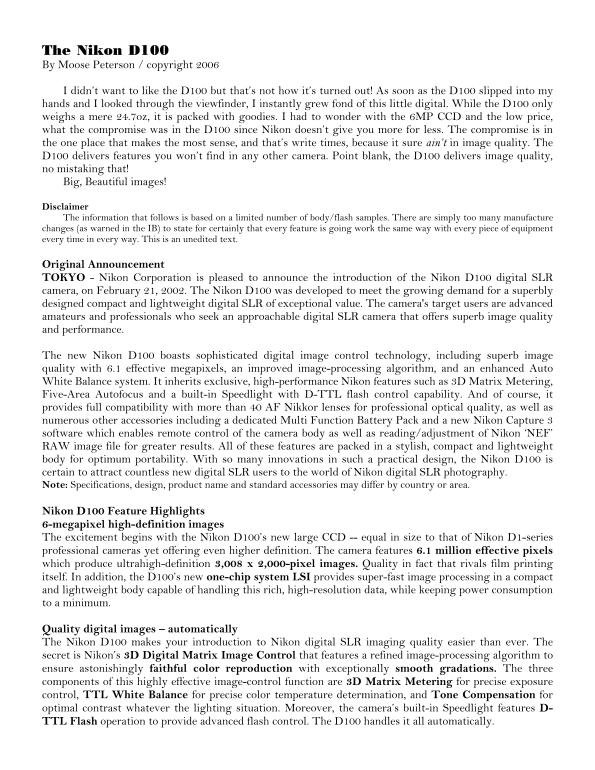
The Nikon D100 By Moose Peterson / copyright 2006

I didn’t want to like the D100 but that’s not how it’s turned out! As soon as the D100 slipped into my hands and I looked through the viewfinder, I instantly grew fond of this little digital. While the D100 only weighs a mere 24.7oz, it is packed with goodies. I had to wonder with the 6MP CCD and the low price, what the compromise was in the D100 since Nikon doesn’t give you more for less. The compromise is in the one place that makes the most sense, and that’s write times, because it sure ain’t in image quality. The D100 delivers features you won’t find in any other camera. Point blank, the D100 delivers image quality, no mistaking that! Big, Beautiful images!

Disclaimer The information that follows is based on a limited number of body/flash samples. There are simply too many manufacture changes (as warned in the IB) to state for certainly that every feature is going work the same way with every piece of equipment every time in every way. This is an unedited text.

Original Announcement TOKYO - Nikon Corporation is pleased to announce the introduction of the Nikon D100 digital SLR camera, on February 21, 2002. The Nikon D100 was developed to meet the growing demand for a superbly designed compact and lightweight digital SLR of exceptional value. The camera's target users are advanced amateurs and professionals who seek an approachable digital SLR camera that offers superb image quality and performance.

The new Nikon D100 boasts sophisticated digital image control technology, including superb image quality with 6.1 effective megapixels, an improved image-processing algorithm, and an enhanced Auto White Balance system. It inherits exclusive, high-performance Nikon features such as 3D Matrix Metering, Five-Area Autofocus and a built-in Speedlight with D-TTL flash control capability. And of course, it provides full compatibility with more than 40 AF Nikkor lenses for professional optical quality, as well as numerous other accessories including a dedicated Multi Function Battery Pack and a new Nikon Capture 3 software which enables remote control of the camera body as well as reading/adjustment of Nikon ‘NEF’ RAW image file for greater results. All of these features are packed in a stylish, compact and lightweight body for optimum portability. With so many innovations in such a practical design, the Nikon D100 is certain to attract countless new digital SLR users to the world of Nikon digital SLR photography. Note: Specifications, design, product name and standard accessories may differ by country or area.

Nikon D100 Feature Highlights 6-megapixel high-definition images The excitement begins with the Nikon D100’s new large CCD -- equal in size to that of Nikon D1-series professional cameras yet offering even higher definition. The camera features 6.1 million effective pixels which produce ultrahigh-definition 3,008 x 2,000-pixel images. Quality in fact that rivals film printing itself. In addition, the D100’s new one-chip system LSI provides super-fast image processing in a compact and lightweight body capable of handling this rich, high-resolution data, while keeping power consumption to a minimum.

Quality digital images – automatically The Nikon D100 makes your introduction to Nikon digital SLR imaging quality easier than ever. The secret is Nikon’s 3D Digital Matrix Image Control that features a refined image-processing algorithm to ensure astonishingly faithful color reproduction with exceptionally smooth gradations. The three components of this highly effective image-control function are 3D Matrix Metering for precise exposure control, TTL White Balance for precise color temperature determination, and Tone Compensation for optimal contrast whatever the lighting situation. Moreover, the camera’s built-in Speedlight features D- TTL Flash operation to provide advanced flash control. The D100 handles it all automatically.

Page Summary Contents For Nikon D100 User's Manual

Page 1 The Nikon D100 By Moose Peterson / copyright 2006 I didn’t want to like the D100 but that’s not how it’s turned out! As soon as the D100 slipped into my hands and I looked through the viewfinder, I in...
Page 2 High-performance Nikon SLR features Those acquainted with Nikon SLRs will find the Nikon D100 controls and operation intuitive. The D100 features the same control system and advanced features of field...
Page 3 LCD Monitor 1.8-in., 120,000-dot (originally announced as 118,000-dot), low-temp. polysilicon TFT LCD with LED backlighting Playback Function 1 frame; Thumbnail (4/9 segments); Magnifying playback; Sl...
Page 4 Power Requirements Li-ion Battery Pack EN-EL3 (7.2V DC), AC Adapter EH-5 (100-240V AC) Tripod Socket 1/4 in. (ISO1222) Requirements Can be selected on LCD Dimensions (W x H x D) Approx. 144 x 116 x 80...
Page 5 take advantage of Display Modes pg.xx). The image zoom feature of the D100 is outstanding though, big improvement over the D1 Family (pg.xx). And Nikon not only made it possible to use a monitor cover...
Page 6 Power The D100 is powered by a single EN-EL3 7.4V Li-ion Battery or by the optional MB-D100 Battery Pack powered by: 6 AA batteries or 1-2 EN-EL3). The instruction book says you should expect approxim...
Page 7 This permits you to change the shutter speed and accordingly the aperture. When you’re in Flexible Program mode, a P* appears in the LCD panel. The only way to deactivate Flexible Program is to either...
Page 8 Raw (compressed) 9.6MB Raw (uncompressed) 4.8-5.8MB RGB-TIFF L=17.4MB, M=9.7MB, S=4.5MB Jpeg – Fine L=3.0MB, M=1.7MB, S=790KB Jpeg – Normal L=1.5MB, M=870KB, S=410KB Jpeg – Basic L=790KB, M=460KB, S=2...
Page 9 You can activate Dynamic Focus by first rotating the dial to the left of the viewfinder until the [+] is opposite the white line. Next, rotate the command dial until you see + signs appearing in the b...
Page 10 What cool about the D100 is the Bracketing Process Indicator. When activated, right above the capture counter can appear any combination of +◄█►- depending where you are in the shooting/bracketing pro...
Page 11 Custom Settings R Menu Reset 0 Bank Select 1 Image Review 2 No CF Card? 3 ISO Auto 4 Long Exp. NR 5 File No. Seq. 6 Monitor Off 7 Auto Meter-Off 8 Self-timer 9 EV Step 10 Exposure Comp. 11 BKT Set 12 ...
Page 12 (default settings are on pg. 145 of the D100 instruction book) Custom Setting R – Menu Reset This custom setting permits you to reset all the custom settings to their default. To activate, select R Me...
Page 13 file information so when you insert a new Compact Flash card, the file number is one greater than the previous. If this is tuned off, the file number is reset to 0001 each time a new Compact Flash car...
Page 14 selection). By using the Thumbpad you can select ON which reassigns the command dial to aperture control and the sub-command dial to shutter speeds (remember the ON effect CS#10). Custom Setting #14 –...
Page 15 towards the center, stopping at the circle. The lines don’t create the “rule of thirds” but where they meet and stop with the circle are the mythical four points of the rule of thirds. When CS#18 is s...
Page 16 Most don’t realize that when the MB-D100 is attached, you can record your voice on the file. This custom setting simply sets the volume of the playback through the MB-D100 speaker. You have the option...
Page 17 This option sets up the language for all the menus that you read. You have five options: Deutsch (German), English, Francais (French), Japanese, Espanol (Spanish). Select the preferred language by hig...
Page 18 This option permits you to alter the folder numbering and assignments in the D100. This helps you organize and view your images in the camera. The D100 names folders xxx ND100 where the xxx would be a...
Page 19 Select Print Set Image from the Playback Menu using the Thumbpad. Then Select/Set and when this is done images appear on the monitor in a 2x3 pattern. You move through the images with the left / right...
Page 20 This information is no different as to file types and quality that you’ll find under QUAL pg.xx. That is by far the fastest way to change these settings. There is one exception to this and that’s sett...
Page 21 To set Tone Comp, highlight Tone Comp. in the Shooting Menu and right thumb. This calls up the Tone Comp. menu and your five options of: Auto, Normal, Less Contrast, More Contrast and Custom. Auto wil...
Page 22 The Center-weighted is biased on a 8mm circle in the center of the viewfinder (it’s 60% center- weighted). There is no 8mm reference circle in the center, so you need to use the 12mm circle for a gene...
Page 23 image. This is true for the single zoom or greater magnification achieved using the Thumbnail option. If you depress the ENTER button after an image has been zoomed, the image return to its normal siz...
Page 24 Metering Mode The Nikon SB-80DX In the spring of 2002, Nikon released the SB-80DX. While it has the “DX” so it works with the D1 Family and D100 digital cameras, its features benefit the conventional ...
Page 25 You’ll also notice a change in the sensor for A-Automatic. Lower on the unit, on the left instead of the right and with a highly modified light gathering cone, the sensor on the 80DX is an improvement...
Page 26 In general you’ll find the SB-80DX is a better operating, more accurate and effective digital flash than the SB-28DX. Of course, one needs only to look at what we’re comparing to to realize it’s not s...
Page 27 M – This puts the flash into Manual mode permitting the you to dial in your own lighting rations of flash fill. The camera needs to be in either Aperture or Manual exposure mode to use M on the flash....
Page 28 ILL (seen in the lower right corner of the LCD). If the message says NO AF-ILL, you’ve disabled the function. (To get the AF illuminator to come on, you’ve got set the camera firing mode and AF mode t...
Page 29 When you have the SB-80DX in regular shooting mode, the thumb pad effects operation of certain features. To make these changes, you must be sure you’re in “shooting mode” and not “custom setting” mode...
Page 30 turn off the wireless, test, then reactivate the wireless. Since you’re shooting digital, you can simply just take a test picture just as easily. And that’s just how simple flash is with the SB-80DX o...
Page 31 New Digital Products With the luxury of unlimited pages (since we’re not paying for a book to be printed), I want to make you aware of a couple of “new” products not covered in The D1 Generation. Comp...
Page 32 forth on which had the best times for a given setting. Clearly though, the new 24x does the best job of the three cards. I hope this trivia gives you some idea where you should spend you CF money. Bef...

Manual Details

Brand Nikon
Pages 32
File Size 314.10 KB
Published June 01, 2026
70 views

Enter the captcha to get the download link:

captcha

Frequently Asked Questions

What is the resolution and size of the CCD sensor?

It features 6.1 million effective pixels, producing ultrahigh-definition 3,008 x 2,000-pixel images.

Is the D100 compatible with professional lenses and flash?

Yes, it accepts the full range of AF Nikkor lenses and has built-in Speedlight with D-TTL flash control capability.

How does the camera improve color representation?

It uses Nikon’s 3D Digital Matrix Image Control featuring TTL White Balance for precise color temperature determination.

What software is provided to manage RAW files remotely?

Nikon Capture 3 software allows reading/adjustment of Nikon ‘NEF’ RAW image files and enables remote control.