LINKSYS WRT160N Router User's Guide
Summary
Optimize your home network with this guide for your Wireless-N Broadband Router. This manual provides comprehensive instructions on setup, ranging from basic connectivity and advanced routing configuration to robust security enhancements. Learn how to secure your Wi-Fi, manage firewalls, implement QoS, and utilize expert features like DDNS. It is designed for both novice users needing reliable setup assistance and experienced tech enthusiasts requiring detailed control over their home network infrastructure.
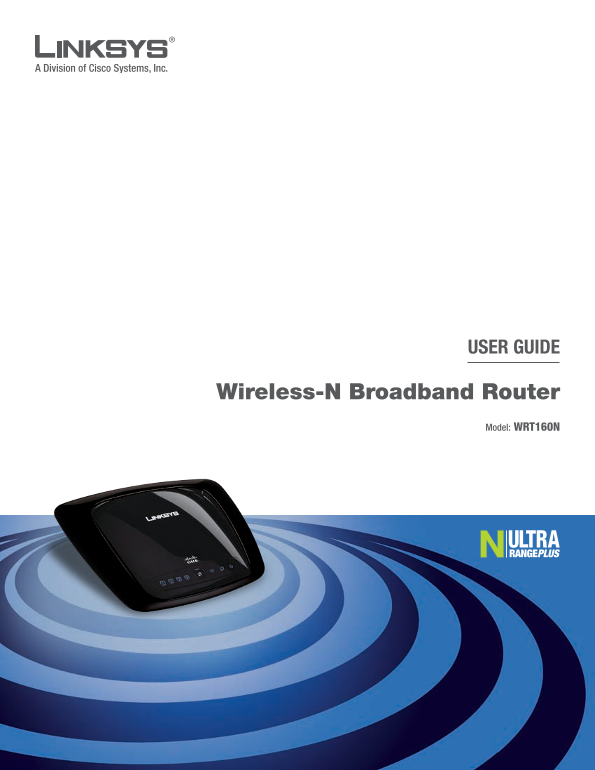
Page 1 Text Content
USER GUIDE
Wireless-N Broadband Router
Model: WRT160N
Page Summary Contents For LINKSYS WRT160N Router User's Guide
Page 1
USER GUIDE Wireless-N Broadband Router Model: WRT160N
Page 2
About This Guide About Ths Gude Icon Descriptions While reading through the User Guide you may see various icons that call attention to specific items. Below is a description of these icons: NOTE: T...
Page 3
Table of Contents Chapter 1: Product Overview 3 Front Panel. Back Panel . . . . . . . . . . . . . . . . . . . . . . . . . . . . . . . . . . . . . . . . . . . . . . . . . . 3 Chapter 2: Wireless Securi...
Page 4
Table of Contents Wireless Disclaimer . . . . . . . . . . . . . . . . . . . . . . . . . . . . . . . . . . . . . . . . . . . .32 Avis de non-responsabilité concernant les appareils sans fil . . . . . ....
Page 5
Chapter1 Product Overview Chapter 1: Wreless (Blue) The Wireless LED lights up when the wireless feature is enabled. If the LED Product Overvew is flashing, the Router is actively sending or receiv...
Page 6
Chapter2 Wireless Security Checklist Chapter 2: 4. Enable encrypton Wreless Securty Checklst Encryption protects data transmitted over a wireless network. Wi-Fi Protected Access (WPA/WPA2) and Wi...
Page 7
Chapter3 Advanced Configuration Chapter : Advanced Confguraton After setting up the Router with the Setup Wizard (located on the CD-ROM), the Router will be ready for use. However, if you’d like t...
Page 8
Chapter3 Advanced Configuration Static IP before your Internet connection terminates. The default Max Idle Time is 1 minutes. If you are required to use a permanent IP address to Keep Alve: Redal ...
Page 9
Chapter3 Advanced Configuration inactivity, Connect on Demand enables the Router to Telstra Cable automatically re-establish your connection as soon as you Telstra Cable is a service that applies to ...
Page 10
Chapter3 Advanced Configuration host and domain name. In most cases, leaving these fields DHCP Reservation blank will work. You will see a list of DHCP clients with the following MTU MTU is the Maxim...
Page 11
Chapter3 Advanced Configuration Clent Lease Tme The Client Lease Time is the amount Dyn DNS.org of time a network user will be allowed connection to the Router with their current dynamic IP address...
Page 12
Chapter3 Advanced Configuration TZO.com Clone My PC’s MAC Click this button to clone the MAC address of the computer you are using. Click Save Settngs to apply your changes, or click Cancel Changes ...
Page 13
Chapter3 Advanced Configuration Route Entres To set up a static route between the Router select W-F Protected Setup. Proceed to the “Wi-Fi and another network, select a number from the drop- Prote...
Page 14
Chapter3 Advanced Configuration Standard Channel If you selected Wide - 40MHz Channel NOTE: Wi-Fi Protected Setup configures one or Standard - 20MHz Channel for the Radio Band setting, client device ...
Page 15
Chapter3 Advanced Configuration for Remote Authentication Dial-In User Service.) These Encrypton WPA2 supports two encryption methods, six are briefly discussed here. For detailed instructions TKIP ...
Page 16
Chapter3 Advanced Configuration IMPORTANT: If you are using WEP encryption, always remember that each device in your wireless network MUST use the same WEP encryption method and encryption key, or el...
Page 17
Chapter3 Advanced Configuration Wireless > Wireless MAC Filter Wireless access can be filtered by using the MAC addresses of the wireless devices transmitting within your network’s radius. Wireles...
Page 18
Chapter3 Advanced Configuration with each other. To use this function, select Enabled. AP broadcast by the Router to synchronize the wireless Isolation is disabled by default. network. The default va...
Page 19
Chapter3 Advanced Configuration Firewall Security > VPN Passthrough SPI Frewall Protecton To use firewall protection, The VPN Passthrough screen allows you to enable VPN keep the default selecti...
Page 20
Chapter3 Advanced Configuration Status Policies are disabled by default. To enable a policy, select the policy number from the drop-down menu, and select Enabled. To create a policy, follow steps 1-1...
Page 21
Chapter3 Advanced Configuration 9. You can filter access to various services accessed Single Port Forwarding over the Internet, such as FTP or telnet. (You can block up to three applications per poli...
Page 22
Chapter3 Advanced Configuration Applications and Gaming > Port Range Triggering Applications and Gaming > Port Range Forwarding Port Range Forwarding Port Range Triggering To forward a port, en...
Page 23
Chapter3 Advanced Configuration date information, click Refresh. To exit this screen and return to the DMZ screen, click Close. Click Save Settngs to apply your changes, or click Cancel Changes to c...
Page 24
Chapter3 Advanced Configuration Category Prorty Select the appropriate priority: Hgh, Medum (Recommend), Normal, or Low. There are four categories available. Select one of the Click Add to save y...
Page 25
Chapter3 Advanced Configuration Summary Web Access This lists the Qo S entries you have created for your Web Utlty Access HTTP (Hyper Text Transport Protocol) applications and devices. is the commu...
Page 26
Chapter3 Advanced Configuration UPn P If you want to use UPn P, keep the default setting, Enabled. Otherwise, select Dsabled. Allow Users to Confgure Keep the default, Enabled, if you want to be ab...
Page 27
Chapter3 Advanced Configuration Diagnostics Administration > Factory Defaults Ping Test The Administration > Factory Defaults screen allows you to restore the Router’s configuration to its fact...
Page 28
Chapter3 Advanced Configuration Firmware Upgrade Status > Local Network Before upgrading the firmware, download the Router’s The Local Network screen displays information about the firmware upgrad...
Page 29
Chapter3 Advanced Configuration DHCP Client Table The DHCP Client Table lists computers and other devices that have been assigned IP addresses by the Router. The list can be sorted by Client Name, In...
Page 30
AppendixA Troubleshooting When you double-click the web browser, you are Appendx A: prompted for a username and password. If you want to get rid of the prompt, follow these instructions. Troubleshoo...
Page 31
AppendixB Specifications Appendx B: Specfcatons Model WRT160N Standards Draft 802.11n, 802.11g, 802.11b, 802.3, 802.3u Ports Power, Internet, and Ethernet Buttons Reset, Wi-Fi Protected Setup LED...
Page 32
AppendixC Warranty Information TO THE EXTENT NOT PROHIBITED BY LAW, IN NO EVENT Appendx C: WILL LINKSYS BE LIABLE FOR ANY LOST DATA, REVENUE OR PROFIT, OR FOR SPECIAL, INDIRECT, CONSEQUENTIAL, Warra...
Page 33
AppendixD Regulatory Information Appendx D: Safety Notices Caution: To reduce the risk of fire, use only No.26 AWG Regulatory Informaton or larger telecommunication line cord. Do not use this produ...
Page 34
AppendixD Regulatory Information Avis d’Industrie Canada Avis de non-responsabilité concernant les Cet appareil numérique de la classe B est conforme aux appareils sans fil normes NMB-003 et RSS210 d...
Page 35
AppendixD Regulatory Information Ceštna (Czech) - Informace o ochraně žvotního User Information for Consumer Products prostředí pro zákazníky v zemích Evropské une Covered by EU Directive 2002/96/...
Page 36
AppendixD Regulatory Information Eest (Estonan) - Keskkonnaalane nformatsoon Franças (French) - Informatons envronnementales Euroopa Ldus asuvatele klentdele pour les clents de l’Unon eu...
Page 37
AppendixD Regulatory Information Letuvška (Lthuanan) - Aplnkosaugos nformacja, Nederlands (Dutch) - Mleu-nformate voor klanten skrta Europos Sąjungos vartotojams n de Europese Une Europo...
Page 38
AppendixD Regulatory Information Português (Portuguese) - Informação ambental para Slovenčna (Slovene) - Okoljske nformacje za stranke clentes da Unão Europea v Evropsk unj A Directiva Europ...
Manual Details
| Brand | Linksys |
|---|---|
| Pages | 38 |
| File Size | 3.57 MB |
| Published | May 26, 2026 |
133 views
Enter the captcha to get the download link:
