Page 1
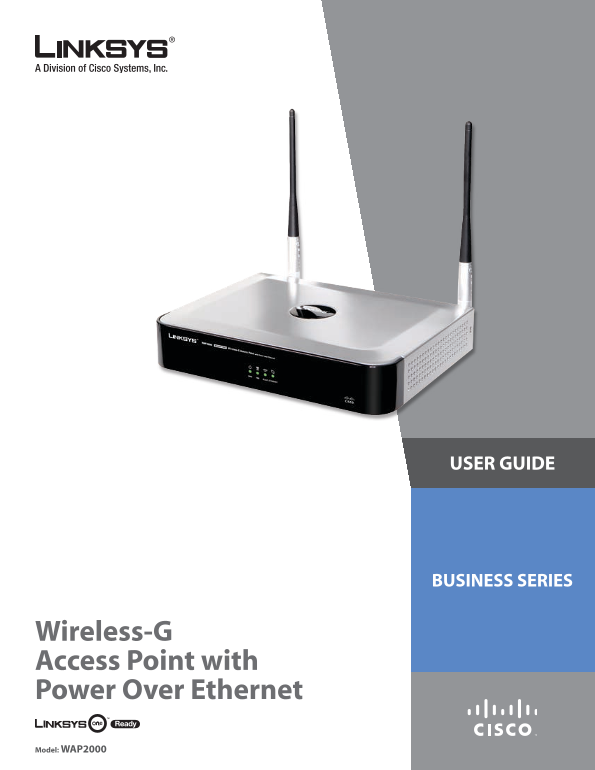
USER GUIDE BUSINESS SERIES Wireless-G Access Point with Power Over Ethernet Model: WAP2000
Page 2
About This Guide Open Source About This Guide This product may contain material licensed to you under the GNU General Public License or other open-source software licenses. Upon request, open-source s...
Page 3
Table of Contents Chapter 1: Introduction 1 Chapter 2: Planning Your Wireless Network 2 Network Topology . . . . . . . . . . . . . . . . . . . . . . . . . . . . . . . . . . . . . . . . . . . . . 2 Roa...
Page 4
Table of Contents Appendix C: Glossary 24 Appendix D: Specifications 28 Appendix E: Warranty Information 29 Appendix F: Regulatory Information 30 FCC Statement . . . . . . . . . . . . . . . . . . . . ...
Page 5
Introduction Chapter Chapter �: Introduction Thank you for choosing the Wireless-G Access Point with Power Over Ethernet. The Wireless-G Access Point with Power Over Ethernet is ideal for small busine...
Page 6
Planning Your Wireless Network Chapter Chapter �: Network Layout The Access Point has been designed for use with 802.11g Planning Your Wireless and 802.11b products, such as the Notebook Adapters for ...
Page 7
Product Overview Chapter Chapter �: Reset There are two ways to reset the Access Point’s factory defaults. Either press the Reset Product Overview button for more than ten seconds, or restore the defa...
Page 8
Installation Chapter 4 Chapter 4: Installation Placement The Access Point can be placed horizontally on a flat 2. 5- surface such as a desktop so it sits on its four rubber feet or it can be mounted o...
Page 9
Installation Chapter 4 5. If you are not using Po E (Power over Ethernet), then Connecting the Access Point connect the included power adapter to the Access 1. Connect the antennas to the antenna conn...
Page 10
Advanced Configuration Chapter 5 Chapter 5: Setup > Setup This screen is used to enter names for the Access Point and Advanced Configuration configure the IP settings. The Access Point has DHCP ena...
Page 11
Advanced Configuration Chapter 5 Current Time Displays the current time setting. Manually Select this option to set the date and time manually. Date When the time is manually configured, this field is...
Page 12
Advanced Configuration Chapter 5 B-Only This option is used when all wireless client devices connect to the Access Point at Wireless-B data rates (maximum speed of 11 Mbps). G-Only This option is used...
Page 13
Advanced Configuration Chapter 5 Wireless Isolation (within SSID) When disabled, wireless WPA-Personal (aka WPA-PSK) PCs that are associated to the same network name (SSID), can see and transfer files...
Page 14
Advanced Configuration Chapter 5 should change the encryption keys. The default is �600 seconds. Change these settings as described here and click Apply to save your changes. Help information is avail...
Page 15
Advanced Configuration Chapter 5 RADIUS Server IP Address Enter the RADIUS server’s IP Change these settings as described here and click Apply address. to save your changes. Help information is availa...
Page 16
Advanced Configuration Chapter 5 Wireless > Wireless Connection Control Change these settings as described here and click Apply to save your changes. Help information is available on the This scree...
Page 17
Advanced Configuration Chapter 5 Access Point address, the Broadcast destination addresses, tagged traffic coming in from the wired LAN. The default a time stamp, Delivery Traffic Indicator Maps, and ...
Page 18
Advanced Configuration Chapter 5 priority queues for different types of traffic. It automatically have its signal repeated by this Access Point or enter the maps the incoming packets to the appropriat...
Page 19
Advanced Configuration Chapter 5 To increase the security on accessing web-based utility. You can enable HTTPS. Once enabled, users need to use https:// when accessing the web-based utility. Web HTTPS...
Page 20
Advanced Configuration Chapter 5 Change these settings as described here and click Apply to save your changes. Help information is available on the right side of the screen. Administration > Factor...
Page 21
Advanced Configuration Chapter 5 Administration > Configuration Management Status > Local Network On this screen you can save a configuration file of the The Local Network screen displays the Ac...
Page 22
Advanced Configuration Chapter 5 Status > Wireless Status > System Performance The Wireless screen displays the Access Point’s current The System Performance screen displays the Access status in...
Page 23
Advanced Configuration Chapter 5 MAC Address This shows the MAC Address of the Access Point’s wireless interface. Connection This shows the status of the Access Point’s wireless networks. Packets Rece...
Page 24
Troubleshooting Appendix A What IEEE 802.11b features are supported? Appendix A: The product supports the following IEEE 802.11 Troubleshooting functions: CSMA/CA plus Acknowledge protocol This append...
Page 25
Troubleshooting Appendix A technology that links Access Points and nodes. In such Spectrum (DSSS) generates a redundant bit pattern for a system, the user’s end node undertakes a search for each bit t...
Page 26
Troubleshooting Appendix A How do I reset the Access Point? Press the Reset button on the back of the Access Point for about ten seconds. This will reset the unit to its default settings. How do I res...
Page 27
Wireless Security Checklist Appendix B Appendix B: 4. Enable encryption Wireless Security Checklist Encryption protects data transmitted over a wireless network. Wi-Fi Protected Access (WPA/WPA2) and ...
Page 28
Glossary Appendix C Baud Indicates the number of signaling elements Appendix C: transmitted each second. Glossary Best Effort Indicates that traffic is assigned to the lowest priority queue, and packe...
Page 29
Glossary Appendix C Co S (Class of Service) The 802.1p priority scheme. Co S Full Duplex The ability of a networking device to receive provides a method for tagging packets with priority and transmit ...
Page 30
Glossary Appendix C MAC (Media Access Control) Address The unique RADIUS (Remote Authentication Dial-In User address that a manufacturer assigns to each networking Service) A protocol that uses an aut...
Page 31
Glossary Appendix C TCP (Transmission Control Protocol) A network protocol for transmitting data that requires acknowledgement from the recipient of data sent. TCP/IP (Transmission Control Protocol/In...
Page 32
Specifications Appendix D Appendix D: Specifications Specifications # of Internal Ant. None Model WAP2000 # of External Ant. 2 (Omnidirectional) 3 d Bi SMA detachable Standards IEEE802.11g, IEEE802.11...
Page 33
Warranty Information Appendix E TO THE EXTENT NOT PROHIBITED BY LAW, IN NO EVENT Appendix E: WILL LINKSYS BE LIABLE FOR ANY LOST DATA, REVENUE OR PROFIT, OR FOR SPECIAL, INDIRECT, CONSEQUENTIAL, Warra...
Page 34
Regulatory Information Appendix F Appendix F: Safety Notices Caution: To reduce the risk of fire, use only No.26 AWG Regulatory Information or larger telecommunication line cord. Do not use this produ...
Page 35
Regulatory Information Appendix F Avis d’Industrie Canada Avis de non-responsabilité concernant les Cet appareil est conforme aux normes NMB003 et RSS210 appareils sans fil d’Industrie Canada. Les per...
Page 36
Regulatory Information Appendix F Ceština (Czech) - Informace o ochraně životního User Information for Consumer Products prostředí pro zákazníky v zemích Evropské unie Covered by EU Directive 2002/96/...
Page 37
Regulatory Information Appendix F Eesti (Estonian) - Keskkonnaalane informatsioon Français (French) - Informations environnementales Euroopa Liidus asuvatele klientidele pour les clients de l’Union eu...
Page 38
Regulatory Information Appendix F Lietuvškai (Lithuanian) - Aplinkosaugos informacija, Nederlands (Dutch) - Milieu-informatie voor klanten skirta Europos Sąjungos vartotojams in de Europese Unie Europ...
Page 39
Regulatory Information Appendix F Português (Portuguese) - Informação ambiental para Slovenčina (Slovene) - Okoljske informacije za stranke clientes da União Europeia v Evropski uniji A Directiva Euro...
Page 40
Contact Information Appendix G Appendix G: Contact Information Linksys Contact Information Website http://www.linksys.com E-Mail [email protected] FTP Site ftp.linksys.com Advice Line 800-546-5797 (...