# A B C D E F G H I J K L M N O P Q R S T U V W X Y Z

LINKSYS Gigabit SFP Modules User Guide

Summary

These Gigabit SFP Modules are versatile, hot-swappable transceivers designed to extend network capacity by adding new Ethernet ports to your switches. Supporting both fiber optic (MMF/SMF) and Cat5 copper connectivity options, they meet critical networking standards for reliability. This manual provides comprehensive guides on the precise installation and removal procedures for all models (MGBT1, MGBSX1, MGBLH1), details technical specifications, cable compatibility, and essential warranty information for network administrators and IT professionals setting up stable, high-speed links.
📄 Preview 📖 Table of Contents Contents PAGE OF 13

Page 1 Text Content

A Division of Cisco Systems, Inc.

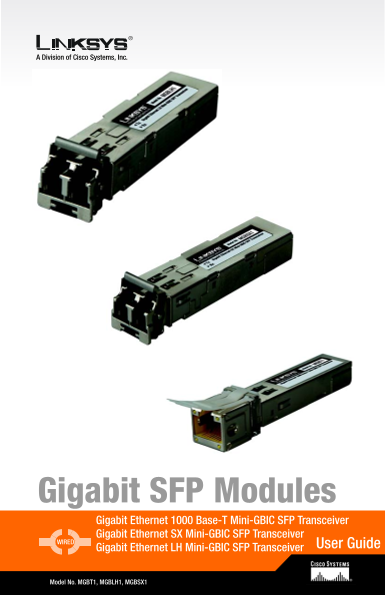
Gigabit SFP Modules Gigabit Ethernet 1000 Base-T Mini-GBIC SFP Transceiver Gigabit Ethernet SX Mini-GBIC SFP Transceiver WIRED

User Guide

Gigabit Ethernet LH Mini-GBIC SFP Transceiver

Model No. MGBT1, MGBLH1, MGBSX1

Page Summary Contents For LINKSYS Gigabit SFP Modules User Guide

Page 1 A Division of Cisco Systems, Inc. Gigabit SFP Modules Gigabit Ethernet 1000 Base-T Mini-GBIC SFP Transceiver Gigabit Ethernet SX Mini-GBIC SFP Transceiver WIRED User Guide Gigabit Ethernet LH Mini-GBI...
Page 2 Table of Contents Chapter 1: Using the Gigabit SFP Modules Introduction Installation and Removal Directions for the MGBLH1 and MGBSX1 Installation and Removal Directions for the MGBT1 Appendix A: Spec...
Page 3 Chapter 1: Using the Gigabit SFP Modules Introduction Thank you for choosing the Gigabit SFP Modules. These Modules insert into the mini-GBIC ports on either the SR2024 or SR224G, creating new Gigabit...
Page 4 4. Now the fiber is connected to the Gigabit SFP Module and should be functioning. Connect the other end of the cable to an SFP Module to verify that the fiber connection is complete. Figure 1-4: The ...
Page 5 Installation and Removal Directions for the MGBT1 1. Insert the Gigabit SFP Mod- ule with the printed side up and the pull tab facing out. Figure 1-8: Insert the MGBT1 2. Lock the Gigabit SFP Module i...
Page 6 4. Press the RJ-45 connector’s tab and pull to remove the Cat5 cable from the Gigabit SFP Module. Figure 1-11: Remove the Cat5 cable 5. To remove the Gigabit SFP Module, begin by pulling the Module’s ...
Page 7 Appendix A: Specifications MGBT1 Standards: IEEE 802.3z, IEEE 802.3u, IEEE 802.3ab compliant, Compliant with Specifications of SFP Transceiver MSA Specification Cabling Type: UTP Cat 5 cable by 100m o...
Page 8 Input Power: -20 – -17 d Bm Stress Sensitivity: 50/125 um: -13.5d Bm, 62.5/125 um: -12.5d Bm 3.3V Power Supply Operating Temp.: 0ºC to 40ºC (32ºF to 104ºF) Storage Temp.: -20ºC to 70ºC (-4ºF to 158ºF)...
Page 9 Appendix B: Warranty Information LIMITED WARRANTY Linksys warrants to You that, for a period of one year (the “Warranty Period”), your Linksys Product will be substantially free of defects in material...
Page 10 Appendix C: Regulatory Information FCC STATEMENT This product has been tested and complies with the specifications for a Class B digital device, pursuant to Part 15 of the FCC Rules. These limits are ...
Page 11 Note: Combinations of power levels and antennas resulting in a radiated power level of above 100 m W equivalent isotropic radiated power (EIRP) are considered as not compliant with the above mentioned...
Page 12 If this equipment causes harm to the telephone network, the telephone company may discontinue your service temporarily. If advance notice is not practical, the telephone company will notify the custom...
Page 13 Appendix D: Contact Information Need to contact Linksys? Visit us online for information on the latest products and updates to your existing products at: http://www.linksys.com or ftp.linksys.com Can'...

Manual Details

Brand Linksys
Pages 13
File Size 362.83 KB
Published May 26, 2026
81 views

Enter the captcha to get the download link:

captcha

Frequently Asked Questions

Are these modules hot-swappable?

Yes, each Gigabit SFP Module is hot-swappable, meaning you can connect them even when the switch is running.

How do I remove a fiber optic module (MGBLH1/MGBSX1)?

Begin by pulling the Module’s bail latch, and then pull to remove the Gigabit SFP Module.

What cable type should I use for the MGBT1?

Use UTP Cat 5 cable, which supports a cabling distance of up to 100m or 328 ft.

What is the recommended operating temperature range?

The operating temperature range is 0ºC to 40ºC (32ºF to 104ºF).

Are there specific cautions regarding safety?

Caution: Do not use this product near water, for example, in a wet basement or near a swimming pool.