Page 1
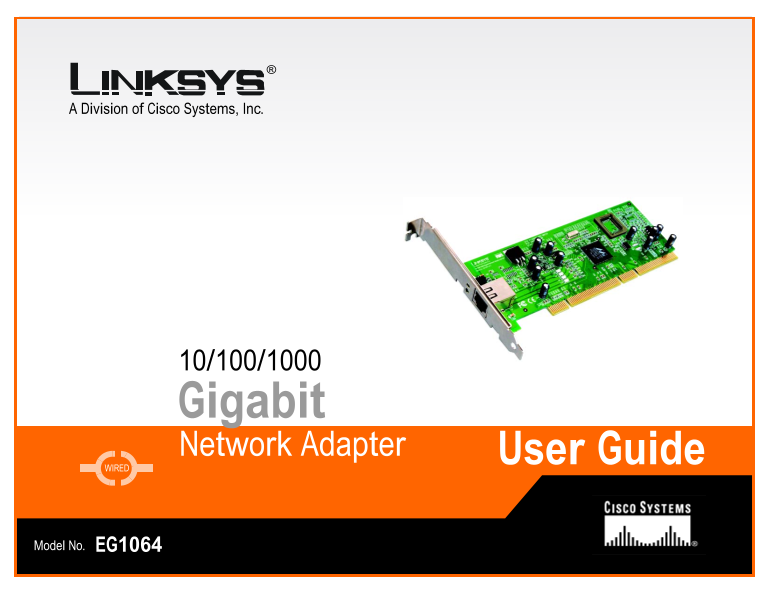
A Division of Cisco Systems, Inc. 10/100/1000 Gigabit Network Adapter User Guide WIRED Model No. EG1064
Page 2
10/100/1000 Gigabit Network Adapter Copyright and Trademarks Specifications are subject to change without notice. Linksys is a registered trademark or trademark of Cisco Systems, Inc. and/or its affil...
Page 3
10/100/1000 Gigabit Network Adapter Table of Contents Chapter 1: Introduction Welcome What’s in this Guide? Chapter 2: Getting to Know the 10/100/1000 Gigabit Network Adapter Port and LEDs Chapter 3: ...
Page 4
10/100/1000 Gigabit Network Adapter Appendix B: Windows Help Appendix C: Glossary Appendix D: Specifications Appendix E: Warranty Information Appendix F: Regulatory Information Appendix G: Contact Inf...
Page 5
10/100/1000 Gigabit Network Adapter List of Figures Figure 2-1: Port and LEDs Figure 3-1: Insert the Adapter into the PCI Slot Figure 3-2: Set the Adapter Firmly in Place Figure 3-3: Connect the Ether...
Page 6
10/100/1000 Gigabit Network Adapter Figure 7-4: Driver Tab for Windows XP or 2000 Figure 7-5: Confirm Device Removal Figure 7-6: Resources Tab for Windows XP or 2000 Figure 7-7: Power Management Tab f...
Page 7
10/100/1000 Gigabit Network Adapter Chapter 1: Introduction Welcome Thank you for choosing the 10/100/1000 Gigabit Network Adapter. Built to run the fastest video, publishing, and database network app...
Page 8
10/100/1000 Gigabit Network Adapter Chapter 7: Configuring the 10/100/1000 Gigabit Network Adapter in Windows XP or 2000 This chapter instruct you on how to configure the Adapter in Windows XP or 2000...
Page 9
10/100/1000 Gigabit Network Adapter Chapter 2: Getting to Know the 10/100/1000 Gigabit Network Adapter Port and LEDs The Adapter’s port and LEDs are located on the metal panel. Figure 2-1: Port and LE...
Page 10
10/100/1000 Gigabit Network Adapter Chapter 3: Installing the 10/100/1000 Gigabit Network Adapter in Your PC Hardware Installation 1. Power off your PC and any peripheral equipment attached to it. Unp...
Page 11
10/100/1000 Gigabit Network Adapter Chapter 4: Installing the Driver for Windows XP Overview After physically installing the Adapter in your computer, follow these instructions to install the driver r...
Page 12
10/100/1000 Gigabit Network Adapter Instructions for Uninstalling the Adapter 1. If you are using Windows XP, click Start. Select Settings and click Control Panel. Double-click System and click the Ha...
Page 13
10/100/1000 Gigabit Network Adapter Chapter 5: Installing the Driver for Windows 2000 Overview After physically installing the Adapter in your computer, follow these instructions to install the driver...
Page 14
10/100/1000 Gigabit Network Adapter 6. In the field provided, enter D:\WIN2000 (if “D” is the letter of your hard drive). Then click the OK button. 7. On the Driver Files Search Results screen, click ...
Page 15
10/100/1000 Gigabit Network Adapter Instructions for Uninstalling the Adapter 1. If you are using Windows 2000, click Start. Select Settings and click Control Panel. Double-click Administrative Tools ...
Page 16
10/100/1000 Gigabit Network Adapter Chapter 6: Installing the Driver for Windows Millennium or 98SE Overview After physically installing the Adapter in your computer, follow these instructions to inst...
Page 17
10/100/1000 Gigabit Network Adapter 6. When Windows Millennium or 98SE has finished installing the driver, click the Finish button. 7. The System Settings Change screen will appear and ask you if you ...
Page 18
10/100/1000 Gigabit Network Adapter Instructions for Uninstalling the Adapter 1. On your desktop, right-click My Computer and click Properties. 2. Click the Device Manager tab and then the + sign next...
Page 19
10/100/1000 Gigabit Network Adapter Chapter 7: Configuring the 10/100/1000 Gigabit Network Adapter in Windows XP or 2000 Overview Linksys recommends that you use the default settings of the Adapter; h...
Page 20
10/100/1000 Gigabit Network Adapter Advanced In the Property window, you have several properties you can configure. Select the Property you want, and select the correct setting from the Value drop-dow...
Page 21
10/100/1000 Gigabit Network Adapter Resources To change the setting of a resource, select a Resource type. Then click the Change Setting button. Select the new setting, and click the OK button. If you...
Page 22
10/100/1000 Gigabit Network Adapter Chapter 8: Configuring the 10/100/1000 Gigabit Network Adapter in Windows Millennium or 98SE Overview Linksys recommends that you use the default settings of the Ad...
Page 23
10/100/1000 Gigabit Network Adapter Driver On this tab, click the Driver File Details button to view details about the driver files. Click the Update Driver button to update the driver. When you have ...
Page 24
10/100/1000 Gigabit Network Adapter Power Management If you want to allow the computer to power down the Adapter for energy-saving purposes, click the checkbox next to Allow the computer to turn off t...
Page 25
10/100/1000 Gigabit Network Adapter Appendix A: Troubleshooting This appendix consists of two parts: “Common Problems and Solutions” and “Frequently Asked Questions.” This appendix provides solutions ...
Page 26
10/100/1000 Gigabit Network Adapter 5. When you are in the Client for Microsoft Networks Properties window, make sure that Log on to Windows NT Domain is unchecked. Once you have made sure that it is ...
Page 27
10/100/1000 Gigabit Network Adapter If you do not have a DHCP server on your network and your network does not require TCP/IP, you may remove the TCP/IP Protocol from Windows networking. Refer to Wind...
Page 28
10/100/1000 Gigabit Network Adapter 1. Click Start, Settings, and Control Panel. 2. Double-click the System icon. 3. Click the Device Manager tab. 4. Open System Devices and PCI Bus. 5. Click the IRQ ...
Page 29
10/100/1000 Gigabit Network Adapter Appendix B: Windows Help Most Linksys products require Microsoft Windows. Windows is the most used operating system in the world and comes with many features that h...
Page 30
10/100/1000 Gigabit Network Adapter Appendix C: Glossary 802.11a - An IEEE wireless networking standard that specifies a maximum data transfer rate of 54Mbps and an operating frequency of 5GHz. 802.11...
Page 31
10/100/1000 Gigabit Network Adapter Buffer - A block of memory that temporarily holds data to be worked on later when a device is currently too busy to accept the data. Cable Modem - A device that con...
Page 32
10/100/1000 Gigabit Network Adapter Dynamic IP Address - A temporary IP address assigned by a DHCP server. Encryption - Encoding data to prevent it from being read by unauthorized people. Ethernet - A...
Page 33
10/100/1000 Gigabit Network Adapter IPCONFIG - A Windows 2000 and XP utility that displays the IP address for a particular networking device. IPSec (Internet Protocol Security) - A VPN protocol used t...
Page 34
10/100/1000 Gigabit Network Adapter PPPo E (Point to Point Protocol over Ethernet) - A type of broadband connection that provides authentication (username and password) in addition to data transport. ...
Page 35
10/100/1000 Gigabit Network Adapter TCP/IP (Transmission Control Protocol/Internet Protocol) - A network protocol for transmitting data that requires acknowledgement from the recipient of data sent. T...
Page 36
10/100/1000 Gigabit Network Adapter Appendix D: Specifications Model 10/100/1000 Gigabit Network Adapter Port One 10/100/1000Mbps, RJ-45 Port Cabling Type Cat5e Dimensions 4.72" x 0.71" x 6....
Page 37
10/100/1000 Gigabit Network Adapter Appendix E: Warranty Information LIMITED WARRANTY Linksys warrants to You that, for a period of one year (the “Warranty Period”), your Linksys Product will be subst...
Page 38
10/100/1000 Gigabit Network Adapter Appendix F: Regulatory Information FCC STATEMENT This product has been tested and complies with the specifications for a Class B digital device, pursuant to Part 15...
Page 39
10/100/1000 Gigabit Network Adapter Appendix G: Contact Information Need to contact Linksys? Visit us online for information on the latest products and updates to your existing products at: http://www...