Page 1
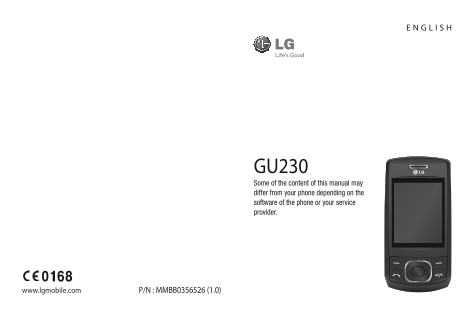
GU230 Some of the content of this manual may differ from your phone depending on the software of the phone or your service provider. www.lgmobile.com P/N : MMBB0356526 (1.0)
Page 2
Bluetooth QD ID B015954
Page 3
GU230 User Guide — English This guide will help you understand your new mobile phone. It will provide you with useful explanations of features on your phone. Some of the content of this manual may dif...
Page 4
Getting to Know Your Phone Charger, Cable slot, Hands-free Main screen connector Call key End/Power key Dials a phone Ends or rejects a call. number and Turns the phone answers on/off. Returns to the ...
Page 5
Installing a Memory Card Formatting the Memory Lift the memory card cover and insert a micro SD card Press Menu and select with the gold contact area Settings. facing downward. Close the Choose Memory...
Page 6
Installing the SIM Card and Charging the Battery Installing the SIM Card or bending, so be careful when handling, inserting or removing When you subscribe to a the card. Keep all SIM cards out cellula...
Page 7
Menu map Messaging Contacts Call log Create message Names Call log Inbox Settings Missed calls Groups My mailbox Received calls Speed dials Drafts Dialled numbers Service dial numbers Outbox Call dura...
Page 8
Organiser Applications Web Alarm clock My games & apps Home Calendar Settings Bookmarks To-do list Last web address Notes Settings Secret notes Go to address Calculator Saved pages Stopwatch Date ...
Page 9
Calls Answering and Rejecting a Call Making a Call When your phone rings, press 1 Key in the number using to answer the call. the keypad. To delete a You can control the volume digit, press CLR. by pr...
Page 10
Viewing your Call History • Call waiting - Be alerted You can only check the log of when you have a call missed, received and dialed waiting. This depends on calls if the network supports your network...
Page 11
• Save new number - Choose Adding a Contact to a Yes or No. Group • Slide close setting - Choose You can save your contacts in End call or Continue call. groups; for example, to keep your work colleag...
Page 12
Sending a Message Setting up Your E-mail 1 Press Menu, select You can stay in touch on the Messaging and choose move using email on your Create message. GU230. It’s quick and simple 2 A new message ed...
Page 13
Sending an E-mail Using Entering Text your New Account You can enter alphanumeric To send/receive an email, characters using the phone’s you should set up an email keypad. The following text account. ...
Page 14
ABC Manual Mode My mailbox - Contains all This mode allows you to enter your email messages. letters by pressing the key Drafts - If you don’t have time labeled with the required to finish writing a m...
Page 15
Media Creating a Playlist You can create your own playlists by choosing a Music selection of songs from the Your GU230 has a built-in All songs folder. Music player so you can play all 1 Press Menu an...
Page 16
5 ”Rec” will appear in the Camera bottom-left corner of the Taking a Quick Photo viewfinder and a timer will 1 Select Menu and select show the length of your Media. Select Camera to video. open the vi...
Page 17
Recording the Radio Voice Recorder 1 Press the center key while Use your Voice recorder to listening to the radio. record voice memos or other 2 The recording time is sounds. displayed on your phone. ...
Page 18
My Images My Games & Apps The Images folder contains Your GU230 comes with a folder of default images preloaded games to keep you on your phone, images amused in your spare time. downloaded by you...
Page 19
Using the Calendar Using the Stopwatch When you enter this menu, This option allows you to use a calendar appears. A square stopwatch functions. cursor is located on the current Date finder date. You ...
Page 20
Web Settings Some applications require Accessing the Web a data connection over the You can launch the WAP mobile network. browser and access the You can configure this using homepage of the activated...
Page 21
3 Always ask: Selecting this • My address - View your option will allow you to Bluetooth address. choose which method to Pairing with Another use every time you connect your handset to your Bluetooth ...
Page 22
4 Choose the device you Installing LG PC Suite on want to pair with, select Your Computer Add, enter the passcode 1 Go to www.lgmobile.com, and then press the Center select from “Europe,” key. When yo...
Page 23
5 Once the installation is Changing Your Display complete, the LG PC Suite Settings icon will appear on your You can change the settings desktop. for the phone display. Changing Your Security Settings...
Page 24
• Anti-theft mobile tracker Resetting Your Phone - When the handset is stolen, Use Restore factory settings handset sends the SMS to to reset all the settings to the numbers confi gured their factory ...
Page 25
Guidelines for Safe and Effi cient Use Exposure to Radio • The radio wave exposure Frequency Energy guidelines employ a unit of measurement known Radio Wave Exposure and as the Specific Absorption Spe...
Page 26
Guidelines for Safe and Effi cient Use (Continued) • The highest SAR value for Product Care and this phone model tested by Maintenance DASY4 for use close to the ear is 0.716 W/kg (10 g), and WARNING:...
Page 27
• Do not drop. • Do not charge the • Do not subject this unit to phone when it is on soft mechanical vibration or furnishings. shock. • The phone should be • Switch off the phone in any charged in a w...
Page 28
Guidelines for Safe and Effi cient Use (Continued) Efficient Phone Operation • Use a hands-free kit, if available. Electronic Devices • Pull off the road and • Do not use your mobile park before makin...
Page 29
Avoid Damage to Your Potentially Explosive Hearing Atmospheres Damage to your hearing • Do not use the phone at a can occur if you are exposed refueling point. to loud sounds for long • Do not use nea...
Page 30
Guidelines for Safe and Effi cient Use (Continued) Children Battery Information and Keep the phone in a safe Care place out of the reach of small • You do not need to children. completely discharge th...
Page 31
• Recharge the battery if • If you need to replace it has not been used for the battery, take it to the a long time to maximize nearest authorized LG usability. Electronics service point or • Do not e...
Page 32
Accessories Various accessories are available for your mobile phone. These are detailed below. Charger Battery • Stereo headset • Data cable • User Guide NOTE • Always use genuine LG accessories. Fail...
Page 33
Technical Data General Product Name: GU230 System: GSM 850 / E-GSM 900 / DCS 1800 / PCS 1900 Ambient Temperatures Max.: +55°C (discharging) +45°C (charging) Min.: -10°C
Page 34
LG Electronics Inc. LG Twin Towers 20, Yeouido-dong, Yeongdeungpo-gu, Seoul, Korea 150-721 GSM 850 / E-GSM 900 / DCS 1800 / PCS 1900 Quad band Terminal Equipment GU230 R&TTE Directive 1999/5/EC EN...
Page 35
Trouble Shooting This chapter lists some problems that you might encounter while using your phone. Some problems require that you call your service provider, but most of problems you encounter are eas...
Page 36
Trouble Shooting Message Possible causes Possible Corrective measures Charging Battery totally empty Charge battery. error Temperature out of Make sure the ambient range temperature is right, wait for...
Page 38
P/N: MCDF0001163 (1.0)