Page 1
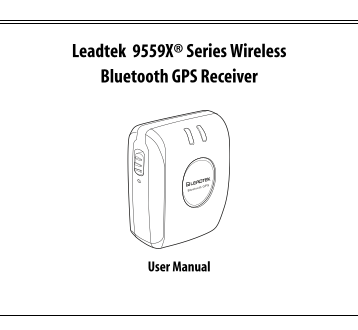
Leadtek 9559X® Series Wireless Bluetooth GPS Receiver User Manual
Page 2
Preface About this manual Congratulations on purchasing the Leadtek 9559X Wireless Bluetooth GPS Receiver. This manual provides information about the product features, applications, and usage. Read th...
Page 3
Safety instructions Please read through the following safety instructions carefully to avoid damage to the product and to others while using the product. Be aware of traffic safety regulations. To pre...
Page 4
If you need to remove or change the battery, press the tab at the back and slide the cover in the direction of the arrow. When inserting the battery, make sure it is inserted correctly. See “Changing ...
Page 5
Table of Contents Introducing the Leadtek 9559X Wireless Bluetooth GPS Receiver Features...................................................................................................................
Page 6
Appendix Specifications LED Limited warranty....................................................................................................... Safety cautions Frequently asked questions / trouble...
Page 7
Introducing the Leadtek 9559X Wireless Bluetooth GPS Receiver Introducing the Leadtek 9559X Wireless Bluetooth GPS Receiver Thank you for purchasing the Leadtek 9559X Wireless Bluetooth GPS Receiver. ...
Page 8
Introducing the Leadtek 9559X Wireless Bluetooth GPS Receiver Features Si RFStar III chipset support 20 channels with All-In-View tracking and Si RFStar III high sensitivity software RF Metal Shield f...
Page 9
Introducing the Leadtek 9559X Wireless Bluetooth GPS Receiver Package contents Make sure that your package contains the following items. If any of the items are missing or appear to be damaged, contac...
Page 10
Introducing the Leadtek 9559X Wireless Bluetooth GPS Receiver About the Leadtek 9559X Wireless Bluetooth GPS Receiver The Leadtek 9559X is compact and sleek, making it one of the smallest GPS receiver...
Page 11
Introducing the Leadtek 9559X Wireless Bluetooth GPS Receiver Component Description 1. GPS indicator Orange: Leadtek 9559X battery recharging in progress. The LED is turned off after battery is comple...
Page 12
Introducing the Leadtek 9559X Wireless Bluetooth GPS Receiver Component Description 7. Antenna plug Connect antenna to bring the satellite signal to the Leadtek 9559X.
Page 13
Getting started Getting started Charging the battery You can charge the Leadtek 9559X using the travel charger or the car charger as illustrated: Insert the USB connector into the Leadtek 9559X and pl...
Page 14
Getting started Changing the battery If you need to remove or change the battery, follow these steps: 1. Slide the battery cover at the back of the device in the direction shown. 2. Remove the battery...
Page 15
Getting started Installing the software To install the Win Fast Navigator™ on your PDA or smart phone, you need Microsoft Active Sync installed on your PC. Click the appropriate button to start the in...
Page 16
Using the Leadtek 9559X Wireless Bluetooth GPS Receiver Using the Leadtek 9559X Wireless Bluetooth GPS Receiver Now you are ready to get your position using the Leadtek 9559X Wireless Bluetooth GPS Re...
Page 17
Using the Leadtek 9559X Wireless Bluetooth GPS Receiver 2. Tap the Bluetooth icon again and select the “Bluetooth Manager” item. 3. From the Bluetooth Manager toolbar, tap “New | Connect!” to connect ...
Page 18
Using the Leadtek 9559X Wireless Bluetooth GPS Receiver 5. Tap inside the device selection box to display a list of devices. Click “Next” to continue. 6. Tap the “Leadtek 9559X series BT GPS” icon to ...
Page 19
Using the Leadtek 9559X Wireless Bluetooth GPS Receiver 8. Tap “Finish” to complete the procedure. 9. From the “My Shortcuts” tab, tap the “Leadtek 9559X series BT GPS: GPS OUTPUT” icon and select the...
Page 20
Using the Leadtek 9559X Wireless Bluetooth GPS Receiver Using Win Fast Navigator™ The Win Fast Navigator™ utility enables you to view your position in terms of latitude and longitude, velocity, and al...
Page 21
Using the Leadtek 9559X Wireless Bluetooth GPS Receiver Refer to the following sections to learn how to configure the port setting and use the utility. Remember to disconnect the Leadtek 9559X after y...
Page 22
Using the Leadtek 9559X Wireless Bluetooth GPS Receiver Viewing the location (Navigation) When you set the correct port and the Leadtek 9559X is connected successfully, the Navigator screen displays y...
Page 23
Using the Leadtek 9559X Wireless Bluetooth GPS Receiver Viewing NMEA output (Development) To view detailed NMEA (National Marine Electronics Association) output, tap “View” and select the “Development...
Page 24
Appendix Appendix Specifications Chipset GSW3 Si RFStar III technology Si RF GSW3 Protocol NMEA-0183 (default) / Si RF Binary Baud rate 19200bps (default) Datum WGS-84 (default) / User configurable Pr...
Page 25
Appendix Time to first fix (Open sky and stationary) Reacquisition 0.1 sec. average Hot start 1 sec. average typical TTFF Warm start 38 sec. average typical TTFF Cold start 42 sec. average typical TTF...
Page 26
Appendix Connector for MMCX external antenna GPS communications TTL level serial port interface Bluetooth Frequency 2400MHz to 2483.5z MHz Modulation Method GFSK, 1Mbps, 0.5BT Gaussian Maximum Data Ra...
Page 27
Appendix Battery Battery cell Li-Ion (1000m A) Output voltage 2.3V~4.2V ± 0.025V Dimension (Lx Wx H) 2.09” x 1.34” x 0.25” Environmental characteristic Operating -10° C ~ +50° C temperature range Stor...
Page 28
Appendix LED LED 1 Color Green Flashing Green Orange GPS fix status No Yes Battery charging Yes LED 2 Color Blue Flashing Blue Red BT active Yes No Low power Yes
Page 29
Appendix Limited warranty Leadtek warrants to the original purchaser of this product that it shall be free of defects resulting from workmanship or components for a period of one (1) year from the dat...
Page 30
Appendix Safety cautions The GPS system is operated by the government of the United States, which is solely responsible for its accuracy and maintenance. Although the Leadtek 9559X products are precis...
Page 31
Appendix 1. From the Navigator menu, tap Tools | Port Setting... and set the Port and Baud Rate as described in “Configuring the settings” on page 15. Tap OK. 2. Tap Tools | Command and select Cold St...
Page 32
Appendix A: This might be caused by unstable satellite signals or weak signals resulting from heavily blocked areas, which affect the positioning of the car on the map. Q: Why is there no sign of sign...
Page 33
Appendix Regulatory notices FCC ID:I2ILR9559X This equipment generates, uses and can radiate radio frequency energy and, if not installed and used in accordance with the instructions, may cause harmfu...
Page 34
Appendix CE It is herewith confirmed that this device complies with the requirements set out in the Council Directive on the Approximation of the Laws of the Member States relating to Electromagnetic ...
Page 35
Customer service information Leadtek Shanghai 5/F, Block B, 1618 Yi-Shan Rd., Shanghai, China Tel: +86-21-6406-9880 Fax: +86-21-6406-8991 Leadtek Europe Sloterweg 305, 1171 VC Badhoevedorp, The Nether...