Page 1
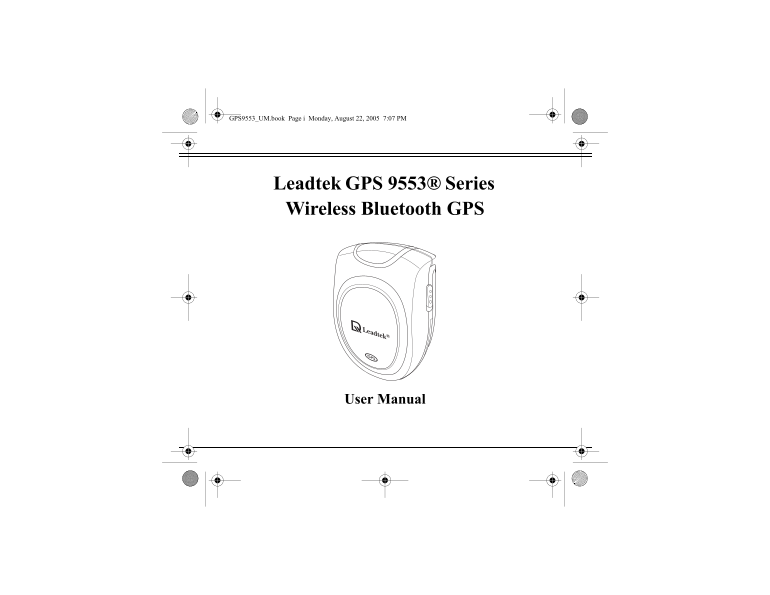
GPS9553_UM.book Page i Monday, August 22, 2005 7:07 PM Leadtek GPS 9553® Series Wireless Bluetooth GPS User Manual
Page 2
GPS9553_UM.book Page ii Monday, August 22, 2005 7:07 PM Preface About this manual Congratulations on purchasing the Leadtek GPS 9553 Series Wireless Bluetooth Receiver. The GPS 9553 Series consists of...
Page 3
GPS9553_UM.book Page iii Monday, August 22, 2005 7:07 PM Safety instructions Please read through the following safety instructions carefully to avoid damage to the product and to others while using th...
Page 4
GPS9553_UM.book Page iv Monday, August 22, 2005 7:07 PM Do not leave the GPS 9553 Series in your car unattended. The vehicle may be exposed to direct sunlight which can damage the product. When using ...
Page 5
GPS9553_UM.book Page v Monday, August 22, 2005 7:07 PM Table of Contents Introducing the Leadtek GPS 9553 Series Wireless Bluetooth Receiver Features .....................................................
Page 6
GPS9553_UM.book Page vi Monday, August 22, 2005 7:07 PM Viewing NMEA output (Development)............................................. 18 Appendix Specifications..........................................
Page 7
GPS9553_UM.book Page 1 Monday, August 22, 2005 7:07 PM Introducing the Leadtek GPS 9553 Series Wireless Bluetooth Receiver Introducing the Leadtek GPS 9553 Series Wire- less Bluetooth Receiver Thank y...
Page 8
GPS9553_UM.book Page 2 Monday, August 22, 2005 7:07 PM Introducing the Leadtek GPS 9553 Series Wireless Bluetooth Receiver Features Latest Si RF Star III chipset 20 channels with All-In-View tracking ...
Page 9
GPS9553_UM.book Page 3 Monday, August 22, 2005 7:07 PM Introducing the Leadtek GPS 9553 Series Wireless Bluetooth Receiver Package contents Make sure that your package contains the following items. If...
Page 10
GPS9553_UM.book Page 4 Monday, August 22, 2005 7:07 PM Introducing the Leadtek GPS 9553 Series Wireless Bluetooth Receiver About the Leadtek GPS 9553 Series Wireless Blue-
Page 11
GPS9553_UM.book Page 5 Monday, August 22, 2005 7:07 PM Introducing the Leadtek GPS 9553 Series Wireless Bluetooth Receiver tooth Receiver The GPS 9553 Series is compact and sleek, making it one of the...
Page 12
GPS9553_UM.book Page 6 Monday, August 22, 2005 7:07 PM Introducing the Leadtek GPS 9553 Series Wireless Bluetooth Receiver Component Description 1. Neck strap Connect neck strap to this loop for easy ...
Page 13
GPS9553_UM.book Page 7 Monday, August 22, 2005 7:07 PM Introducing the Leadtek GPS 9553 Series Wireless Bluetooth Receiver Component Description 6. Battery com- Press and slide battery to change batte...
Page 14
GPS9553_UM.book Page 8 Monday, August 22, 2005 7:07 PM Getting started Getting started Charging the battery You can charge the GPS 9553 Series using the power adapter or the cigarette lighter adapter ...
Page 15
GPS9553_UM.book Page 9 Monday, August 22, 2005 7:07 PM Getting started Changing the battery If you need to remove or change the battery for the GPS 9553 model, follow these steps: 1. Press the tab on ...
Page 16
GPS9553_UM.book Page 10 Monday, August 22, 2005 7:07 PM Getting started Installing the software The software CD provided in your package con- tains the Win Fast® Navigator application which is an appl...
Page 17
GPS9553_UM.book Page 11 Monday, August 22, 2005 7:07 PM Using the Leadtek GPS 9553 Series Wireless Bluetooth Receiver Using the Leadtek GPS 9553 Series Wireless Bluetooth Receiver Now you are ready to...
Page 18
GPS9553_UM.book Page 12 Monday, August 22, 2005 7:07 PM Using the Leadtek GPS 9553 Series Wireless Bluetooth Receiver 2. Tap the Bluetooth icon again and select the “Bluetooth Manager” item. 3. From t...
Page 19
GPS9553_UM.book Page 13 Monday, August 22, 2005 7:07 PM Using the Leadtek GPS 9553 Series Wireless Bluetooth Receiver 5. Tap inside the device selection box to display a list of devices. Click “Next” ...
Page 20
GPS9553_UM.book Page 14 Monday, August 22, 2005 7:07 PM Using the Leadtek GPS 9553 Series Wireless Bluetooth Receiver 8. Tap “Finish” to complete the procedure. 9. From the “My Shortcuts” tab, tap the...
Page 21
GPS9553_UM.book Page 15 Monday, August 22, 2005 7:07 PM Using the Leadtek GPS 9553 Series Wireless Bluetooth Receiver Using Win Fast Navigator The Win Fast Navigator utility enables you to view your p...
Page 22
GPS9553_UM.book Page 16 Monday, August 22, 2005 7:07 PM Using the Leadtek GPS 9553 Series Wireless Bluetooth Receiver Refer to the following sections to learn how to configure the port setting and use...
Page 23
GPS9553_UM.book Page 17 Monday, August 22, 2005 7:07 PM Using the Leadtek GPS 9553 Series Wireless Bluetooth Receiver Viewing the location (Navigation) When you set the correct port and the GPS 9553 S...
Page 24
GPS9553_UM.book Page 18 Monday, August 22, 2005 7:07 PM Using the Leadtek GPS 9553 Series Wireless Bluetooth Receiver Viewing NMEA output (Development) To view detailed NMEA (National Marine Electroni...
Page 25
GPS9553_UM.book Page 19 Monday, August 22, 2005 7:07 PM Appendix Appendix Specifications Chipset GSP3F Si RF Star III technology General Frequency L1, 1575.42 MHz C/A code 1.023 MHz chip rate Channels...
Page 26
GPS9553_UM.book Page 20 Monday, August 22, 2005 7:07 PM Appendix Warm start 38 sec. average typical TTFF Cold start 42 sec. average typical TTFF Dynamic conditions Altitude 18000 meters (60000 feet) m...
Page 27
GPS9553_UM.book Page 21 Monday, August 22, 2005 7:07 PM Appendix Environmental characteristic Operating tempera- 10° C ~ +65° C ture range Storage temperature -20° C ~ +65° C range Physical characteri...
Page 28
GPS9553_UM.book Page 22 Monday, August 22, 2005 7:07 PM Appendix Limited warranty Leadtek warrants to the original purchaser of this product that it shall be free of defects resulting from workmanship...
Page 29
GPS9553_UM.book Page 23 Monday, August 22, 2005 7:07 PM Appendix Safety cautions The GPS system is operated by the government of the United States, which is solely responsible for its accuracy and mai...
Page 30
GPS9553_UM.book Page 24 Monday, August 22, 2005 7:07 PM Appendix 1. From the Navigator menu, tap Tools | Port Setting... and set the Port and Baud Rate as described in “Configuring the settings” on pa...
Page 31
GPS9553_UM.book Page 25 Monday, August 22, 2005 7:07 PM Appendix Q: Why does the position of the car drift around on the map even when my PDA and GPS 9553 Series are properly positioned? A: This might...
Page 32
GPS9553_UM.book Page 26 Monday, August 22, 2005 7:07 PM Appendix Regulatory notices FCC Class B This device complies with Part 15 of the FCC rules for class B digital devices FOR HOME OR OFFICE USE. T...
Page 33
GPS9553_UM.book Page 27 Monday, August 22, 2005 7:07 PM Appendix Connect the equipment into an outlet on a circuit different from that to which the receiver is connected. Consult the dealer or an expe...
Page 34
GPS9553_UM.book Page 28 Monday, August 22, 2005 7:07 PM Appendix Class B ITE Class B ITE is a category of apparatus which satisfies the Class B ITE distur- bance limits. Class B ITE is intended primar...
Page 35
GPS9553_UM.book Page 29 Monday, August 22, 2005 7:07 PM Customer service infor- mation International Headquarters 18th Fl., 166, Chien-Yi Rd. Chung Ho, Taipei Hsien Taiwan (235) Phone: +886 (0)2 8226 ...