Page 1
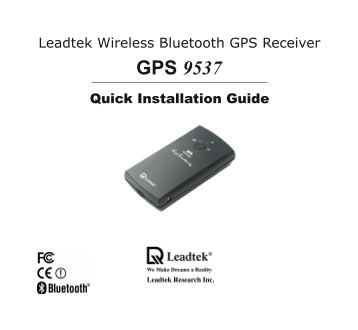
Leadtek Wireless Bluetooth GPS Receiver 9537GPS Quick Installation Guide
Page 2
Table of Contents Introduction Features Hardware Description Package Contents Installing Navigator Software for Pocket PC Testing Leadtek GPS BT Receiver Appendix A. Limited Warranty Appendix B. Cauti...
Page 3
Introduction Thank you for purchasing the Leadtek GPS Wireless Bluetooth Receiver The Leadtek GPS Wireless Bluetooth Receiver is GPS Receiver integrated with Bluetooth Wireless technology. It is Easil...
Page 4
Features Built-in GPS receiver with12 Channels "All-In-View" Tracking and "Si RFXtrac" high sensitivity software Position accuracy of meter 2D RMS Cold/Warm/Hot Start Time: 45/38/8...
Page 5
Hardware Description The Bluetooth GPS has two LED lights, each having two colors. One is Bluetooth low power status LED, named LED and the other is GPS Charge status LED, named LED 2. The status tabl...
Page 6
LED2 GPS Charge LED Description LED2 Color and Action Battery Charged Position Fixed Dark No No Green Flash No Yes Red Yes No Orange-Red Flash Yes Yes <Note 1> LED will flash when Bluetooth is a...
Page 7
Package Contents (1) Leadtek GPS (2) Anti-Slide Mat (3) Quick Guide (4) Navigator BT receiver Software CD ROM Leadtek Wireless Bluetooth GPS Receiver 9537GPS Quick Installation Guide (5) Power Adapter...
Page 8
Installing Navigator Software for Pocket PC Note: Microsoft Active Sync has to be installed and running on your computer when you want to install Navigator. Step Insert the software CD-ROM in your CD-...
Page 9
Step The setup program dialog box appears. Click "Next". Step The dialog box for choosing the installation Destination Location appears. It gives the default destination folder location. If ...
Page 10
Step Now you have completed the setup for the installation. Click "Next" to start installing the Navigator. Step Installation is in progress.
Page 11
Step When the installation is completed, dialog box tells you to check your mobile device screen to see if additional steps are necessary to complete this installation. Click "OK".
Page 12
Testing Leadtek GPS BT Receiver Step Before testing Leadtek GPS BT Receiver, please finish the installation of "Navigator" software on your Pocket PC. Please refer to the page to install Nav...
Page 13
3. Select "Explore Bluetooth 4. Choose "No device selected". device" and click "Next".
Page 14
5. Select Bluetooth target device. 6. Then select the target service and click "Next".
Page 15
7. Click "Finish". 8. The shortcut will be shown on the screen, after setting.
Page 16
Step 3: Bluetooth's online mode 1. Select "Connect" to establish the link. 2. When the connection has been established, the application can open the device.
Page 17
Step 4: Testing steps are as below. 1. Click "Navigator". 2. Enter the Navigator and then click "Port Setting". Please refer to the page to install Navigator Software for Pocket PC...
Page 18
3. To establish Bluetooth serial 4. The Latitude Longitude and position output port after that, click "OK" to fix status will be shown on screen. begin positioning. **When the Bluetooth Mana...
Page 19
Click "View" then select "Singal 6. Click "View" and then select Level", and you will see the satellites and "Development", and the NMEA output CN ratio list. W...
Page 20
Appendix A. Limited Warranty Leadtek warrants to the original purchaser of this product that it shall be free of defects resulting from workmanship or components for period of one (1) year from the da...
Page 21
Appendix B. Cautions The GPS system is operated by the government of the United States, which is solely responsible for its accuracy and maintenance. Although the GPS 15H 15L Products are precision el...
Page 22
Class The GPS 15H 15L products comply with part of the FCC interference limits for class digital devices FOR HOME OR OFFICE USE. These limits are designed to provide reasonable protection against harm...
Page 23
ITE is subdivided into two categories denoted class ITE and class ITE. Class ITE Class ITE is category of all other ITE which satisfies the Class ITE limits but not the Class ITE limits. Such equipmen...
Page 24
Appendix C. GPS FAQ Q: Why does the GPS positioning fail, even though the satellite signal appears to be normal on my PDA? A: The reason might be that the GPS has not been used for while, and the GPS ...
Page 25
Q: Why is the GPS device not found by the PDA map utility program after positioning is completed by the "Navigator"? A: "Navigator" is an application utility that users can use to ...
Page 26
Leadtek Research Inc. International Headquarters 18th Fl., 166, Chien-Yi Rd. Chung Ho, Taipei Hsien Taiwan (235) Phone: +886 (0)2 Fax: +886 (0)2 http://www.leadtek.com.tw E-Mail: [email protected]....