Page 1
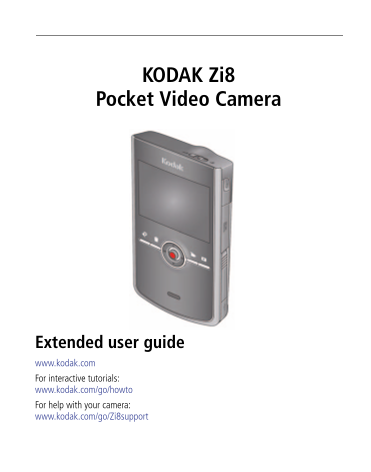
KODAK Zi8 Pocket Video Camera Extended user guide www.kodak.com For interactive tutorials: www.kodak.com/go/howto For help with your camera: www.kodak.com/go/Zi8support
Page 2
Eastman Kodak Company Rochester, New York 14650 © Kodak, 2009 All screen images are simulated. Kodak is a trademark of Eastman Kodak Company. Arc Soft and Media Impression are trademarks of Arc Soft, ...
Page 3
Product features Front view Landscape/Macro focus Recording light Microphone (mono) Infrared receiver External (stereo) micro- phone jack, 3.5 mm A/V Out HDMI™ Out 5V DC-in Battery compartment www.kod...
Page 4
Product features Back view Power button/ Charging light SD/SDHC Card slot Review mode Record mode Delete Settings Record/OK Speaker USB release* Strap post Tripod socket * Easily access the USB See pa...
Page 5
Product features Accessing the USB www.kodak.com/go/support iii
Page 6
Understanding the status icons Video length Recording Recording Capture Battery level (or mode DC-In connected) Focus Mode Card inserted Playback Elapsed Video length time Volume Battery level (or DC-...
Page 7
Table of contents 1 Setting up your camera .........................................................................1 Charging the battery (approximately 2 hours) ........................................
Page 8
Setting up your camera Charging the battery (approximately 2 hours) Notched corner Charging light: First, turn off • On = charging the camera. • Off = fully charged (approx. 2 hours) Charge the Li-Ion...
Page 9
Setting up your camera Charging using USB (approximately 4 hours) First, turn off the camera. Cable to computer Camera USB to computer Charging light: • On = charging • Off = fully charged (approx. 4 ...
Page 10
Setting up your camera Inserting an SD or SDHC Card Your camera has limited internal memory—perfect for a few practice videos/pictures. We strongly suggest that you purchase an SD or SDHC Card to stor...
Page 11
Setting up your camera Connecting the strap www.kodak.com/go/support
Page 12
Using your camera Turning on the camera Setting the date/time At the prompt, press OK to change current field. for previous/next field. OK to accept. Change date/time later See page 11 www.kodak.com/g...
Page 13
Using your camera Recording videos, taking pictures When you turn on the camera, it’s ready to record. Start/stop recording Zoom in/out Enter Recording mode from Review or a menu Change record modes: ...
Page 14
Using your camera Playing videos Enter Review Previous/next video Play/Pause (Press and hold to Stop) Volume Delete video(s) Press the Review button for different views: 1-up Thumbnail Timeline During...
Page 15
Using your camera Transferring, editing, sharing online First, make sure the battery is charged (or use an AC adapter to power the camera). Turn off and connect the camera. (It turns on automatically....
Page 16
Using your camera Deleting videos/pictures Review Locate Delete to highlight a choice, then press OK Cancel (without Previous/ deleting) Delete www.kodak.com/go/support
Page 17
Using your camera Viewing on a TV HDMI Cable AV Cable Set TV input to match your connection. For stereo playback, use the HDMI cable.* Set Video Out (NTSC/PAL) See page 11 Purchase accessories www.kod...
Page 18
Using your camera Accessing the settings menu Press the Settings button to access the Settings menu. External Microphone Image Date/Time Video Out Brightness Sounds Gain Stabilization Settings menu Fa...
Page 19
Using your camera Adjusting the focus range Landscape: for most videos Macro: for subjects approximately 15 cm (5.9 in.) from the lens www.kodak.com/go/support
Page 20
Using your camera Using the optional remote control Use the optional remote control just as you would use the on-camera buttons—to start/stop recording, review videos and pictures, and more. Go to www...
Page 21
Using your camera Using an external stereo microphone Your camera has a built-in mono microphone. Use an external stereo microphone (optional, with a 3.5 mm jack) to enhance your audio/video experienc...
Page 22
Getting help Troubleshooting Icon Solution Low battery. Charge the battery. Card or internal memory is nearly full. Transfer videos/pictures to your computer. Corrupt or unusable card. Transfer videos...
Page 23
Getting help Problem Solution Camera will not turn on. Ensure that the battery is correctly inserted and charged. Videos are choppy or Use ARCSOFT MEDIAIMPRESSION Software for video jumpy when played ...
Page 24
Getting help Getting help on the Web Camera Chat, email, write, or phone, Kodak www.kodak.com/go/contact (Chat not available in all languages.) Get support for your product (FAQs, troubleshooting www....
Page 25
Appendix Specifications Image Sensor—1/2.5-type, 5 MP, CMOS Lens—6.3 mm, f/2.8, fixed focus; 35 mm equivalent: 61 mm (1080p), 46 mm (720p/60 fps, 720p, WVGA), 42 mm (still) Zoom—4X digital LCD—6.35 cm...
Page 26
Appendix Video image stabilization—Digital, in all video modes Microphone—Mono, and external stereo microphone jack (3.5 mm) ISO—Automatically set (50–800) Speaker—Yes I/O Interface—USB 2.0 (high spee...
Page 27
Appendix Use only batteries approved for this product to avoid risk of explosion. Keep batteries out of the reach of children. Do not allow batteries to touch metal objects, including coins. Otherwise...
Page 28
Appendix US, go to the Electronics Industry Alliance Web site at www.eiae.org or go to Kodak at www.kodak.com/go/Zi8support. Limited warranty Kodak warrants its digital cameras and accessories (exclud...
Page 29
Appendix warranty. Kodak makes no other express or implied warranty for this product. In the event that the exclusion of any implied warranty is ineffective under the law, the duration of the implied ...
Page 30
Appendix Regulatory compliance FCC compliance and advisory This equipment has been tested and found to comply with the limits for a Class B digital device, pursuant to Part 15 of the FCC Rules. These ...
Page 31
Appendix Waste Electrical and Electronic Equipment labeling/battery disposal In Europe: For human/environmental protection, it is your responsibility to dispose of this equipment and batteries at a co...
Page 32
Appendix China Ro HS Canadian DOC statement DOC Class B Compliance—This Class B digital apparatus complies with Canadian ICES-003. Observation des normes-Classe B—Cet appareil numérique de la classe B...
Page 33
Index accessing settings, 9, icons, iv accessing the USB, iii accessories, purchase, Kodak Web sites, battery, loading, charging, landscape/close-up focus, lens, cleaning, card, loading, loading batte...
Page 34
Index SD/SDHC card loading, setting date and time, setting up the camera, settings, menu, 9, sharing online, speaker, ii specifications, status icons, iv stereo microphone, strap, connecting, taking a...