Intel Hardware Shield - Operating System Security White Paper
Summary
Intel® Hardware Shield delivers essential, enterprise-grade security built into the Intel vPro platform. This comprehensive solution provides foundational protection below the operating system—securing hardware, firmware, and critical resources from the moment of power-on. It defends against advanced threats (like rootkits), enables secure boot verification, and monitors memory to reduce attack surfaces. Designed for IT departments and businesses requiring military-grade security validation in complex or dispersed computing environments.
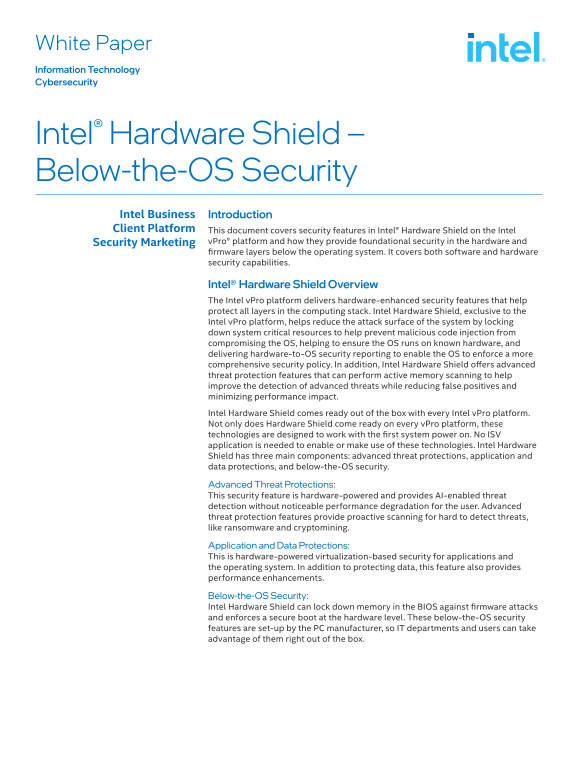
Page 1 Text Content
White Paper Information Technology Cybersecurity
Intel® Hardware Shield – Below-the-OS Security Intel Business Introduction Client Platform This document covers security features in Intel® Hardware Shield on the Intel
Security Marketing v Pro® platform and how they provide foundational security in the hardware and firmware layers below the operating system. It covers both software and hardware security capabilities.
Intel® Hardware Shield Overview The Intel v Pro platform delivers hardware-enhanced security features that help protect all layers in the computing stack. Intel Hardware Shield, exclusive to the Intel v Pro platform, helps reduce the attack surface of the system by locking down system critical resources to help prevent malicious code injection from compromising the OS, helping to ensure the OS runs on known hardware, and delivering hardware-to-OS security reporting to enable the OS to enforce a more comprehensive security policy. In addition, Intel Hardware Shield offers advanced threat protection features that can perform active memory scanning to help improve the detection of advanced threats while reducing false positives and minimizing performance impact. Intel Hardware Shield comes ready out of the box with every Intel v Pro platform. Not only does Hardware Shield come ready on every v Pro platform, these technologies are designed to work with the first system power on. No ISV application is needed to enable or make use of these technologies. Intel Hardware Shield has three main components: advanced threat protections, application and data protections, and below-the-OS security.
Advanced Threat Protections: This security feature is hardware-powered and provides AI-enabled threat detection without noticeable performance degradation for the user. Advanced threat protection features provide proactive scanning for hard to detect threats, like ransomware and cryptomining.
Application and Data Protections: This is hardware-powered virtualization-based security for applications and the operating system. In addition to protecting data, this feature also provides performance enhancements.
Below-the-OS Security: Intel Hardware Shield can lock down memory in the BIOS against firmware attacks and enforces a secure boot at the hardware level. These below-the-OS security features are set-up by the PC manufacturer, so IT departments and users can take advantage of them right out of the box.
Figure 1. Intel® Hardware Shield is built into Intel® v Pro mobile platform-based systems to help protect against attacks at the foundational level.
Page Summary Contents For Intel Hardware Shield - Operating System Security White Paper
Manual Details
| Brand | Intel |
|---|---|
| Pages | 5 |
| File Size | 220.13 KB |
| Published | June 05, 2026 |
Enter the captcha to get the download link:

Frequently Asked Questions
Does Intel Hardware Shield require special installation or setup?
No, it comes ready out of the box with every Intel vPro platform, and no ISV application is needed to utilize these technologies.
What security protections operate below the Operating System level?
It can lock down memory in the BIOS against firmware attacks and enforces a secure boot at a hardware level through features like BIOS Guard.
What types of advanced threats does Hardware Shield detect proactively?
Advanced threat protection provides proactive scanning for difficult-to-detect threats, such as ransomware and cryptomining activity.