HP Officejet 4500 Series - Printer G510 Setup Poster
Summary
Easily set up your HP OfficeJet 4500 All-in-One printer with this comprehensive installation guide. This manual is for new owners and walks you through every necessary step, including unboxing, setting language preferences, loading paper, and aligning cartridges. It provides detailed instructions for software installation via USB or wireless network connection, ensuring your device is fully operational and registered for continued support quickly and efficiently.
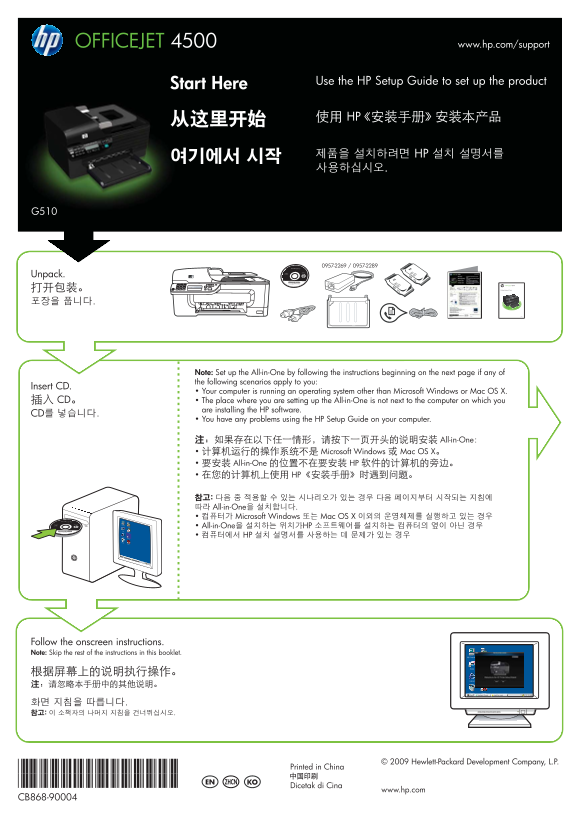
Page 1 Text Content
OFFICEJET 4500 www.hp.com/support
Use the HP Setup Guide to set up the product
Start Here
使用 HP《安装手册》安装本产品
제품을 설치하려면 HP 설치 설명서를
Unpack.
5 jkl 4 ghi 2 abc 3 def 6 mno OK OFFICEJET 4500
7 pqrs 8 tuv 9 wxyz
打开包装。 Getting Started Guide
Note: Set up the All-in-One by following the instructions beginning on the next page if any of the following scenarios apply to you:
Insert CD.
• Your computer is running an operating system other than Microsoft Windows or Mac OS X.
插入 CD。 • The place where you are setting up the All-in-One is not next to the computer on which you
are installing the HP software.
CD를 넣습니다.
• You have any problems using the HP Setup Guide on your computer.
如果存在以下任一情形,请按下一页开头的说明安装 All-in-One: • 计算机运行的操作系统不是 Microsoft Windows 或 Mac OS X。 • 要安装 All-in-One 的位置不在要安装 HP 软件的计算机的旁边。 • 在您的计算机上使用 HP《安装手册》时遇到问题。
참고: 다음 중 적용할 수 있는 시나리오가 있는 경우 다음 페이지부터 시작되는 지침에 따라 All-in-One을 설치합니다. • 컴퓨터가 Microsoft Windows 또는 Mac OS X 이외의 운영체제를 실행하고 있는 경우 • All-in-One을 설치하는 위치가HP 소프트웨어를 설치하는 컴퓨터의 옆이 아닌 경우 • 컴퓨터에서 HP 설치 설명서를 사용하는 데 문제가 있는 경우
Follow the onscreen instructions. Note: Skip the rest of the instructions in this booklet.
© 2009 Hewlett-Packard Development Company, L.P.
*CB868-90004* Printed in China
*CB868-90004* EN ZHCN KO
Dicetak di Cina
www.hp.com
CB868-90004
Page Summary Contents For HP Officejet 4500 Series - Printer G510 Setup Poster
Manual Details
| Brand | HP |
|---|---|
| Pages | 4 |
| File Size | 1.72 MB |
| Published | June 17, 2026 |
Enter the captcha to get the download link:

Frequently Asked Questions
How do I set up the OFFICEJET 4500 initially?
Use the HP Setup Guide for setup. If conditions apply, refer to the instructions starting on the next page.
What should I do if my computer lacks a CD/DVD drive?
Download the required HP software from HP’s support website at www.hp.com/support.
How can I adjust the paper size in the main tray?
Slide the guides inside the tray to match the size of the paper loaded.
What is the procedure for language and location settings?
Use the ◄ and ► buttons, press OK, select your option (EN/ZHCN), and then press 1.