HOLUX GR-239 Quick Guide
Summary
This wireless GPS receiver provides reliable, accurate vehicle tracking by monitoring multiple satellites simultaneously and supporting fast signal reacquisition. This guide walks you through the quick setup for car use, detailing how to physically install the unit and establish a secure Bluetooth link with your PDAs or PCs. Users can then utilize the supplied viewer software to monitor real-time positioning data easily. Ideal for professionals requiring reliable, dependable vehicular location tracking.
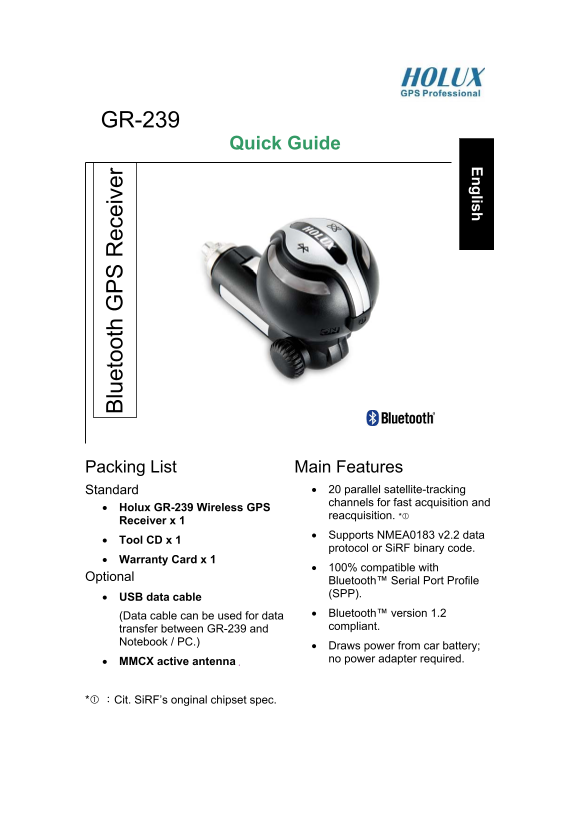
Page 1 Text Content
English
GR-239 lu et oo th PS ec ei ve
Quick Guide
Packing List Main Features
Standard • 20 parallel satellite-tracking channels for fast acquisition and
• Holux GR-239 Wireless GPS
reacquisition. *
Receiver x 1
• Supports NMEA0183 v2.2 data
• Tool CD x 1
protocol or Si RF binary code.
• Warranty Card x 1
• 100% compatible with
Optional
Bluetooth™ Serial Port Profile (SPP).
• USB data cable
(Data cable can be used for data • Bluetooth™ version 1.2 transfer between GR-239 and compliant.
Notebook / PC.)
• Draws power from car battery; no power adapter required.
• MMCX active antenna .
:Cit. Si RF’s onginal chipset spec.
Page Summary Contents For HOLUX GR-239 Quick Guide
Manual Details
| Brand | Holux |
|---|---|
| Pages | 4 |
| File Size | 176.75 KB |
| Published | June 03, 2026 |
Enter the captcha to get the download link:

Frequently Asked Questions
What is required to power the GR-239 unit?
It draws power directly from a car battery; no separate power adapter is needed.
How do I establish a Bluetooth link with a PDA/Notebook?
Activate your Bluetooth Manager, select Search and then link. Choose HOLUX GR-239 and select SPP slave.
What cautions should be followed when placing the device?
Avoid strong sunlight, high temperatures, or placement near heat radiators to prevent malfunction.
If I have trouble linking devices, what should I do?
Refer to the 'Software Installation' section available in the full user manual for further details.