Epson AP-60 Projector Sound Solution User Manual
Summary
Elevate your presentations with the Epson AP-60 Projector Sound Solution, designed to create professional audio quality in any academic or boardroom setting. This comprehensive system features four speakers and 60W of amplified sound, ensuring every voice is heard clearly while minimizing vocal strain for presenters. The manual details setup for using an included IR wireless microphone (supporting up to two), multiple audio inputs/outputs for recording lessons, and front/rear balance adjustments. It provides an easy-to-install, reliable sound enhancement system compatible with most existing projector setups.
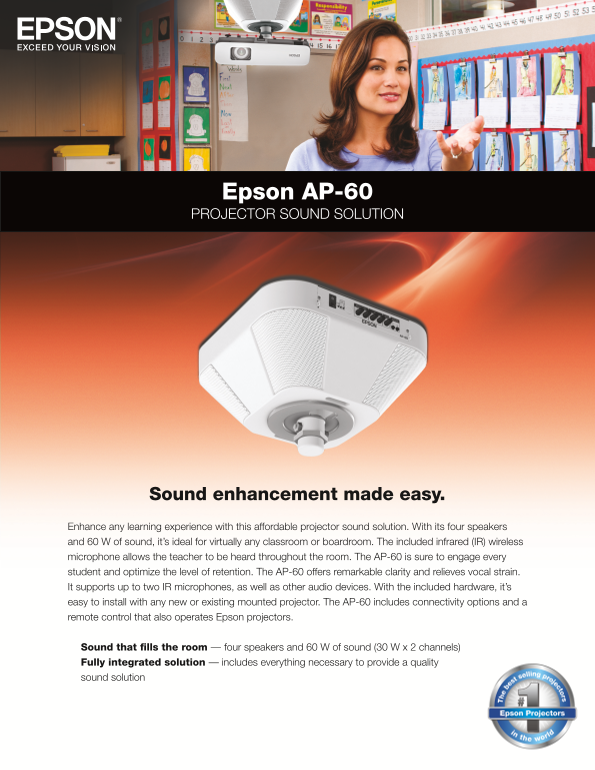
Page 1 Text Content
Epson AP-60 PROJECTOR SOUND SOLUTION
Sound enhancement made easy.
Enhance any learning experience with this affordable projector sound solution. With its four speakers and 60 W of sound, it’s ideal for virtually any classroom or boardroom. The included infrared (IR) wireless microphone allows the teacher to be heard throughout the room. The AP-60 is sure to engage every student and optimize the level of retention. The AP-60 offers remarkable clarity and relieves vocal strain. It supports up to two IR microphones, as well as other audio devices. With the included hardware, it’s easy to install with any new or existing mounted projector. The AP-60 includes connectivity options and a remote control that also operates Epson projectors.
Sound that fills the room — four speakers and 60 W of sound (30 W x 2 channels) Fully integrated solution — includes everything necessary to provide a quality sound solution
Page Summary Contents For Epson AP-60 Projector Sound Solution User Manual
Manual Details
| Brand | Epson |
|---|---|
| Pages | 4 |
| File Size | 6.70 MB |
| Published | May 19, 2026 |
Enter the captcha to get the download link:

Frequently Asked Questions
How is microphone sound enhanced and clarity maintained?
The infrared (IR) wireless microphone allows easy amplification of the speaker’s voice, minimizing vocal strain for clearer delivery.
Does the AP-60 support custom audio setups?
Yes, it includes customizable features like front/rear balance adjustments and "Audio out" capability to direct sound toward the audience.
Can I record and share my lessons from the classroom?
The unit allows you to record lessons in the classroom and post them as podcasts for sharing with other schools or absent students.
Is the system compatible with existing projector mounts?
Yes, it can be installed with new or existing mounted projectors using standard 1.5" mounting equipment.
What types of audio devices can I connect to the AP-60?
It supports multiple audio inputs (like line, RCA/L&R) and includes an input jack that works seamlessly with iPods or MP3 players.