Dell XPS 15 9550 Quick User Guide - Windows 10
Summary
The Dell XPS 15 Quick Start Guide for model 9550 provides multilingual setup instructions covering power adapter connection, operating system setup for Windows and Ubuntu, and Dell updates activation. Features include camera with privacy cover, power button with fingerprint reader option, and comprehensive port layout with USB 3.0, HDMI, and Thunderbolt 3. The guide covers recovery media creation through Windows search, SupportAssist for system updates, and product registration. Regulatory model
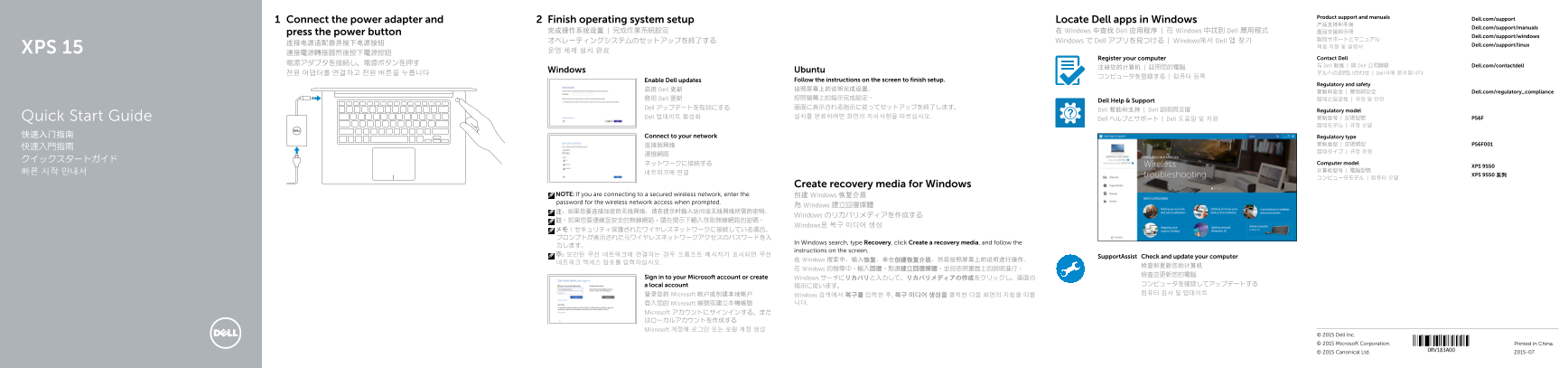
Page 1 Text Content
Product support and manuals
Connect the power adapter and Finish operating system setup Locate Dell apps in Windows Dell.com/support
Dell.com/support/manuals
press the power button 完成操作系统设置 | 完成作業系統設定 在 Windows 中查找 Dell 应用程序 | 在 Windows 中找到 Dell 應用程式 產品支援與手冊
Dell.com/support/windows
オペレーティングシステムのセットアップを終了する Windows で Dell アプリを見つける | Windows에서 Dell 앱 찾기
连接电源适配器并按下电源按钮 Dell.com/support/linux
XPS 15 운영 체제 설치 완료
Register your computer Contact Dell
与 Dell 联络 | 與 Dell 公司聯絡 Dell.com/contactdell
Windows Ubuntu
전원 어댑터를 연결하고 전원 버튼을 누릅니다 デルへのお問い合わせ | Dell사에 문의합니다
Enable Dell updates Follow the instructions on the screen to finish setup.
Regulatory and safety
启用 Dell 更新 按照屏幕上的说明完成设置。
管制和安全 | 管制與安全 Dell.com/regulatory_compliance
啟用 Dell 更新 按照螢幕上的指示完成設定。 認可と安全性 | 규정 및 안전
Dell Help & Support
Dell アップデートを有効にする 画面に表示される指示に従ってセットアップを終了します。
Dell 帮助和支持 | Dell 說明與支援 Regulatory model
Dell 업데이트 활성화 설치를 완료하려면 화면의 지시사항을 따르십시오. 管制型号 | 安規型號 P56F
Dell ヘルプとサポート | Dell 도움말 및 지원Quick Start Guide
快速入门指南 Connect to your network Regulatory type
ネットワークに接続する Computer model
XPS 9550
XPS 9550 系列
Create recovery media for Windows
NOTE: If you are connecting to a secured wireless network, enter the 创建 Windows 恢复介质 password for the wireless network access when prompted.
為 Windows 建立回復媒體
Windows のリカバリメディアを作成する
Windows용 복구 미디어 생성
In Windows search, type Recovery, click Create a recovery media, and follow the
instructions on the screen.
Support Assist Check and update your computer
在 Windows 搜索中,输入恢复,单击创建恢复介质,然后按照屏幕上的说明进行操作。
在 Windows 的搜尋中,輸入回復,點選建立回復媒體,並且依照畫面上的說明進行。
Sign in to your Microsoft account or create Windows サーチにリカバリと入力して、リカバリメディアの作成をクリックし、画面の
a local account コンピュータを確認してアップデートする
登录您的 Microsoft 帐户或创建本地帐户 컴퓨터 검사 및 업데이트
Windows 검색에서 복구를 입력한 후, 복구 미디어 생성을 클릭한 다음 화면의 지침을 따릅 登入您的 Microsoft 帳號或建立本機帳號 니다.
Microsoft アカウントにサインインする、また はローカルアカウントを作成する Microsoft 계정에 로그인 또는 로컬 계정 생성
© 2015 Dell Inc. © 2015 Microsoft Corporation. Printed in China.
© 2015 Canonical Ltd. 2015-07
Page Summary Contents For Dell XPS 15 9550 Quick User Guide - Windows 10
Manual Details
| Brand | Dell |
|---|---|
| Pages | 2 |
| File Size | 1.16 MB |
| Published | June 18, 2026 |
Enter the captcha to get the download link:

Frequently Asked Questions
How do I begin using the computer after unboxing?
Connect the power adapter and press the power button, then follow the screen instructions to complete the operating system setup.
What are the connectivity options for data transfer and external displays?
The unit features a Thunderbolt 3 port with Power Delivery, HDMI port, USB 3.0 ports that include PowerShare capability, and an SD card slot.
How can I ensure both my hardware and operating system are up-to-date?
You can enable Dell updates through regulatory compliance settings or use SupportAssist in Windows Search to check and update your computer.