Dell Vostro 360 Wall-Mount Setup Guide for Computer Preparation and User's Manual.
Summary
This document provides safety-critical instructions for preparing a Dell computer for VESA wall mounting. It includes important cautions about reading safety information, using a certified service technician for installation supervision, and ensuring the VESA mount holder supports four times the product weight (8.90 kg / 19.62 lbs). Step-by-step illustrated instructions cover screw specifications (M4 x 10L), proper spacing for cable routing, and regulatory compliance references. Designed for IT technicians and facilities staff performing wall-mount installations.
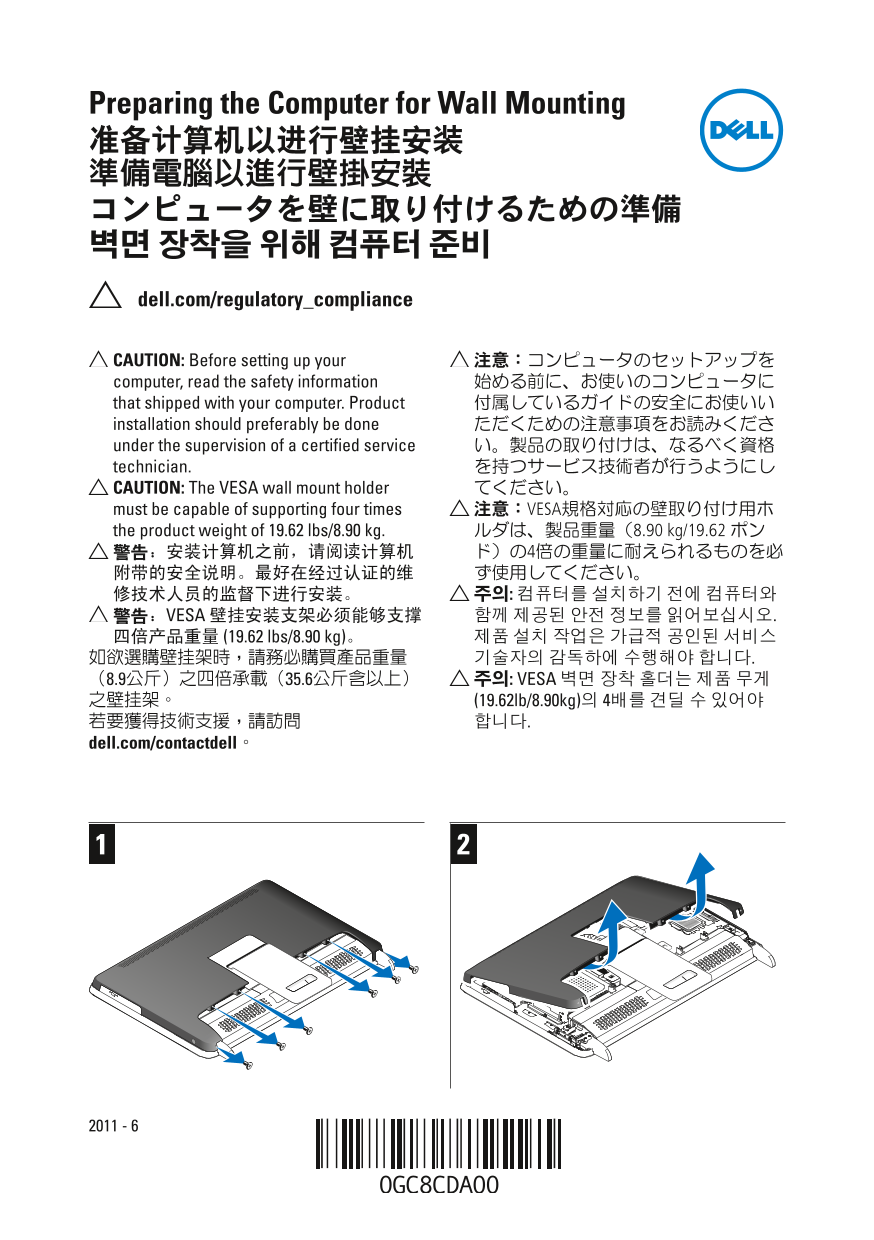
Page 1 Text Content
Preparing the Computer for Wall Mounting 准备计算机以进行壁挂安装 準備電腦以進行壁掛安裝 コンピュータを壁に取り付けるための準備 벽면 장착을 위해 컴퓨터 준비 dell.com/regulatory_compliance
CAUTION: Before setting up your 注意:コンピュータのセットアップを computer, read the safety information 始める前に、お使いのコンピュータに that shipped with your computer. Product 付属しているガイドの安全にお使いい installation should preferably be done ただくための注意事項をお読みくださ under the supervision of a certified service い。製品の取り付けは、なるべく資格 technician. を持つサービス技術者が行うようにし CAUTION: The VESA wall mount holder てください。 must be capable of supporting four times 注意:VESA規格対応の壁取り付け用ホ the product weight of 19.62 lbs/8.90 kg. ルダは、製品重量(8.90 kg/19.62 ポン 警告:安装计算机之前,请阅读计算机 ド)の4倍の重量に耐えられるものを必 附带的安全说明。最好在经过认证的维 ず使用してください。 修技术人员的监督下进行安装。 주의: 컴퓨터를 설치하기 전에 컴퓨터와 警告:VESA 壁挂安装支架必须能够支撑 함께 제공된 안전 정보를 읽어보십시오. 四倍产品重量 (19.62 lbs/8.90 kg)。 제품 설치 작업은 가급적 공인된 서비스 如欲選購壁挂架時,請務必購買產品重量 기술자의 감독하에 수행해야 합니다.
(8.9公斤)之四倍承載(35.6公斤含以上) 주의: VESA 벽면 장착 홀더는 제품 무게 之壁挂架。 (19.62lb/8.90kg)의 4배를 견딜 수 있어야 若要獲得技術支援,請訪問 합니다.
dell.com/contactdell。
Page Summary Contents For Dell Vostro 360 Wall-Mount Setup Guide for Computer Preparation and User's Manual.
Manual Details
| Brand | Dell |
|---|---|
| Pages | 4 |
| File Size | 2.75 MB |
| Published | July 02, 2026 |
Enter the captcha to get the download link:

Frequently Asked Questions
What cautions should I take before setting up the computer?
You must read the safety information provided with your product, ideally under the supervision of a certified service technician.
How much weight capacity must my VESA wall mount have?
The holder must be capable of supporting four times the product weight (19.62 lbs / 8.90 kg).
What hardware and spacing details are needed for mounting?
Use M4 x 10L screws, and ensure you allow space between the wall and the computer for cable routing.