Dell U2410 Monitor Setup Guide
Summary
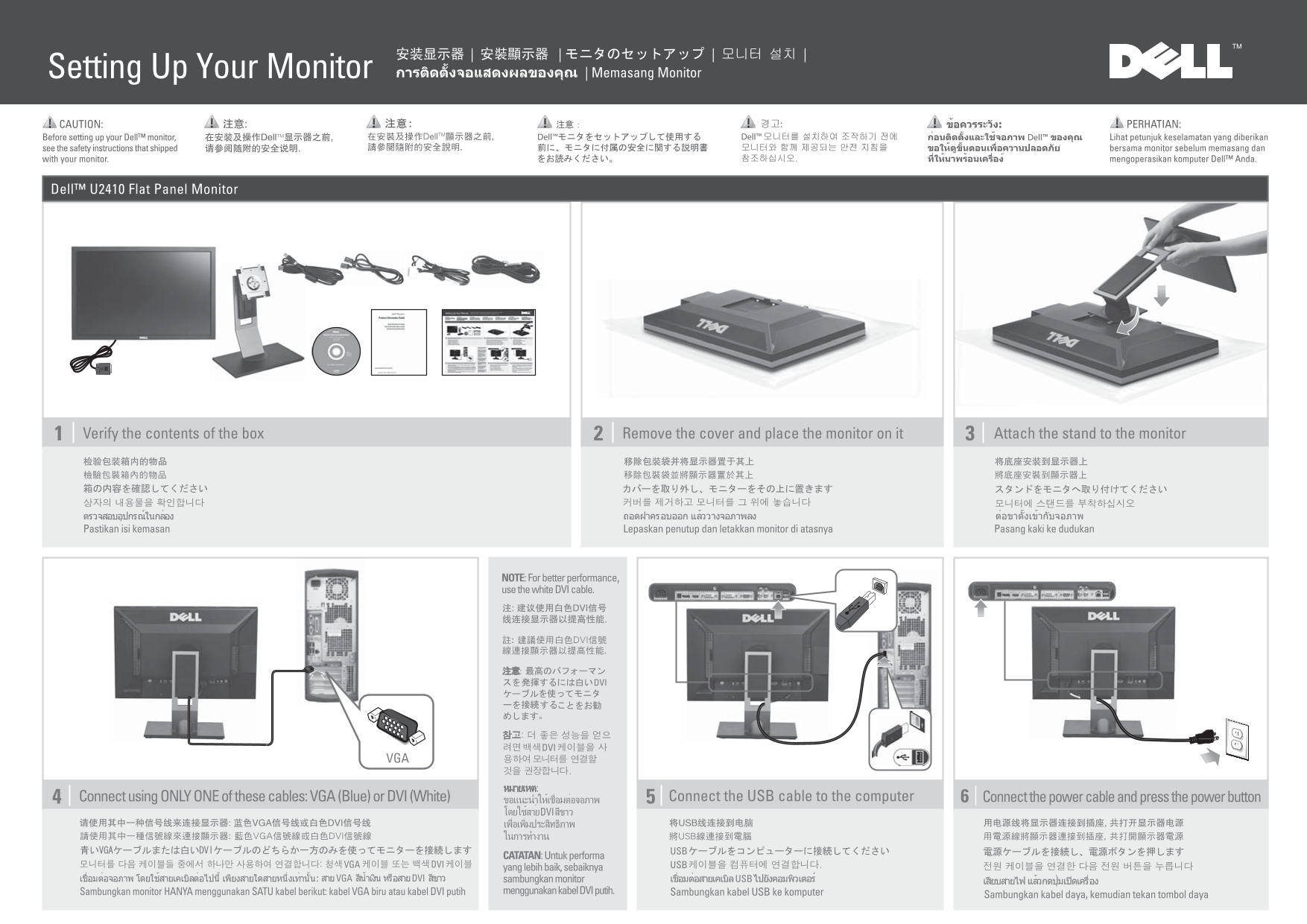
Dell monitor on-screen display (OSD) label showing preset modes, brightness/contrast adjustment, input source selection, and menu exit options. Multi-language reference card dated April 2011, providing a quick visual guide to the monitor's built-in OSD menu navigation.
Manual Details
| Brand | Dell |
|---|---|
| Pages | 2 |
| File Size | 1.63 MB |
| Published | July 02, 2026 |
3 views
Enter the captcha to get the download link:

Frequently Asked Questions
How can I adjust the display's brightness and contrast?
Use dedicated settings within the Brightness/Contrast submenu.
What function is used to select different video inputs?
Select your desired connection using the Input Source menu feature.
What are 'Preset Modes'?
They provide pre-set options for optimizing screen appearance.
How do I exit the current menu setting?
Exit the settings by pressing the designated Exit button.