# A B C D E F G H I J K L M N O P Q R S T U V W X Y Z

Dell System S6000 9.14.2.11 Release Notes

Summary

This document contains release notes for the Dell System S6000 switch running Dell Networking OS version 9.14(2.11). It details new features, changes to default behavior and CLI syntax, restrictions, supported hardware, upgrade procedures including VLT upgrade, documentation corrections, deferred issues, fixed issues, and known issues. The document also covers prerequisite steps for upgrading from earlier OS versions, including Open Automation package handling. Targeted at network administrators and engineers managing Dell S6000 switches in enterprise and data center network environments.
📄 Preview 📖 Table of Contents Contents PAGE OF 15

Page 1 Text Content

Rev. A00 November 2021

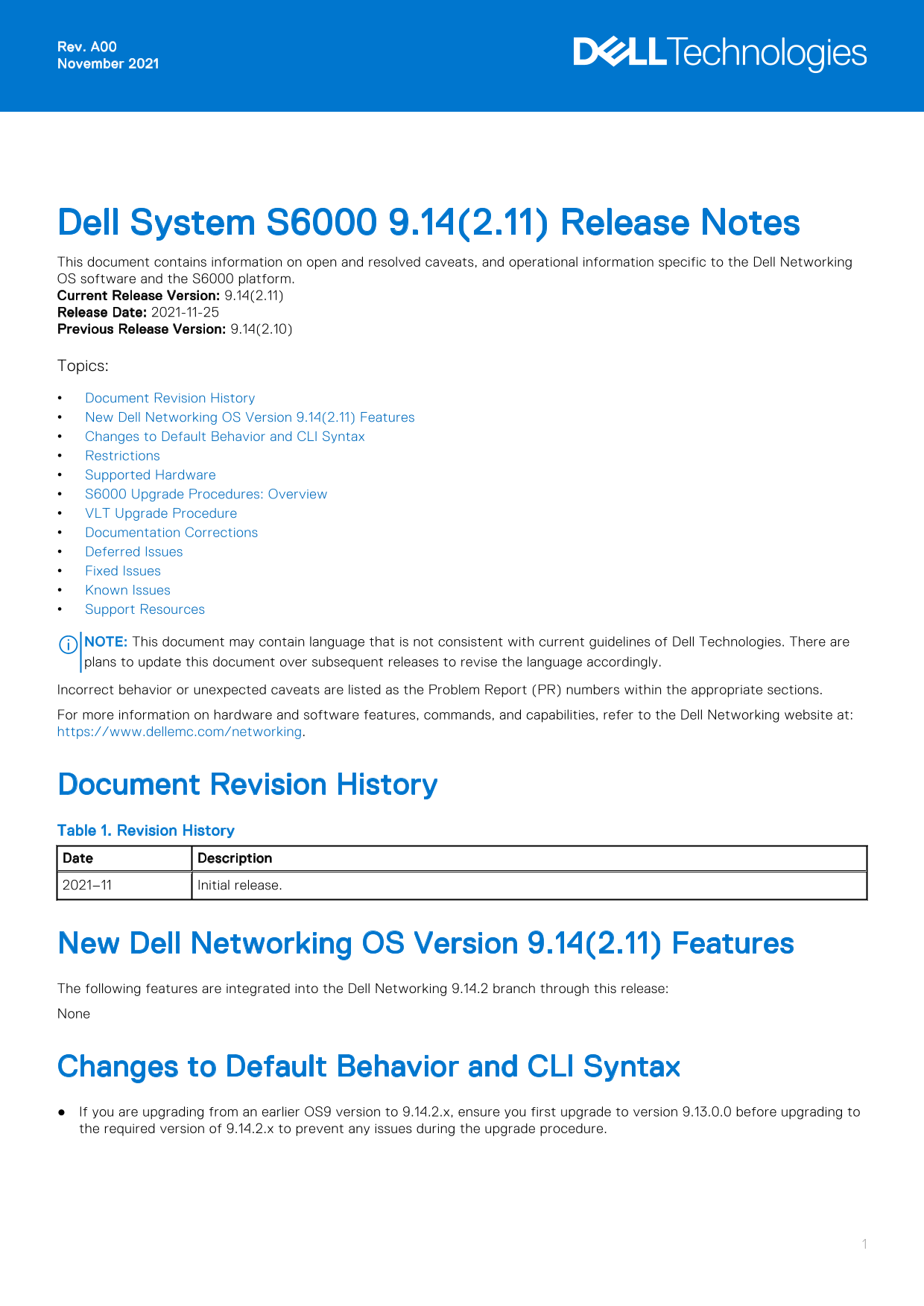
Dell System S6000 9.14(2.11) Release Notes This document contains information on open and resolved caveats, and operational information specific to the Dell Networking OS software and the S6000 platform. Current Release Version: 9.14(2.11) Release Date: 2021-11-25 Previous Release Version: 9.14(2.10)

Topics:

Document Revision History New Dell Networking OS Version 9.14(2.11) Features Changes to Default Behavior and CLI Syntax Restrictions Supported Hardware S6000 Upgrade Procedures: Overview VLT Upgrade Procedure Documentation Corrections Deferred Issues Fixed Issues Known Issues Support Resources

NOTE: This document may contain language that is not consistent with current guidelines of Dell Technologies. There are plans to update this document over subsequent releases to revise the language accordingly. Incorrect behavior or unexpected caveats are listed as the Problem Report (PR) numbers within the appropriate sections. For more information on hardware and software features, commands, and capabilities, refer to the Dell Networking website at: https://www.dellemc.com/networking.

Document Revision History Table 1. Revision History Date Description 2021–11 Initial release.

New Dell Networking OS Version 9.14(2.11) Features The following features are integrated into the Dell Networking 9.14.2 branch through this release: None

Changes to Default Behavior and CLI Syntax If you are upgrading from an earlier OS9 version to 9.14.2.x, ensure you first upgrade to version 9.13.0.0 before upgrading to the required version of 9.14.2.x to prevent any issues during the upgrade procedure.

Page Summary Contents For Dell System S6000 9.14.2.11 Release Notes

Page 1 Rev. A00 November 2021 Dell System S6000 9.14(2.11) Release Notes This document contains information on open and resolved caveats, and operational information specific to the Dell Networking OS softwa...
Page 2 Restrictions Prerequisite steps to upgrade the Dell Networking OS from earlier version to 9.14.2.0 or later: 1. Uninstall the older version of the Open Automation (OA) package 2. Upgrade the Dell Netw...
Page 3 NOTE: If all the three fan trays are found to be empty or faulty, the system will shut down after one minute. NOTE: The rear rack mounting bracket (SA-01-RMB-8) will fit only into racks with depths in...
Page 4 NOTE: If you downgrade from Dell Networking OS version 9.14(2.11) to 9.0(2.0), remove any existing quad mode configuration from the following 40G ports: 4, 12, 20, 28, 100, 108, 116, and 124. To remov...
Page 5 show boot system stack-unit [0–5 | all] Dell#show boot system stack-unit all Current system image information in the system: Type Boot Type A B stack-unit 0 FLASH BOOT 9.14(2.11)[boot] 9.14(2.10) stac...
Page 6 Bootselector image upgrade for stack-unit 0 completed successfully. 6. Change the Primary Boot Parameter of the S6000 to the upgraded partition A: or B: CONFIGURATION Mode boot system stack-unit [0–5 ...
Page 7 Num Ports : 128 Up Time : 3 min, 24 sec Dell Networking OS Version : 9.14(2.11) Jumbo Capable : yes POE Capable : no FIPS Mode : disabled Boot Flash : 3.1.1.7 Boot Selector : 3.1.0.3 Memory Size : 320...
Page 8 Use the following command to view CPLD version that is associated with the Dell Networking OS image: Dell#show os-version RELEASE IMAGE INFORMATION : Platform Version Size Release Time S-Series:SI 9.1...
Page 9 Upgrade result : Unit 0 FPGA upgrade successful Unit 0. Please power cycle to take effect. 2. Power cycle the system physically. Switch off the system by unplugging the power chords from the REAR PSUs...
Page 10 Documentation Corrections This section describes the errors identified in the current release of the Dell Networking OS. The router bgp command allows you to configure only one L3 interface with an IP...
Page 11 Category Description S4 — Minor: A cosmetic issue or an issue in a minor feature with little or no network impact for which there might be a work-around. Synopsis Synopsis is the title or short descri...
Page 12 Synopsis: SSH connections with Cipher Block Chaining (CBC) ciphers are vulnerable. Release Notes: SSH connections with Cipher Block Chaining (CBC) ciphers are vulnerable. Workaround: Configure a stron...
Page 13 Category Description S4 — Minor: A cosmetic issue or an issue in a minor feature with little or no network impact for which there might be a work-around. Synopsis Synopsis is the title or short descri...
Page 14 Contacting Dell NOTE: If you do not have an active Internet connection, you can find contact information on your purchase invoice, packing slip, bill, or Dell product catalog. Dell provides several on...
Page 15 Notes, cautions, and warnings NOTE: A NOTE indicates important information that helps you make better use of your product. CAUTION: A CAUTION indicates either potential damage to hardware or loss of d...

Manual Details

Brand Dell
Pages 15
File Size 160.30 KB
Published June 23, 2026
7 views

Enter the captcha to get the download link:

captcha

Frequently Asked Questions

How do I upgrade to version 9.14.2.x from an earlier OS9 version?

You must first upgrade to version 9.13.0.0 before upgrading to 9.14.2.x to prevent issues.

What are the restrictions for downgrading to 9.11.0.0 or older?

Downgrading causes a CDB boot error but has no functional impact. Save config, delete CDB files, and reload.

What hardware is supported with this release?

S6000 chassis with 32 40Gbps QSFP+ ports, 2 AC/DC PSUs, 3 fan subsystems, and rear rack mounting brackets for specific depth ranges.

Can FRRP and Spanning Tree co-exist in a VLT domain?

No, FRRP and xSTP should not be enabled concurrently on nodes within a VLT domain.