Dell System benchmark results on KNL - STREAM and HPL Performance Report
Summary
This comprehensive guide presents initial benchmark results for high-performance computing utilizing the Intel Xeon Phi Knights Landing (KNL) processor in the Dell EMC PowerEdge C6320p platform. The documentation details system architecture, including integrated MCDRAM and AVX512 support, and reports performance metrics like STREAM memory bandwidth and HPL compute throughput. It is designed for engineers and researchers who require a robust, specialized server solution optimized for highly parallel vector applications.
Page 1 Text Content
System benchmark results on KNL – STREAM and HPL. By Garima Kochhar. December 2016. HPC Innovation Lab The Intel Xeon Phi bootable processor (architecture codenamed “Knights Landing” – KNL) is ready for prime time. The HPC Innovation Lab has had access to a few engineering test units, and this blog presents the results of our initial benchmarking study. [We also published our results with Cryo-EM workloads on these systems, and that study is available here.] The KNL processor is from the Intel Xeon Phi product line but is a bootable processor, i.e., the system does not need another processor in it to power on, just the KNL. Unlike the Xeon Phi coprocessors or the NVIDIA K80 and P100 GPU cards that are housed in a system that has a Xeon processor as well, the KNL is the only processor in the server. This necessitates a new server board design and the Power Edge C6320p is the Dell EMC platform that supports the KNL line of processors. A C6320p server includes support for one KNL processor and six DDR4 memory DIMMs. The network choices include Mellanox Infini Band EDR, Intel Omni-Path, or choices of add-in 10Gb E Ethernet adapters. The platform has the other standard components you’d expect from the Power Edge line including a 1Gb E LOM, i DRAC and systems management capabilities. Further information on C6320p is available here.
The KNL processor models include 16GB of on-package memory called MCDRAM. The MCDRAM can be used in three modes – memory mode, cache mode or hybrid mode. The 16GB of MCDRAM is visible to the OS as addressable memory and must be addressed explicitly by the application when used in memory mode. In cache mode, the MCDRAM is used as the last level cache of the processor. And in hybrid mode, a portion of the MCDRAM is available as memory and the other portion is used as cache. The default setting is cache mode as this is expected to benefit most applications. This setting is configurable in the server BIOS.
The architecture of the KNL processor allows the processor cores + cache and home agent directory + memory to be organized into different clustering modes. These modes are called all2all, quadrant and hemisphere, Sub-NUMA Clustering-2 and Sub-NUMA Clustering 4. They are described in this Intel article. The default setting in the Dell EMC BIOS is quadrant mode and can be changed in the Dell EMC BIOS. All tests below are with the quadrant mode.
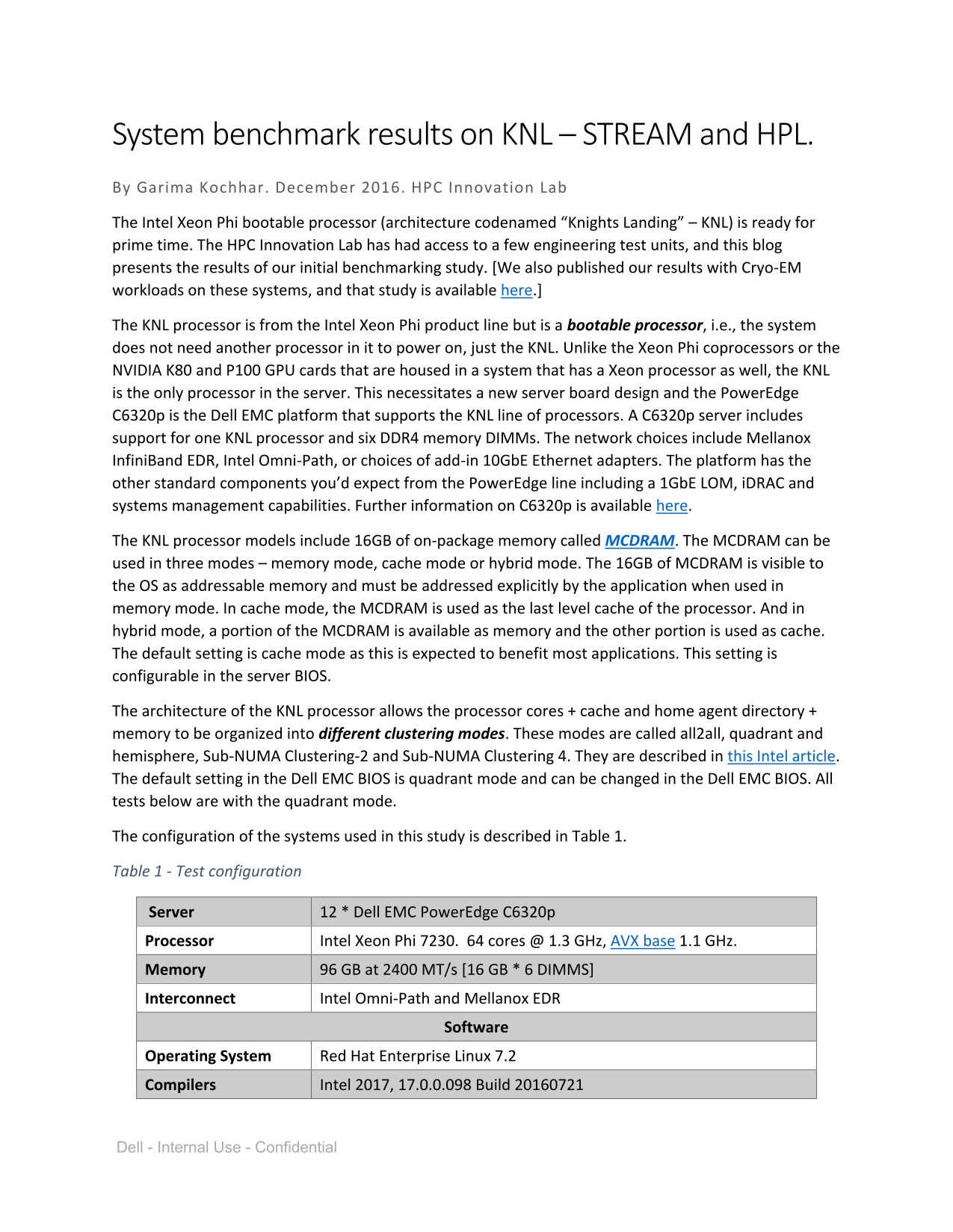
The configuration of the systems used in this study is described in Table 1.
Table 1 - Test configuration
Server 12 * Dell EMC Power Edge C6320p Processor Intel Xeon Phi 7230. 64 cores @ 1.3 GHz, AVX base 1.1 GHz. Memory 96 GB at 2400 MT/s [16 GB * 6 DIMMS] Interconnect Intel Omni-Path and Mellanox EDR
Software
Operating System Red Hat Enterprise Linux 7.2 Compilers Intel 2017, 17.0.0.098 Build 20160721
Dell - Internal Use - Confidential
Page Summary Contents For Dell System benchmark results on KNL - STREAM and HPL Performance Report
Manual Details
| Brand | Dell |
|---|---|
| Pages | 4 |
| File Size | 901.87 KB |
| Published | June 23, 2026 |
Enter the captcha to get the download link:

Frequently Asked Questions
How is the KNL processor architecturally different from standard server processors?
The KNL processor is unique because it is a bootable processor, meaning it functions as the single processor in the server without needing another CPU to power on.
What are the different operational modes for the 16GB MCDRAM?
The MCDRAM can be used in three modes: memory mode (addressable by OS), cache mode (as the last level cache), or hybrid mode.
How must I configure the system to measure optimal memory bandwidth on MCDRAM?
To measure memory bandwidth, the system must be set to ‘memory’ mode via BIOS settings. The default setting is cache mode.
What network interconnection choices are available for the PowerEdge C6320p server platform?
Available options include Mellanox InfiniBand EDR, Intel Omni-Path, or various add-in 10GbE Ethernet adapters.