Dell Support Matrix User Guide and Manual
Summary
This is a support matrix document for Dell PowerVault Data Protection Solutions including DP100, DP500, and DP600 models. The manual lists supported hardware platforms, BIOS versions, internal and external hard drive configurations, RAID adapters including PERC 5/i, PERC 6/i, and PERC 6/E with firmware and driver versions. It also covers supported external storage enclosures such as PowerVault MD1000. The document provides compatibility information for system administrators planning data protection infrastructure deployments. It is intended for IT professionals and system administrators who need to verify hardware and software compatibility for Dell PowerVault data protection solutions.
Page 1 Text Content
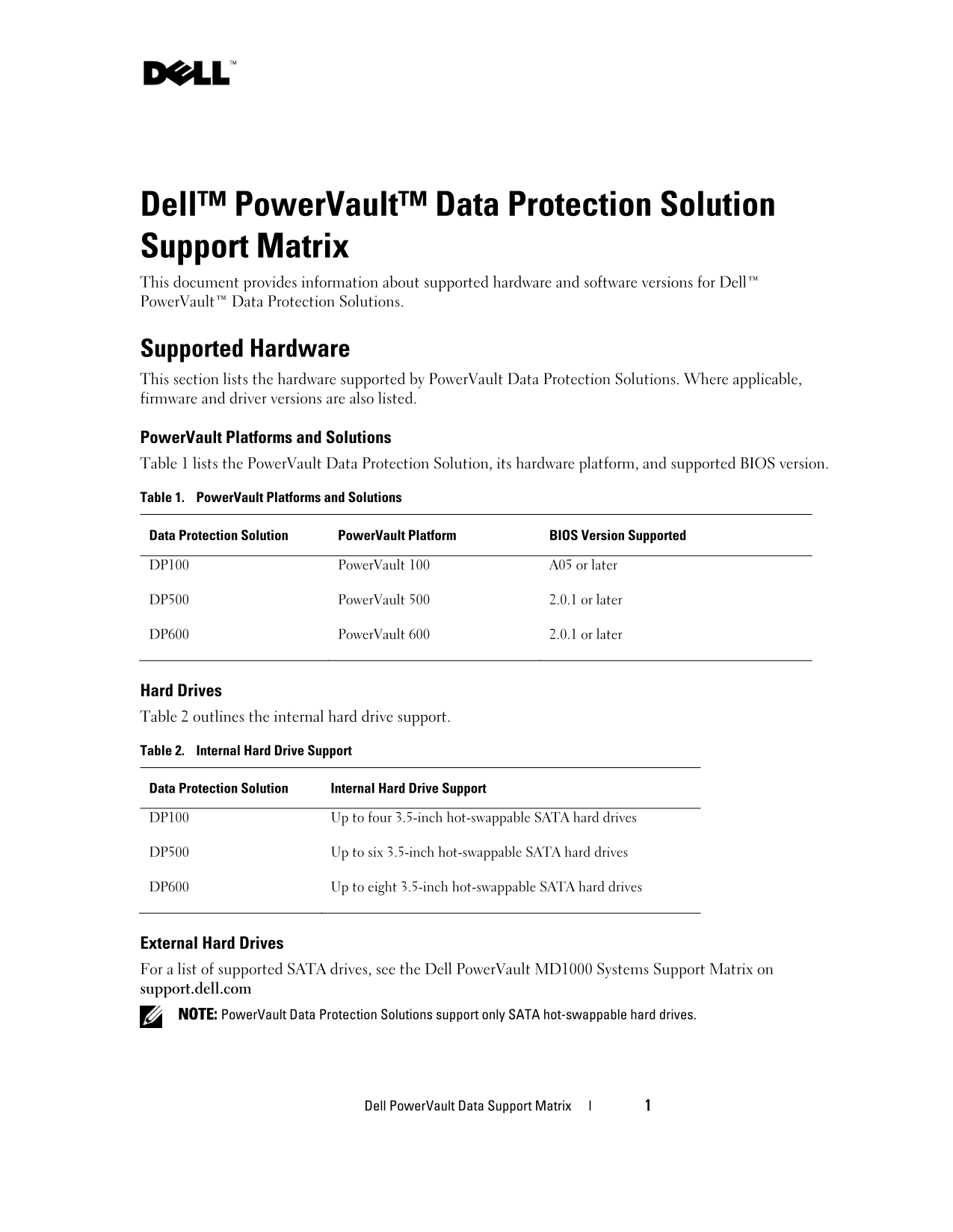
Dell™ Power Vault™ Data Protection Solution Support Matrix This document provides information about supported hardware and software versions for Dell™ Power Vault™ Data Protection Solutions.
Supported Hardware This section lists the hardware supported by Power Vault Data Protection Solutions. Where applicable, firmware and driver versions are also listed.
Power Vault Platforms and Solutions Table 1 lists the Power Vault Data Protection Solution, its hardware platform, and supported BIOS version.
Table 1. Power Vault Platforms and Solutions
Data Protection Solution Power Vault Platform BIOS Version Supported
DP100 Power Vault 100 A05 or later
DP500 Power Vault 500 2.0.1 or later
DP600 Power Vault 600 2.0.1 or later
Hard Drives Table 2 outlines the internal hard drive support.
Table 2. Internal Hard Drive Support
Data Protection Solution Internal Hard Drive Support
DP100 Up to four 3.5-inch hot-swappable SATA hard drives
DP500 Up to six 3.5-inch hot-swappable SATA hard drives
DP600 Up to eight 3.5-inch hot-swappable SATA hard drives
External Hard Drives For a list of supported SATA drives, see the Dell Power Vault MD1000 Systems Support Matrix on support.dell.com NOTE: Power Vault Data Protection Solutions support only SATA hot-swappable hard drives.
Dell Power Vault Data Support Matrix l 1
Page Summary Contents For Dell Support Matrix User Guide and Manual
Manual Details
| Brand | Dell |
|---|---|
| Pages | 6 |
| File Size | 112.68 KB |
| Published | June 29, 2026 |
Enter the captcha to get the download link:

Frequently Asked Questions
What is the maximum number of hard drives supported by the DP600?
The DP600 supports up to eight 3.5-inch hot-swappable SATA hard drives.
What kind of hard drives must be used in PowerVault Data Protection Solutions?
PowerVault solutions support only SATA hot-swappable hard drives.
Does the DP500 require a specific minimum BIOS version?
Yes, the DP500 requires a BIOS version of 2.0.1 or later.
What are the required driver versions for Broadcom NetXtreme II NICs across platforms?
The supported driver version is 10.5 or higher for all listed PowerVault platforms.