Dell Outline Drawing Instructions and User Guide
Summary
P2014H monitor mechanical specifications with precise dimensions in mm and inches. Covers monitor dimensions, stand specs, tilt angles (21 back, 5 forward), swivel (45 each direction), pivot (90), and lift adjustments. Includes mounting hole patterns and base dimensions. For facilities planners and AV integrators.
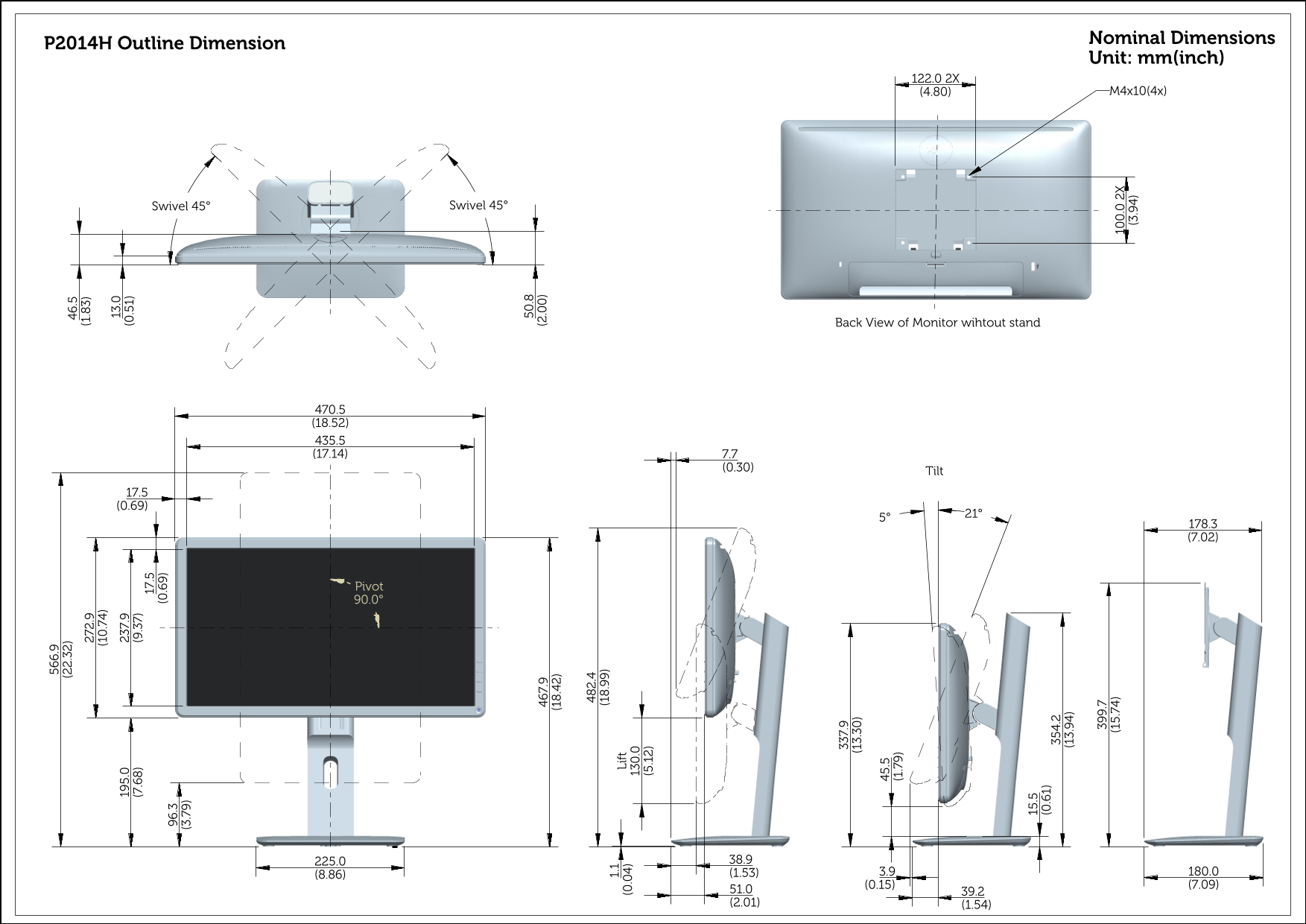
Page 1 Text Content
Nominal Dimensions
P2014H Outline Dimension
Unit: mm(inch)
Swivel 45°Swivel 45°
Back View of Monitor wihtout stand
Pivot
Li ft
Page Summary Contents For Dell Outline Drawing Instructions and User Guide
Page 1
Nominal Dimensions P2014H Outline Dimension Unit: mm(inch) Swivel 45°Swivel 45° Back View of Monitor wihtout stand Pivot Li ft
Manual Details
| Brand | Dell |
|---|---|
| Pages | 1 |
| File Size | 361.43 KB |
| Published | June 29, 2026 |
8 views
Enter the captcha to get the download link:

Frequently Asked Questions
What is the allowable tilt range for the monitor?
The specified tilt is between 17.5° and 69°.
Does this mount support pivot or swivel movement?
Yes, it supports Pivoting up to 90.0° and Swiveling up to 45°.
What are the physical dimensions of the monitor without its stand?
The width is 470.5 inches (18.52 actual units), and the depth is 435.5 inches (17.14 actual units).
What kind of mounting hardware is included or required?
It requires 2x M4x10 bolts.