Dell Latitude 3180 Quick User Guide
Summary
Dell Latitude 3180 Quick Start Guide with multilingual setup steps (Chinese, Japanese, Korean, English) covering power adapter connection, Windows 10 setup, network connection, SupportAssist, Dell app location, and Taiwan RoHS compliance table.
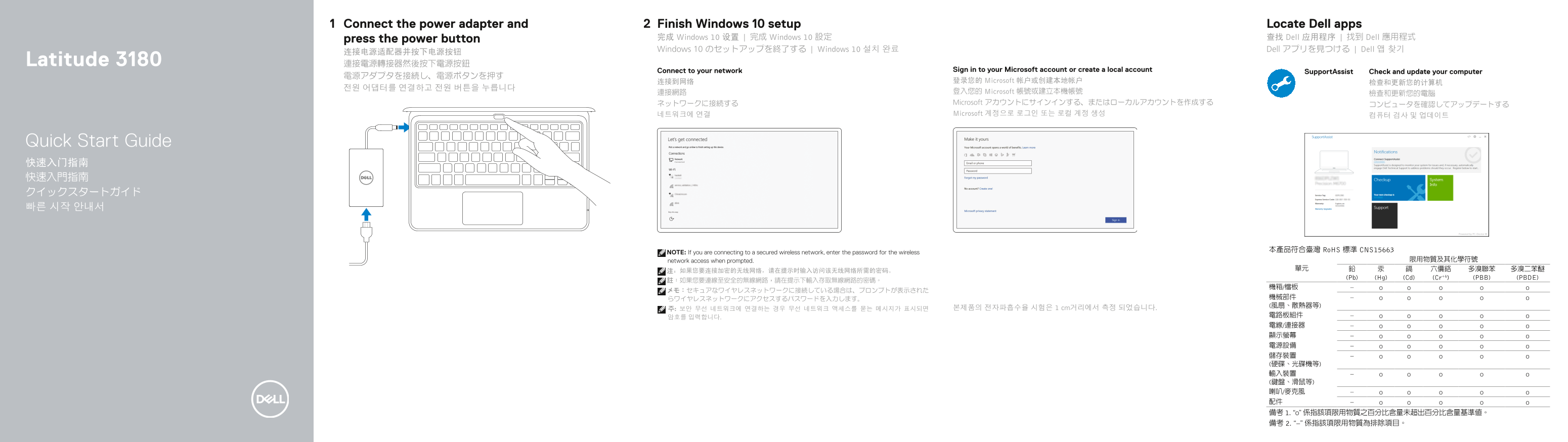
Page 1 Text Content
Connect the power adapter and Finish Windows 10 setup Locate Dell apps press the power button 完成 Windows 10 设置 | 完成 Windows 10 設定 查找 Dell 应用程序 | 找到 Dell 應用程式 Windows 10 のセットアップを終了する | Windows 10 설치 완료 Dell アプリを見つける | Dell 앱 찾기
Latitude 3180 連接電源轉接器然後按下電源按鈕
Connect to your network Sign in to your Microsoft account or create a local account
Support Assist Check and update your computer
连接到网络 登录您的 Microsoft 帐户或创建本地帐户
連接網路 登入您的 Microsoft 帳號或建立本機帳號
ネットワークに接続する Microsoft アカウントにサインインする、またはローカルアカウントを作成する
네트워크에 연결 Microsoft 계정으로 로그인 또는 로컬 계정 생성
Quick Start Guide 快速入门指南 快速入門指南 クイックスタートガイド 빠른 시작 안내서
本產品符合臺灣 Ro HS 標準 CNS15663
NOTE: If you are connecting to a secured wireless network, enter the password for the wireless
network access when prompted. 限用物質及其化學符號
(Pb) (Hg) (Cd) (Cr+6) (PBB) (PBDE)
주: 보안 무선 네트워크에 연결하는 경우 무선 네트워크 액세스를 묻는 메시지가 표시되면 본제품의 전자파흡수율 시험은 1 cm거리에서 측정 되었습니다.
Page Summary Contents For Dell Latitude 3180 Quick User Guide
Manual Details
| Brand | Dell |
|---|---|
| Pages | 2 |
| File Size | 653.63 KB |
| Published | July 03, 2026 |
Enter the captcha to get the download link:

Frequently Asked Questions
如何连接安全的无线网络?
如果系统提示,请在此输入用于访问该无线网络的密码。
笔记本电脑的操作系统型号是什么?
计算机型号是 Latitude 3180 (P26T)。
是否支持传输视频和音频信号?
是的,它有 HDMI 端口、通用音频插孔以及喇叭/麦克风。
除了数据传输外,USB 3.0 端口还有什么特殊功能?
其中一个 USB 3.0 连接埠带有 PowerShare 功能,可提供额外的电力支持。