Dell Dimension 3100C Owner's Manual
Summary
This user guide provides comprehensive documentation for the product. The document includes detailed information about setup, configuration, operation, and maintenance of the laptop. It covers key features, specifications, installation procedures, troubleshooting steps, and best practices. The manual is designed for system administrators, IT professionals, and end users who need to deploy, manage, or operate the equipment effectively. Readers will find step-by-step instructions, technical diagrams, safety information, and reference materials to ensure proper usage and optimal performance.
Manual Details
| Brand | Dell |
|---|---|
| Pages | 134 |
| File Size | 2.08 MB |
| Published | June 28, 2026 |
Enter the captcha to get the download link:

Frequently Asked Questions
How do I play CDs and DVDs on this computer?
Insert the disc into the optical drive and click Start, then All Programs, and select Windows Media Player.
What should I do if the computer stops responding?
Press and hold the power button for 4-6 seconds to turn off the computer, then turn it back on.
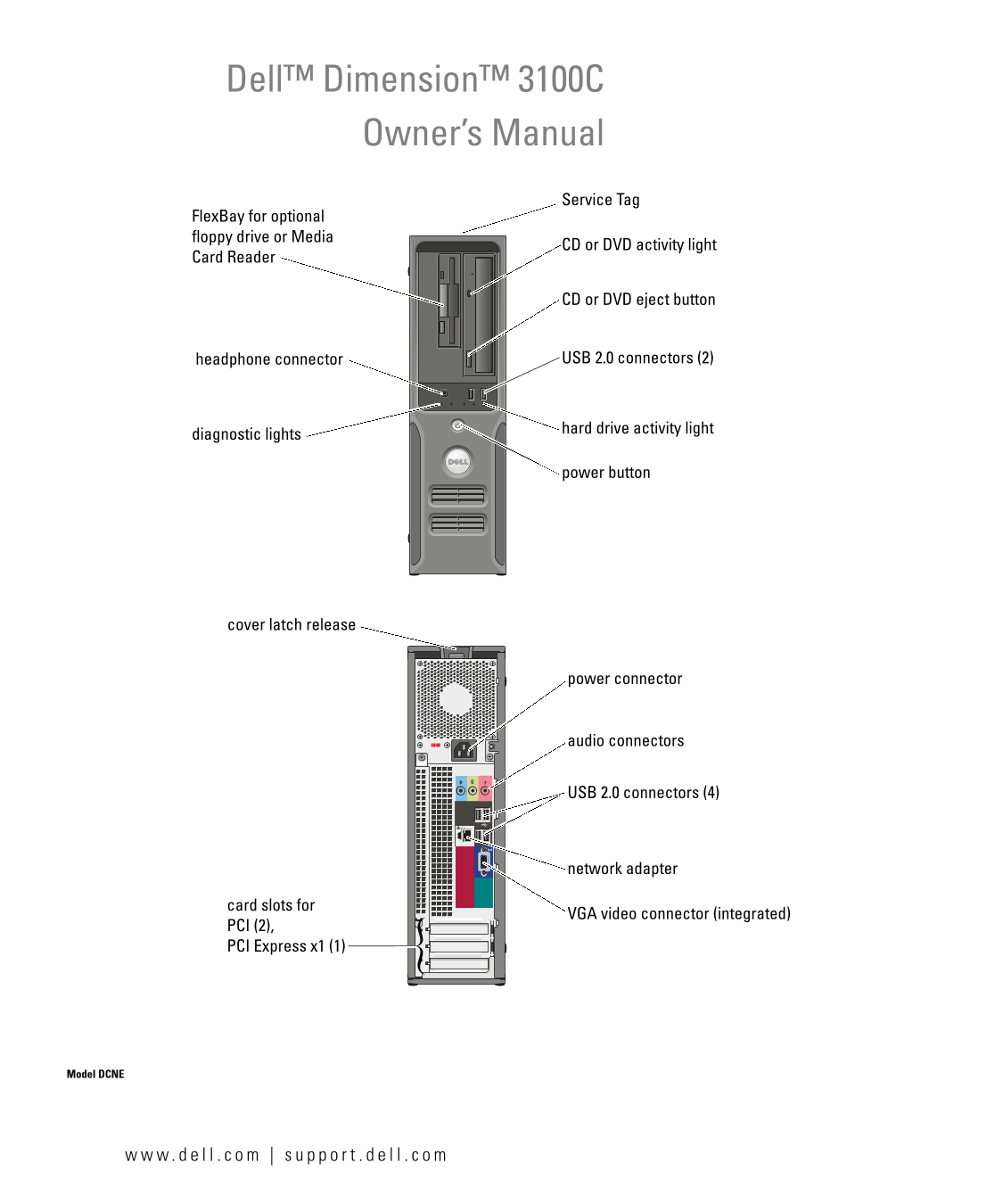
What ports are available on the front of the Dell Dimension 3100C?
It has a headphone connector, USB 2.0 connectors, a CD or DVD eject button, and a media card reader.
How do I connect a USB printer?
Connect the printer cable to the USB port on the back of the computer and plug the other end into the printer.