ViewSonic ND4210w User Guide and Manual
Summary
Experience dynamic digital signage with this 42" HD LCD Network Display. Designed as an all-in-one solution for retail, hospitality, education, and corporate settings, it features an integrated media player that streams high-definition content directly over an IP network—eliminating the need for a dedicated PC. This manual details setup instructions, advanced streaming capabilities (including video, graphics, and audio), and connectivity options perfect for businesses needing reliable, flexible communication to diverse audiences in any location.
Page 1 Text Content
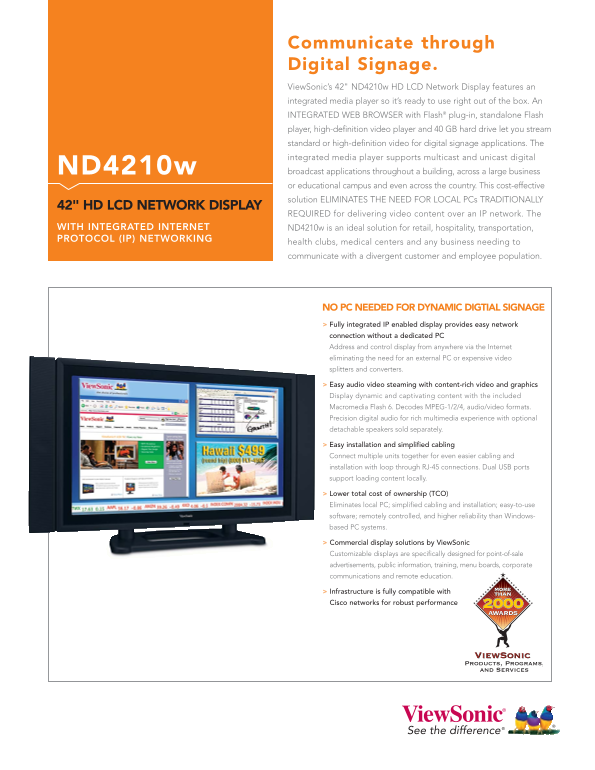
Communicate through Digital Signage. View Sonic’s 42" ND4210w HD LCD Network Display features an integrated media player so it’s ready to use right out of the box. An INTEGRATED WEB BROWSER with Flash® plug-in, standalone Flash player, high-definition video player and 40 GB hard drive let you stream standard or high-definition video for digital signage applications. The integrated media player supports multicast and unicast digital ND4210w broadcast applications throughout a building, across a large business or educational campus and even across the country. This cost-effective solution ELIMINATES THE NEED FOR LOCAL PCs TRADITIONALLY
42" HD LCD NETWORK DISPLAY
REQUIRED for delivering video content over an IP network. The
WITH INTEGRATED INTERNET ND4210w is an ideal solution for retail, hospitality, transportation, PROTOCOL (IP) NETWORKING
health clubs, medical centers and any business needing to communicate with a divergent customer and employee population.
NO PC NEEDED FOR DYNAMIC DIGTIAL SIGNAGE Fully integrated IP enabled display provides easy network connection without a dedicated PC Address and control display from anywhere via the Internet eliminating the need for an external PC or expensive video splitters and converters.
Easy audio video steaming with content-rich video and graphics Display dynamic and captivating content with the included Macromedia Flash 6. Decodes MPEG-1/2/4, audio/video formats. Precision digital audio for rich multimedia experience with optional detachable speakers sold separately.
Easy installation and simplified cabling Connect multiple units together for even easier cabling and installation with loop through RJ-45 connections. Dual USB ports support loading content locally.
Lower total cost of ownership (TCO) Eliminates local PC; simplified cabling and installation; easy-to-use software; remotely controlled, and higher reliability than Windows- based PC systems.
Commercial display solutions by View Sonic Customizable displays are specifically designed for point-of-sale advertisements, public information, training, menu boards, corporate communications and remote education.
Infrastructure is fully compatible with Cisco networks for robust performance
Page Summary Contents For ViewSonic ND4210w User Guide and Manual
Manual Details
| Brand | VIEWSONIC |
|---|---|
| Pages | 2 |
| File Size | 327.07 KB |
| Published | June 15, 2026 |
Enter the captcha to get the download link:

Frequently Asked Questions
Does the ND4210w need a PC to show digital signage?
No, it has an integrated media player and network connectivity, eliminating the need for a local PC.
What video formats does the display decode?
It decodes MPEG-1, MPEG-2, MPEG-4, and Macromedia Flash 6 video formats.
Is the ND4210w compatible with Cisco networks?
Yes, its infrastructure is fully compatible with Cisco networks for robust performance.
What items are included in the package?
It includes the LCD display, power cable, 6 ft. Ethernet cable, remote with batteries, Quick Start Guide, and User Guide.