Page 1
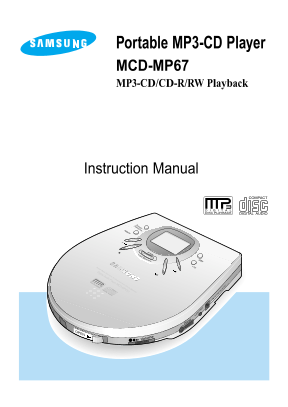
Portable MP3-CD Player MCD-MP67 MP3-CD/CD-R/RW Playback Instruction Manual
Page 2
Main Features MP3-CD, CD-R/RW Shock Prevention Playback Even if the CD player is knocked or You can playback MP3-CDs and jolted while listening to a CD, the audio CDs on the CD-R or CD-RW sound will n...
Page 3
Contents Safety Warnings Buttons and Controls 5 Preparation before using your unit How to Connect 9 Using the rechargeable battery Using a standard battery Using the battery pack CD Playback 13 MP3-CD...
Page 4
Safety Warning Take care not to allow Do not apply heavy Do not leave your CD dust or other contami- pressure to the main player in direct sun- nants to come into con- unit or remote control light or ...
Page 5
Earphones Road safety Do not use the earphones while riding a bicycle, driving any kind of motor vehicle or motorcycle. This is very dangerous and is illegal in certain regions. It is dangerous to wea...
Page 6
Buttons and Controls Main Unit Accessories Earphone Battery Pack
Page 7
1. Stop( ) button 9. Battery Pack Connection Jack At stop mode, press stop again or wait for (Refer to page 12.) a while to switch the unit Power “OFF” 2. Skip/Search( / ) 10. HOLD switch(Refer to pag...
Page 8
Buttons and Controls Remote Play/Pause button1. Volume control5. Mode button2. Stop button6. HOLD switch3. Earphone Connection Jack 7. 4. Skip/Search( / ) Unit Connection Jack 8. button
Page 9
Display Operation Indicator.1. SBS Indicator.7. Displayed when CD is inserted.2. ESP Indicator.8. Displayed when MP3-CD is Replace Battery Warning Indicator inserted. (If battery is fully discharged, ...
Page 10
Preparation before using your unit How to Connect Connect the AC adaptor to the power input jack.Then, connect the mains plug of the adaptor to the mains electricity outlet. Only use the AC adaptor su...
Page 11
Using the rechargeable battery (not supplied) Strip the sheath covering the 6mm terminals of the rechargeable battery before charging it. As shown in the illustration, with a knife carefully strip the...
Page 12
Preparation before using your unit Using a standard battery Open the cover of the battery compartment.1 Carefully check the correct orientation of the positive and negative terminals of the battery. R...
Page 13
Using the battery pack Open the cover of the battery compartment.1 Carefully check the correct orienta- tion of the positive and negative terminals of the battery. Replace the cover. Use two AA type 1...
Page 14
CD Playback Push the OPEN button to open the door. Insert a CD. Push the door to close it.1 Press the Play/Pause ( ) button. Once the CD is recog- nised, playback com- mences. Track Number Indicator P...
Page 15
MP3-CD Playback This product is an MP3-CD and audio CD player. It cannot record/save mp3 files. Push the OPEN button to open the door, and insert an MP3-CD. Push the door to close it. Press the Play/P...
Page 16
Features Press and release the or button during playback of a CD. Press the button to play the next track. Press the button to go back the current track of the beginning. (Briefly press the button twi...
Page 17
Repeat Function Press the Repeat/Random button. Each time the button is pressed, REP1 and REP ALL are selected alternately. If you want to playback the cur- rent track again, select REP1. If you want ...
Page 18
Features SBS Function Press the SBS button. The SBS function will enable you to maximise your listening enjoyment with dynamic reproduction of low- pitched sounds such as beating drums or galloping ho...
Page 19
This function is only available during Last Memory Function playback of an MP3-CD When MP3-CD playback is selected again after your CD player has been stopped or turned off, this function allows playb...
Page 20
Features This function is only available during playback of an MP3-CD Album Function Selection and playback of MP3-CD tracks is fast by the unit of album(directory). Press the Album button Main for a ...
Page 21
Playback sequence of albums and tracks In case of Window Explorer display. The arrows indicates playback sequence of albums and tracks. Albums with .jpg, .wav or .doc only are not audio files and ther...
Page 22
Maintaining and looking after your unit Looking after your CDs Wash the disc with a neutral detergent diluted in water, and then wipe gently with a soft dry cloth from the center of the disc to the ou...
Page 23
Troubleshooting Guide Problem Check Did you insert the battery with the correct polari- ty? Unit has no power. Is the battery exhausted? Is the AC adaptor connected correctly? Is the door open? Is the...
Page 24
Specification Frequency range 20Hz ~ 20KHz Signal/noise ratio 80d B Channel Separation 60d B Total harmonic distortion 0.08% D/A conversion 1 bit 4 OVER SAMPLING Earphones output (16Ω) 250~ 260 m V(RM...
Page 27
AH68-00784B