Siemens MSI-30BC User Manual
Summary
This advanced, addressable manual fire alarm station provides superior fire safety monitoring through sophisticated two-stage alarm capabilities and reliable communication. Designed for demanding industrial environments, it easily integrates into existing systems while offering enhanced supervision. The manual serves as a comprehensive guide for professionals—including engineers, architects, and installers—detailing installation procedures, mandatory programming using the FPI-32 programmer/tester, technical specifications, and compliance standards needed to ensure reliable life safety coverage.
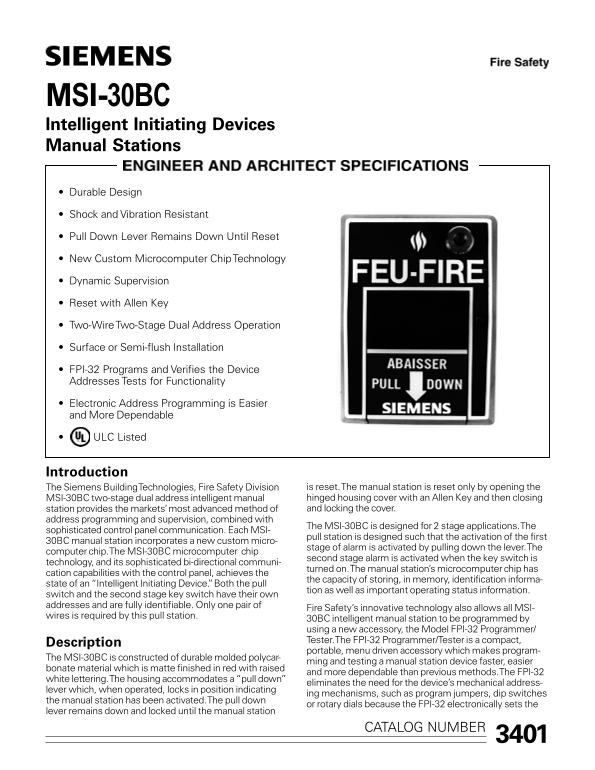
Page 1 Text Content
MSI-30BC Intelligent Initiating Devices Manual Stations Durable Design Shock and Vibration Resistant Pull Down Lever Remains Down Until Reset New Custom Microcomputer Chip Technology Dynamic Supervision Reset with Allen Key Two-Wire Two-Stage Dual Address Operation Surface or Semi-flush Installation FPI-32 Programs and Verifies the Device Addresses Tests for Functionality Electronic Address Programming is Easier and More Dependable ULC Listed
Introduction
The Siemens Building Technologies, Fire Safety Division is reset. The manual station is reset only by opening the MSI-30BC two-stage dual address intelligent manual hinged housing cover with an Allen Key and then closing station provides the markets’ most advanced method of and locking the cover.
address programming and supervision, combined with
The MSI-30BC is designed for 2 stage applications. The
sophisticated control panel communication. Each MSI-
pull station is designed such that the activation of the first
30BC manual station incorporates a new custom micro-
stage of alarm is activated by pulling down the lever. The
computer chip. The MSI-30BC microcomputer chip
second stage alarm is activated when the key switch is
technology, and its sophisticated bi-directional communi-
turned on. The manual station’s microcomputer chip has
cation capabilities with the control panel, achieves the
the capacity of storing, in memory, identification informa-
state of an “Intelligent Initiating Device.” Both the pull
tion as well as important operating status information.
switch and the second stage key switch have their own addresses and are fully identifiable. Only one pair of
Fire Safety’s innovative technology also allows all MSI-
wires is required by this pull station.
30BC intelligent manual station to be programmed by using a new accessory, the Model FPI-32 Programmer/ Tester. The FPI-32 Programmer/Tester is a compact,
Description
portable, menu driven accessory which makes program-
The MSI-30BC is constructed of durable molded polycar-
ming and testing a manual station device faster, easier
bonate material which is matte finished in red with raised
and more dependable than previous methods. The FPI-32
white lettering. The housing accommodates a “pull down”
eliminates the need for the device’s mechanical address-
lever which, when operated, locks in position indicating
ing mechanisms, such as program jumpers, dip switches
the manual station has been activated. The pull down
or rotary dials because the FPI-32 electronically sets the
lever remains down and locked until the manual station
3401CATALOG NUMBER
Page Summary Contents For Siemens MSI-30BC User Manual
Manual Details
| Brand | Siemens |
|---|---|
| Pages | 4 |
| File Size | 629.42 KB |
| Published | June 05, 2026 |
Enter the captcha to get the download link:

Frequently Asked Questions
What equipment is required for address programming?
The dedicated accessory, Model FPI-32 Programmer/Tester, must be used to set and verify the device addresses.
How does this manual station indicate when it has been activated?
When operated, the pull down lever locks in position until the manual station is properly reset.
What specific tool is needed to reset the unit after activation?
The manual station must be reset by opening the hinged cover with an Allen key and then re-locking it.
Does this device support multiple communication points?
Yes, it offers a two-wire two-stage dual address operation, allowing for fully identifiable addresses.