# A B C D E F G H I J K L M N O P Q R S T U V W X Y Z

Sanyo DP42848 DP46848 User Guide and Specification Sheet

Summary

Essential guide for new owners of the Sanyo LCD HDTV. This comprehensive manual covers everything you need to know, from understanding key safety warnings—such as electrical hazard protocols and grounding requirements—to optimizing your viewing experience. It provides clear operational instructions and details the full warranty coverage, ensuring safe and reliable use of your high-definition digital television.
📄 Preview PAGE OF 18

Page 1 Text Content

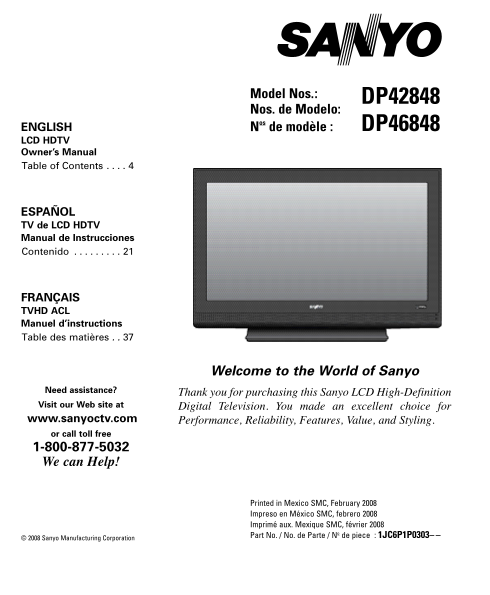
Model Nos.: DP42848 Nos. de Modelo:

ENGLISH Nos de modèle : DP46848 LCD HDTV Owner’s Manual Table of Contents . . . .

ESPAÑOL TV de LCD HDTV Manual de Instrucciones Contenido . . . . . . . . .

FRANÇAIS TVHD ACL Manuel d’instructions Table des matières . .

Welcome to the World of Sanyo

Need assistance? Thank you for purchasing this Sanyo LCD High-Definition Visit our Web site at Digital Television. You made an excellent choice for www.sanyoctv.com Performance, Reliability, Features, Value, and Styling. or call toll free 1-800-877-5032 We can Help!

Printed in Mexico SMC, February 2008 Impreso en México SMC, febrero 2008 Imprimé aux. Mexique SMC, février 2008 Part No. / No. de Parte / No de piece : 1JC6P1P0303–

© 2008 Sanyo Manufacturing Corporation

Page Summary Contents For Sanyo DP42848 DP46848 User Guide and Specification Sheet

Page 1 Model Nos.: DP42848 Nos. de Modelo: ENGLISH Nos de modèle : DP46848 LCD HDTV Owner’s Manual Table of Contents . . . . ESPAÑOL TV de LCD HDTV Manual de Instrucciones Contenido . . . . . . . . . FRANÇAI...
Page 2 CAUTION THIS SYMBOL INDICATES THAT DANGEROUS VOLTAGE CONSTITUTING A RISK OF ELECTRIC SHOCK IS PRESENT WITHIN THIS UNIT. RISK OF ELECTRIC SHOCK DO NOT OPEN CAUTION: TO REDUCE THE RISK OF ELECTRIC SHOCK...
Page 3 FCC INFORMATION This equipment has been tested and found to comply with the limits for a Class B digital device, pur- suant to Part 15 of the FCC Rules. These limits are designed to provide reasonable...
Page 4 CONTENTS IMPORTANT SAFETY INSTRUCTIONS . . . . . . . . . . . . . . . FCC INFORMATION . . . . . . . . . . . . . . . . . . . . . . . . . . . . . . . .3 TRADEMARKS . . . . . . . . . . . . . . . . . . . ....
Page 5 WALL MOUNTING (OPTIONAL) GETTING STARTED Use the screws you removed when dettaching the Install supplied batteries in the Remote. stand to secure the HDTV to a wall mounting kit. (2 ”AAA” eneloop Ni-M...
Page 6 GETTING STARTED—CONTROLS AND JACKS RIGHT-SIDE PANEL Power key Volume – + keys Channel keys S-Video Input (VIDEO1), PAGE 8—To enhance video detail use the S-Video jack instead of the Video jack, if ava...
Page 7 REMOTE CONTROL OPERATION Point towards HDTV PIX Shape Key—Press to choose between options Pix1 ~ Pix4. Available options depend on the signal and the broadcast’s aspect ratio. Input Key—Press to selec...
Page 8 GETTING STARTED—CONNECTIONS Analog Signal Connections— Digital Signal Connections— Video1 (optional) Video2 & Video3 (optional) Connect an analog device, such as, an Analog Connect Digital devices...
Page 9 GETTING STARTED—POWER CONNECTION / CHANNEL SEARCH POWER CONNECTION Plug in AC power cord (120V AC, 60 Hz). Press the POWER key. (Follow the on-screen instructions.) To 120V AC outlet. INITIAL CHANNEL ...
Page 10 ADVANCED AV CONNECTIONS ADVANCED DIGITAL SIGNAL DIGITAL AUDIO CONNECTIONS—HDMI TO HDMI Connect the HDTV Digital Audio Output to Connect compatible Digital devices, such as, a Multichannel Receiver, as...
Page 11 ON-SCREEN MENU OPERATION MENU NAVIGATION MAP MANUAL CHANNEL SEARCH MAIN MENU SUB-MENU OPTIONS MANUAL CHANNEL SEARCH HAS THREE CATEGORIES • Cable • Air (Antenna) • Digital Add-On Cable Search looks for...
Page 12 ON-SCREEN MENU OPERATION (CONTINUED) CHANNEL SCAN MEMORY DELETING CHANNELS FROM SCAN MEMORY Use the CHANNEL or NUMBER keys to Channel Scan Memory is a database of active select the channel you want to...
Page 13 DIGITAL CAPTIONING ENERGY (POWER) SAVER Captioning is textual information transmitted This power saving feature reduces the backlight along with the picture and sound. Turning brightness level. The op...
Page 14 ON-SCREEN MENU OPERATION (CONTINUED) V-GUIDE (PARENTAL CONTROL) Use the CURSOR and < > keys to select MOVIE, TV, or Content Ratings. NOTE: THIS FEATURE IS DESIGNED TO COMPLY NOTE:Content ratings...
Page 15 REGIONAL V-GUIDE RATINGS (ADVANCED) V-Chip Regional Ratings 5 (RRT5) is an advanced Press the ENTER key to Block or Unblock V-Chip ratings system for digital channels that selected rating. A Lock symb...
Page 16 ON-SCREEN MENU OPERATION (CONTINUED) PICTURE / SOUND ADJUSTMENT ADVANCED PICTURE / SOUND ADJUSTMENTS Use the CURSOR keys to highlight Digital Choose Auto to accept predetermined values for Noise Reduc...
Page 17 HELPFUL HINTS—Problems/Solutions If you are having problems with your HDTV, Before returning your HDTV, please visit our check this trouble shooting chart to find one website at www.sanyoctv.com or ca...
Page 18 ONE-YEAR LIMITED PARTS AND LABOR WARRANTY THIS LIMITED PARTS AND LABOR WARRANTY IS VALID ONLY ON SANYO TELEVISIONS PURCHASED AND USED IN THE UNITED STATES OF AMERICA, CANADA, AND PUERTO RICO, EXCLUDIN...

Manual Details

Brand Sanyo
Pages 18
File Size 530.41 KB
Published May 29, 2026
64 views

Enter the captcha to get the download link:

captcha

Frequently Asked Questions

What physical environments should I keep the TV away from?

Do not expose it to rain, moisture, or place it near heat sources like radiators or power amplifiers.

Who should handle servicing if the unit is damaged?

Refer all servicing to qualified service personnel because there are no user-serviceable parts inside and high voltage risks exist.

What do I need to do in case of a malfunction or damage?

Call 1-800-877-5032. You must have the model number, serial number, and receipt ready for service.