Page 1
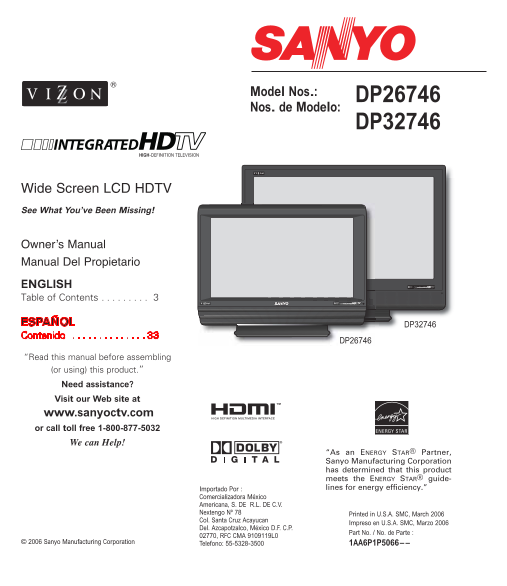
Model Nos.: DP26746 Nos. de Modelo: DP32746 HIGH-DEFINITION TELEVISION Wide Screen LCD HDTV See What You’ve Been Missing! Owner’s Manual Manual Del Propietario ENGLISH Table of Contents . . . . . . . ...
Page 2
CAUTION THIS SYMBOL INDICATES THAT DANGEROUS VOLTAGE CONSTITUTING A RISK OF ELECTRIC SHOCK IS PRESENT WITHIN THIS UNIT. RISK OF ELECTRIC SHOCK DO NOT OPEN CAUTION: TO REDUCE THE RISK OF ELECTRIC SHOCK...
Page 3
Welcome to the World of Sanyo Thank you for purchasing this Sanyo LCD High- properly enables you to manage those features and Definition Digital Television. You made an excellent maintain it in good c...
Page 4
SPECIFICATIONSFEATURES DP26746: 26” / DP32746: 32” Wide Screen LCD HDTV LCD Panel Size (Measured Diagonally): Detachable DTV Stand DP26746: 26-inches / DP32746: 32-inches Side bar Controls Picture Res...
Page 5
GETTING STARTED POSITIONING THE LCD DTV WALL MOUNTING (OPTIONAL) Always use an appropriate table or stand when This LCD DTV is designed positioning your DTV. For best viewing, avoid so that it may be ...
Page 6
GETTING STARTED (REQUIRED INITIAL SETUP) INSTALLING BATTERIES IN THE This LCD HDTV is capable of reproducing a crystal clear digital picture and exceptional REMOTE CONTROL sound. The signal makes the ...
Page 7
ANALOG RF ANTENNA CONNECTION Connect a Cable signal (with or without a cable box) or RF antenna to the Analog RF input. The analog tuner in this DTV receives Analog Antenna signals, Analog Cable signa...
Page 8
ALL CHANNEL SEARCH If the DTV does not detect any digital or analog When the television is powered on for the first channels, a message advising the viewer to check time, it automatically checks for t...
Page 9
SIDE AND BACK PANELS Right Side Panel Back Panel (Right) (see items 8, 11, & 17 on pages 18 & 19) Power key Back Panel (Center) POWER Volume – + keys Channel keys Back Panel—Bottom View (Cente...
Page 10
CHOOSE YOUR CONNECTION This DTV is designed to handle several different In order to receive the best performance from connections making it compatible with Digital your DTV, choose your connection usi...
Page 11
DIGITAL AV CONNECTIONS This is the best option for picture and sound! Using the HDMI connection, which has high-definition content protection, provides you with uncom- pressed digital video and audio,...
Page 12
DIGITAL AV CONNECTIONS CONNECTING STB WITH DVI OUTPUT TO HDMI INPUT Switch off DTV and external equipment Connect the STB’s Audio L R to the DTV’s before connecting cable. (Cable is not VIDEO3 Audio L...
Page 13
DIGITAL AV CONNECTIONS USING COMPONENT JACKS TO CONNECT A DVD PLAYER OR OTHER DIGITAL EQUIPMENT The Component Video jacks will accept any Connect DVD Player or similar digital video content. equipment...
Page 14
DIGITAL AV CONNECTIONS CONNECTING DIGITAL AUDIO OUT JACK TO A MULTI-CHANNEL RECEIVER Dolby® Digital Audio provides 5.1 channels of surround sound (five full-range channels [5] and one low-frequency ef...
Page 15
ANALOG AV CONNECTIONS USING THE ANALOG VIDEO JACKS TO CONNECT A VCR (OR OTHER ANALOG DEVICE) Switch off DTV and external equipment before connecting cables. (Cables are not supplied.) BACK VIEW OF VCR...
Page 16
ANALOG AV CONNECTIONS CONNECTING ANALOG AUDIO OUT JACKS TO A STEREO AMPLIFIER Switch off DTV and external equipment before connecting cables. (Cables are not supplied.) Connect the DTV Audio Out (R/L)...
Page 17
USING THE REMOTE CONTROL PRECAUTIONS To ensure safe operation, please observe the following DTV precautions: Replace both batteries at the same time. Do not use a new INPUT battery with a used battery...
Page 18
REMOTE CONTROL KEYS (CONTINUED) Recall Key—Select the first channel you Pix Shape Key—Use this key to change the want to watch; then select another channel video display format. Available options usin...
Page 19
Cursor (up) (down) keys—Press INPUT these keys to move the cursor up and down POWER within the menu. Cursor (left) > (right) keys—Press these keys to move the cursor left and right within the menu....
Page 20
DTV ADJUSTMENT AND SETUP HOW TO OPERATE THE MENU The on-screen menu system provides the viewer IMPORTANT FACTS: with easy access to adjustments and settings. Just use the MENU, CURSOR, ENTER, and EXIT...
Page 21
DIGITAL CABLE SEARCH (OPTIONAL) This DTV can receive unscrambled (Clear QAM) digital cable channels, when available. However, not all cable companies provide Clear QAM digital channels. Searching for ...
Page 22
DIGITAL ADD-ON SEARCH ANALOG ANTENNA SIGNAL Use this feature to add new channels to the Use this feature to switch between analog off- digital antenna channel database. Also, use this air channels and...
Page 23
CHANNEL SCAN MEMORY Channel Scan Memory is a list of active channels TO ADD A CHANNEL TO THE CHANNEL that you can scan through using the CHANNEL SCAN MEMORY SCAN CH � (up) CH � (down) keys. This list ...
Page 24
DIGITAL CAPTION Closed-Captioning is hidden textual information transmitted along with the picture and sound. Turning Captioning ON causes the DTV to open these captions and superimpose them on the sc...
Page 25
V-GUIDE (PARENTAL CONTROL) NOTE: THIS FEATURE IS DESIGNED TO COMPLY When you have finished making adjust- WITH THE UNITED STATES OF AMERICA’S FCC V- ments, press the EXIT key to return to CHIP REGULAT...
Page 26
V-GUIDE (PARENTAL CONTROL) CONTINUED TO TEMPORARILY UNBLOCK MPAA MOVIE TV RATINGS (AGE/CONTENT-BASED) OR TV PROGRAM ALL CHILDREN—Program is designed to be appro- Press the MENU key to display the Main...
Page 27
PICTURE/SOUND ADJUSTMENT MENU LANGUAGE Press the MENU key to display the Main Press the MENU key to display the Main menu. menu. Use the CURSOR keys to highlight Use the CURSOR keys to highlight (gree...
Page 28
HELPFUL HINTS (Problems/Solutions) Because of the Quality we build into our and try the solutions listed for your problem. If product, very few problems are actual DTV the problem still persists, befo...
Page 29
Problem Check these Conditions Try these Solutions Page No. No DTV Stereo or Check if station is broadcasting a true Press AUDIO key. SAP sound. MTS stereo signal or a SAP signal. No UHF, VHF Cable Ch...
Page 30
MEXICO GUARANTEE IMPORTADOR: DESCRIPTION: Television COMERCIALIZADORA MEXICO BRAND: SANYO AMERICANA, S.DE R.L. DE C.V. MODELS: DP26746 AV. NEXTENGO No COL. SANTA CRUZ ACAYUCAN DP32746 DEL. AZCAPOTZALC...
Page 31
UNITED STATES AND CANADA WARRANTY ONE-YEAR LIMITED WARRANTY THIS LIMITED WARRANTY IS VALID ONLY ON SANYO TELEVISIONS PURCHASED AND USED IN THE UNITED STATES OF AMERICA, CANADA, AND PUERTO RICO, EXCLUD...
Page 32
ESPAÑOL MANUAL DE INSTRUCCIÓNES Bienvenido al Mundo de SANYO Gracias por comprar esta televisión digital LCD Si la DTV aparenta operar inadecuadamente, lea este HDTV. Usted ha hecho una excelente elec...
Page 33
CHILD SAFETY Sanyo is committed to making home entertainment safe and enjoyable. Always use an appropriate table or stand when positioning your DTV. Use appropriate brackets, braces, or straps to anch...
Page 34
US1A 26-N3ME / 32-N3HE GXBD [This manual printed with Soy Ink.]