# A B C D E F G H I J K L M N O P Q R S T U V W X Y Z

Samsung User Manual - Part YP-F1XB for Samsung Galaxy Product Overview

Summary

Discover the ultimate in portable sound with this advanced Digital Audio Player, designed for music lovers who require total control over their listening experience. This comprehensive manual guides you through every feature, detailing everything from setting up FM radio and optimizing ID3 tags to utilizing specialized modes like Music Studio and Lyrics Station. Learn how to maximize functionality across various formats, ensuring seamless setup regardless of your previous experience.
📄 Preview PAGE OF 30

Page 1 Text Content

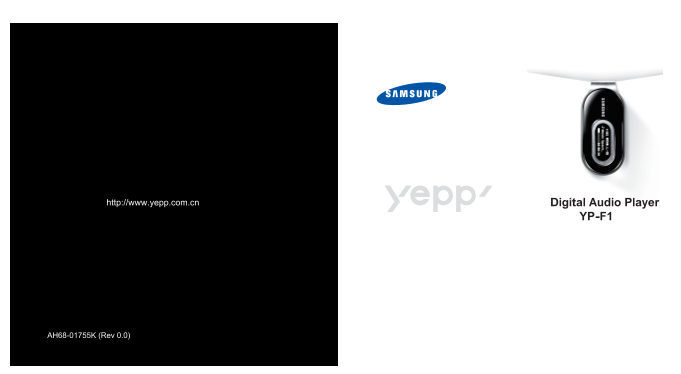
http://www.yepp.com.cn Digital Audio Player

YP-F1

AH68-01755K (Rev 0.0)

Page Summary Contents For Samsung User Manual - Part YP-F1XB for Samsung Galaxy Product Overview

Page 1 http://www.yepp.com.cn Digital Audio Player YP-F1 AH68-01755K (Rev 0.0)
Page 2 ...................................................................................................................................................12 Language) ...........................................
Page 4 MP3, WMA, Audio ASF Ogg USB 2.0 MP3, WMA, Audio ASF Ogg(Ogg Vorbis) 18 Mbps. www.vorbis.com http://www.yepp.com.cn Windows SRS WOW 3D(SRS Lyrics Station
Page 5 ● RESET YP-F1 H YP-F1 V YP-F1 X YP-F1 Z 128MB 256MB 512MB 1GB RESET
Page 6 1 USB USB 2 USB USB , “Fully Charged” USB ,
Page 7 , USB “Add New Hardware Wizard” Cancel USB 2 windows ● 200MHz - Windows 2000 XP ● Windows 98 SE/ME/2000/XP - Windows ME, 2000 ● 40MB ● CD-ROM - Windows 98 YP-F1 ● USB (2.0) ● Direct X 8.0 CD-ROM [Inst...
Page 8 USB Windows 98: Samsung YP-F1 1 USB USB Windows 2000/XP: 2 USB USB Samsung YP-F1 USB Device USB USB ● USB USB 3 USB 4 USB , ➝ [ "Samsung YP-F1 USB Device" 5 USB
Page 9 USB USB USB USB YP-F1 Windows 98 SE: Windows 2000/XP USB ) - Windows 2000 Windows USB windowsupdate.microsoft.com - USB USB
Page 10 Windows 98 YP-F1 ● Windows USB [CD ROM]\setup\Drivers - “Transferring” . - Windows Explorer - Windows 98 YP-F1 USB
Page 12 Music Studio Music Studio Music Studio I Music Studio F1 [Install Samsung Music Studio]. Music Studio ● Help ● Music Studio Gracenote&Gracenote CDDB® Music Recognition Service SM SM ●CDDB Gracenot...
Page 13 Lyrics Station Lyrics Station [Install Lyrics Station]
Page 14 Lyrics Station Lyrics Station Lyrics [Lyrics Station] Lyrics Station ● [ YP-F1 - Lyrics Station Yepp - LYRIC Yepp - VBR
Page 15 Lyrics Station Lyrics Station Lyrics Lyrics [Text Lyrics Station - lrc
Page 16 REC REC - V001,V002...... VOICE WAV - - [Settings] ➔ [Language] ➔ [ID3-Tag] - WMA 48Kbps-192Kbps
Page 17 "M" FM VBR( ) : - VBR - MP2 MP1 MP3 - "M" FM [Settings] ➔ ] ➔ ], [ - Mono( Stereo( - [Settings] ➔ [FM ] ➔
Page 18 FM FM FM REC FM FM "M" ● F001, F002, F003... MP3 FM_ENC ● ”MUTE”
Page 19 ● : ● FM : FM ● : ● : ● Settings :
Page 20 - FM “
Page 21 Settings ”) Settings , “M”
Page 22 Settings Settings ●SRS → Tru Bass → WOW → → → → → EQ EQ ●SRS : 3D ●Tru Bass : ●WOW : SRS Tru Bass 3D - SRS Labs, Inc. WOW SRS labs, Inc. - SRS - 32KHz 44.1KHz 48KHz
Page 23 WOW Settings , SRS “M” SRS, Tru Bass WOW ●SRS : 3D , 0 10 SRS ●Tru Bass : , 0 10 Tru Bass ●Focus : , Focus “M” ● , : SRS EQ ● , LCD 5sec ➔ 15sec ➔ 30sec ➔ 1min ➔ Always on. EQ , EQ ● Always on
Page 24 Language) Settings "Language"I ● , Menu ● 1 2 LCD ● , ● Chinese(S) → Chinese(T) → Dutch → English → French → German Hungarian → Italian → Japanese → Korean → Polish → Portuguese → Russian Sp...
Page 25 FM Settings "FM " Settings ● , 87.5MHz 108.0MHz ● Off 5sec➔ 10sec 15sec ➔ 30sec ➔ ● 1 1min 5min ● Off ● : 87.5MHz 108.0MHz FM 50 KHz. ● : 87.5MHz 108.0MHz FM 100 KHz. ● : 76.0MHz 108.0MHz FM...
Page 26 Settings ● , OK “M” ● 10sec 20sec 30sec 60sec
Page 27 Settings ● , ● 1Track 5sec ➔ 10sec 15sec 30sec 1min. ● 1 Track , , ● , 0 30( ● ( : 20) - VBR Ogg , ● , ● 1sec 3sec 5sec 10sec 15sec 20sec 30sec 1min. ● ● , - VBR Ogg ,
Page 28 Settings YP-F1 RESET ● MP3 WMA Language RESET LCD ● LCD RESET
Page 29 YP-F1 128MB(YP-F1H),256MB(YP-F1V), 512MB(YP-F1 X), 1GB(YP-F1 Z) 3.7V (Li-polymer) ● VBR( 29 X 63.5 X15 mm / 32 g 80d B 20KHz LPF 14m W/CH (16Ω) 20Hz~20KHz [Settings] ➔ [Language] [ID3-Tag] “No File” F...
Page 30 ISO/IEC 11172-3 ISO/IEC 13818-3 ISO/IEC 11172-3 ISO/IEC 13818-3 ISO/IEC 11172-3 ISO/IEC 13818-3

Manual Details

Brand Samsung
Pages 30
File Size 4.20 MB
Published June 02, 2026
79 views

Enter the captcha to get the download link:

captcha

Frequently Asked Questions

What file formats does the YP-F1 support?

It supports MP3, WMA, Ogg, and can read files containing ID3 tags. It is compatible with various streaming standards like MPEG1/2/2.5 Layer3 tones (8Kbps to 320Kbps).

How do I change the device language?

Navigate through [Settings] > [Language], where you can select from languages including English, French, German, Japanese, and Korean.

Is there an option for continuous play or auto-restart on FM radio?

Yes, under 'FM Settings', you can set timers ranging from 5 minutes to 120 minutes (2 hours) for continuous operation. The main timer options are also available in general settings.

What is the operating temperature range and output power?

The device operates between -5°C to +35°C (23°F to 95°F). It provides 14mW/CH into a 16Ω load, covering frequencies from 20Hz to 20KHz.