# A B C D E F G H I J K L M N O P Q R S T U V W X Y Z

Samsung PTZ Controller SCC-1000 User's Manual

Summary

The SCC-1000 is a professional PTZ Controller designed to manage the operation of various PTZ Dome and Zoom Cameras from multiple brands. This comprehensive manual guides both qualified service personnel and system installers through every aspect of the unit. It covers initial setup, including wiring diagrams, network connections (RS-485/422), detailed camera ID configuration, joystick calibration, and advanced operational features like preset management. Critical safety warnings and troubleshooting tips are provided to ensure proper installation and safe continuous operation in demanding environments.
📄 Preview PAGE OF 13

Page 1 Text Content

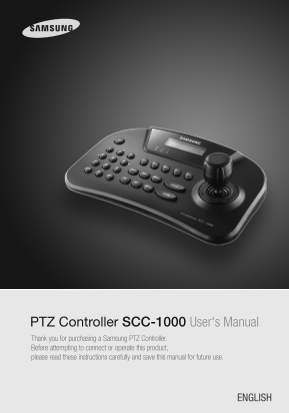
PTZ Controller SCC-1000 User's Manual Thank you for purchasing a Samsung PTZ Controller. Before attempting to connect or operate this product, please read these instructions carefully and save this manual for future use.

ENGLISH

Page Summary Contents For Samsung PTZ Controller SCC-1000 User's Manual

Page 1 PTZ Controller SCC-1000 User's Manual Thank you for purchasing a Samsung PTZ Controller. Before attempting to connect or operate this product, please read these instructions carefully and save this ma...
Page 2 Contents Samsung Techwin cares for the environment at all product manufacturing stages to preserve the environment, and is taking a number of steps to provide customers with more environment-friendly ...
Page 3 Safety caution Caution • Use the appliance indoors only. - Do not place the appliance outdoors or expose it to rain or moisture. - If dropped in water, the appliance may be corroded and damaged. • Do ...
Page 4 Controller Button Layout System Diagram 1. Wiring Diagram RS-485/422 Signal Wire Package Contents 2. Connecting RS-485/422 Signal Wires · RS485 Communications Camera Controller Power Adapter (DC 12V) ...
Page 5 Names and Functions Controlling PTZ Camera 1. Power ① To turn on the power, press the PWR button. ② To turn off the power, hold down the PWR button. 2. Initial Screen Display ① ID : Indicates the curr...
Page 6 Controlling PTZ Camera Controlling PTZ Camera 4. Pan / Tilt / Zoom Using Joystick 5. Iris / Focus / Zoom Buttons ■ You can use the joystick to control the camera's Pan and Tilt operations. ① Screen Br...
Page 7 Controlling PTZ Camera Controlling PTZ Camera 7. SWING 10. OSD ■ The Swing function commands the camera to move between 2 selected locations, ■ Shows the camera’s OSD menu on the monitor screen. monit...
Page 8 Setting Up Controller Environment Setting Up Controller Environment 1. PTZ Setup 2. Controller Main Setup ① Press 2 on the number pad. ① Press 1 on the number pad. ② Hold down the SET button to enter ...
Page 9 Setting Up Controller Environment Setting Up Controller Environment 2-4. Sleep 2-8. Password ■ Enables changing the controller password. ■ If no joystick or button input is detected for a set duration...
Page 10 Setting Up Controller Environment Troubleshooting ● If the power is not turned on 3. Joystick Calibration ▶ Please check if the controller is connected to the power adapter. ① Press 3 on the number pa...
Page 11 Product Specifications Product SCC-1000 LCD Display 16 x 2 Character LCD Speed Control Joystick (3-axis Twist Zoom) Samsung Techwin PTZ Dome PTZ Dome PELCO-D/P, Panasonic, Vicon, AD, Honeywell, Samsun...
Page 12 MEMO MEMO PTZ CONTROLLER User’s Manual22 PTZ CONTROLLER User’s Manual23
Page 13 SALES NETWORK • SAMSUNG TECHWIN CO., LTD. 145-3, Sangdaewon 1-dong, Jungwon-gu, Seongnam-si Gyeonggi-do, Korea, 462-703 TEL : +82-31-740-8151~8 FAX : +82-31-740-8145 • SAMSUNG TECHWIN AMERICA Inc. • S...

Manual Details

Brand Samsung
Pages 13
File Size 2.34 MB
Published June 17, 2026
3 views

Enter the captcha to get the download link:

captcha

Frequently Asked Questions

What is the recommended operating temperature for this controller?

The operating temperature range should be between 0ºC and 45°C.

How can I connect multiple cameras or controllers using RS-485/422?

The standards are RS-485 / RS-422, supporting a remote control distance of up to 1km.

What steps must I take if the appliance gets wet?

Immediately turn off the power. You must stop using it and contact the manufacturer immediately.

What is the maximum capacity for the system?

The controller can support up to 255 cameras, suitable for mid- to large-size systems.