# A B C D E F G H I J K L M N O P Q R S T U V W X Y Z

Samsung PS43D490 Quick User Guide

Summary

Maximize your viewing experience with confidence using this comprehensive user guide for your Samsung Plasma TV. This manual provides detailed instructions on setup, safe installation techniques (stand and wall-mount), and optimal operation practices. Essential safety warnings regarding screen burn, ventilation, and image retention are thoroughly explained. It is designed for new owners who require all the technical specifications and maintenance tips necessary to ensure proper care and long-term performance of their television.
📄 Preview PAGE OF 16

Page 1 Text Content

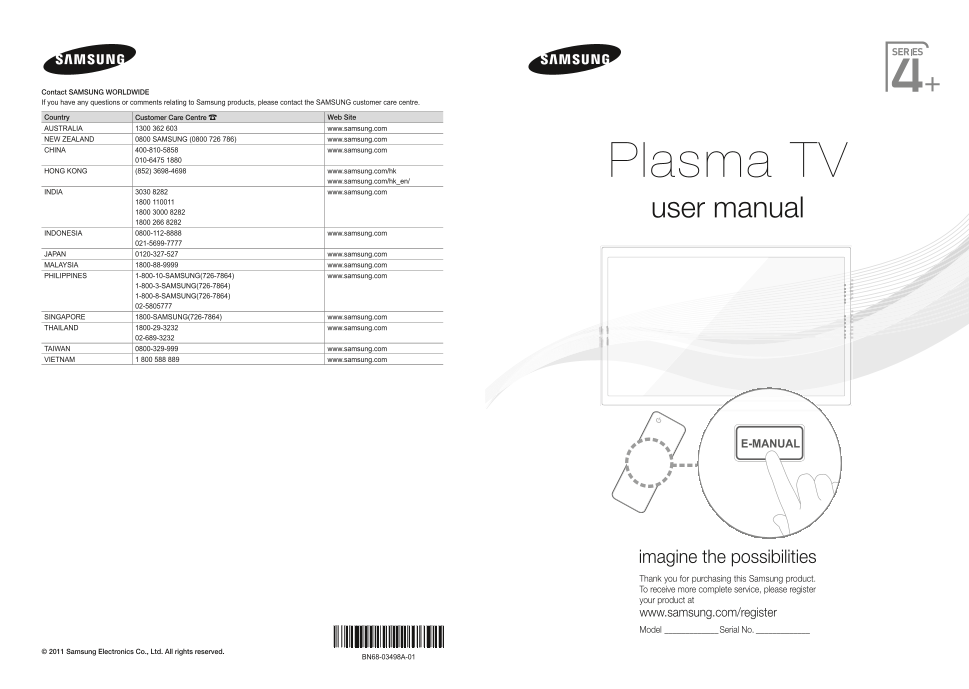
Contact SAMSUNG WORLDWIDE If you have any questions or comments relating to Samsung products, please contact the SAMSUNG customer care centre.

Country Customer Care Centre Web Site AUSTRALIA 1300 362 603 www.samsung.com NEW ZEALAND 0800 SAMSUNG (0800 726 786) www.samsung.com CHINA 400-810-5858 www.samsung.com

HONG KONG (852) 3698-4698 www.samsung.com/hk Plasma TV

www.samsung.com/hk_en/

INDIA 3030 8282 www.samsung.com

1800 110011 1800 3000 8282 user manual 1800 266 8282

INDONESIA 0800-112-8888 www.samsung.com

JAPAN 0120-327-527 www.samsung.com MALAYSIA 1800-88-9999 www.samsung.com PHILIPPINES 1-800-10-SAMSUNG(726-7864) www.samsung.com

1-800-3-SAMSUNG(726-7864) 1-800-8-SAMSUNG(726-7864) 02-5805777

SINGAPORE 1800-SAMSUNG(726-7864) www.samsung.com THAILAND 1800-29-3232 www.samsung.com

TAIWAN 0800-329-999 www.samsung.com VIETNAM 1 800 588 889 www.samsung.com

E-MANUAL

imagine the possibilities Thank you for purchasing this Samsung product. To receive more complete service, please register your product at www.samsung.com/register Model _____________Serial No. _____________

© 2011 Samsung Electronics Co., Ltd. All rights reserved.

BN68-03498A-01

[PD490-ASIA]BN68-03498A-01Eng.indb 1 2011-03-15 오후 2:00:33

Page Summary Contents For Samsung PS43D490 Quick User Guide

Page 1 Contact SAMSUNG WORLDWIDE If you have any questions or comments relating to Samsung products, please contact the SAMSUNG customer care centre. Country Customer Care Centre Web Site AUSTRALIA 1300 362 ...
Page 2 For more information on how to use e-Manual Figures and illustrations in this User Manual are provided for reference only and may differ from actual product appearance. Product design and specificatio...
Page 3 Accessories Please make sure the following items are included with your TV. If any items are missing, contact your dealer. The items’ colours and shapes may vary depending on the models. Check that th...
Page 4 Viewing the Remote Control This is a special remote control for the visually impaired persons and has Braille points on the Number and Channel buttons. Turns the TV on and off. Displays and selects th...
Page 5 Changing the Input Source VCR / DVD / Cable STB / Satellite STB / PVR STB / AV Receiver / Game / Camcorder / PC / DVI PC / DVI Devices / TV / IPTV / Blu-ray / HD Source DVD / DMA: Name the device conn...
Page 6 Plug & Play (Initial Setup) When the TV is initially powered on, a sequence of on-screen prompts will assist in configuring basic settings. Press the POWERP button. Plug & Play is available on...
Page 7 Connecting to an AV devices Available devices: DVD, Blu-ray player, HD cable box, HD STB (Set-Top-Box) satellite ¦¦ receiver, VCR HDMI connection HDMI OUT HDMI to DVI connection DVI OUT AUDIO OUT R-AU...
Page 8 Component connection AUDIO OUT R-AUDIO-L COMPONENT OUT PR PB AV connection VIDEO OUT AUDIO OUT R-AUDIO-L Using a Component (up to 1080p) or an Audio/Video (480i only) When connecting to AV IN, the col...
Page 9 Connecting to a PC and Audio device Available devices: digital audio system, amplifier, DVD home theatre, PC Audio connection AUDIO IN R-AUDIO-L DVD home theater connection OPTICAL Using an Optical (D...
Page 10 Using an HDMI cable or an HDMI to DVI cable or a D-sub cable Connecting through the HDMI cable may not be supported depending on the PC. PC connection AUDIO OUTPC OUT DVI OUTAUDIO OUT HDMI OUT Display...
Page 11 How to view the e-Manual E-MANUAL You can read the introduction and instructions about the TV features stored in your TV. MENUm → Support → e-Manual → ENTERE If you want to return to e-Manual, press E...
Page 12 Viewing the Contents Basic Features > Changing the Preset Picture Mode (5/10) Changing the Preset Picture Mode Contents Area: You can view the corresponding MENUm → Picture → Picture Mode → ENTERE ...
Page 13 Troubleshooting If you have any questions about the TV, first refer to this list. If none of these troubleshooting tips apply, please visit “www.samsung.com,” then click on Support, or contact the cal...
Page 14 Installing the Wall Mount Installing the Wall Mount Kit The wall mount kit (sold separately) allows you to mount the TV on the wall. For detailed information on installing the wall mount, see the inst...
Page 15 Securing the TV to the wall Caution: Pulling, pushing, or climbing onto the TV may cause the TV to fall. In particular, ensure that your children do not hang over or destabilize the TV; doing so may c...
Page 16 Specifications Environmental Considerations Operating Temperature 10°C to 40°C (50°F to 104°F) Operating Humidity 10% to 80%, non-condensing Storage Temperature -20°C to 45°C (-4°F to 113°F) Storage H...

Manual Details

Brand Samsung
Pages 16
File Size 3.47 MB
Published June 02, 2026
67 views

Enter the captcha to get the download link:

captcha

Frequently Asked Questions

How can I prevent screen burn or image retention?

Do not display a still image for more than several minutes, and when displaying one, reduce the brightness and contrast.

What is the proper method for cleaning the TV screen?

Use a soft cloth dampened with a small amount of water; never spray any liquid directly onto the product.

Can I use non-Samsung parts for wall mounting?

No; you must only use parts provided by Samsung Electronics to ensure safety and prevent product damage.

Is it normal if the television makes cracking sounds?

Yes, a 'cracking' noise is normal and occurs when the unit expands or contracts due to changes in temperature or humidity.