# A B C D E F G H I J K L M N O P Q R S T U V W X Y Z

Samsung 21KLMR French Door Refrigerator User's Manual

Summary

This comprehensive owner's manual provides everything needed to safely operate, install, and maintain your side-by-side refrigerator. It covers crucial safety warnings, detailed operating instructions for features like temperature control, ice makers, and storage zones, alongside complete setup guides. Use this resource for proper installation, troubleshooting common issues such as unusual noises or condensation, and maximizing the performance of your appliance.
📄 Preview 📖 Table of Contents Contents PAGE OF 34

Page 1 Text Content

DA99-00494B 4/7/03 2:29 PM Page 1

EN LISH

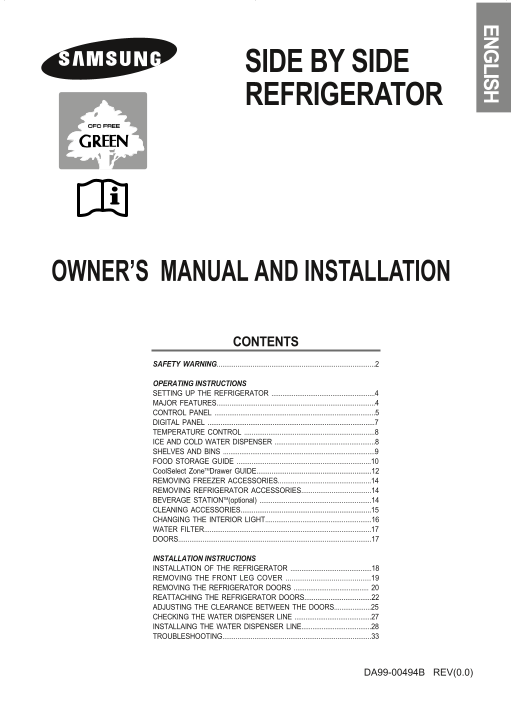
SIDE BY SIDE REFRIGERATOR

OWNER’S MANUAL AND INSTALLATION

CONTENTS

SAFETY WARNING....................................................................................2

OPERATING INSTRUCTIONS SETTING UP THE REFRIGERATOR ........................................................4 MAJOR FEATURES.....................................................................................4 CONTROL PANEL .......................................................................................5 DIGITAL PANEL ..........................................................................................7 TEMPERATURE CONTROL ......................................................................8 ICE AND COLD WATER DISPENSER .......................................................8 SHELVES AND BINS ...................................................................................9 FOOD STORAGE GUIDE ........................................................................10 Cool Select Zone TMDrawer GUIDE.............................................................12 REMOVING FREEZER ACCESSORIES..................................................14 REMOVING REFRIGERATOR ACCESSORIES.....................................14 BEVERAGE STATIONTM(optional) ............................................................14 CLEANING ACCESSORIES......................................................................15 CHANGING THE INTERIOR LIGHT.........................................................16 WATER FILTER..........................................................................................17 DOORS.......................................................................................................17

INSTALLATION INSTRUCTIONS INSTALLATION OF THE REFRIGERATOR ............................................18 REMOVING THE FRONT LEG COVER .........................................19 REMOVING THE REFRIGERATOR DOORS ......................................... 20 REATTACHING THE REFRIGERATOR DOORS....................................22 ADJUSTING THE CLEARANCE BETWEEN THE DOORS....................25 CHECKING THE WATER DISPENSER LINE ..........................................27 INSTALLAING THE WATER DISPENSER LINE......................................28 TROUBLESHOOTING...............................................................................33

DA99-00494B REV(0.0)

Page Summary Contents For Samsung 21KLMR French Door Refrigerator User's Manual

Page 1 DA99-00494B 4/7/03 2:29 PM Page 1 EN LISH SIDE BY SIDE REFRIGERATOR OWNER’S MANUAL AND INSTALLATION CONTENTS SAFETY WARNING................................................................................
Page 2 DA99-00494B 4/7/03 2:29 PM Page 2 SAFETY WARNINGS • Before operating the appliance, please read this manual thoroughly and retain it for your reference. • Because these following operating instruction...
Page 3 DA99-00494B 4/7/03 2:29 PM Page 3 CAUTIONS Do not overfill the refrigerator with food. • When you open the door, an item may fall out and cause personal injury or material damage. Do not put bottles o...
Page 4 DA99-00494B 4/7/03 2:29 PM Page 4 SETTING UP THE REFRIGERATOR Once you have performed the following steps, your refrigerator should be fully operational. If not, check the power supply and electricity...
Page 5 DA99-00494B 4/7/03 2:29 PM Page 5 CONTROL PANEL Basic Model Dispenser Model FREEZER TEMP. BUTTON FRIDGE TEMP. BUTTON To set the freezer temperature, press the but- To set the fridge temperature, press...
Page 6 DA99-00494B 4/7/03 2:29 PM Page 6 CONTROL PANEL Basic Model (With Cool Select Zone) Cool Select zone Dispenser Model (With Cool Select Zone) Cool Select zone
Page 7 DA99-00494B 4/7/03 2:29 PM Page 7 DIGITAL PANEL Freezer Temp. indicates the current freezer temperature. Fridge Temp. indicates the current refrigerator temperature. Quick Cool, Thaw, and Select show ...
Page 8 DA99-00494B 4/7/03 2:29 PM Page 8 TEMPERATURE CONTROL Freezer Refrigerator • The freezer temperature can be set between -14°C and • The refrigerator temperature can be set between 7°C -25°C. and 1°C. ...
Page 9 DA99-00494B 4/7/03 2:29 PM Page 9 SHELVES AND BINS FREEZER Door Bin Ice maker Light Ice chute Shelf Twist ice maker Ice tray Drawer Front leg cover Basic model Model with ice and water dispenser REFRI...
Page 10 DA99-00494B 4/7/03 2:29 PM Page 10 FOOD STORAGE GUIDE FROZEN FOOD STORAGE IN FREEZER Tempered Glass Shelf • Can be used to store all types of frozen food. Door Bin • Can be used for small packages of ...
Page 11 DA99-00494B 4/7/03 2:29 PM Page 11 FOOD STORAGE GUIDE CHILLED FOOD STORAGE IN REFRIGERATOR Tempered Spill Proof Glass Shelf • Can be used to store all types of chilled food. • Safe and hard to be brok...
Page 12 DA99-00494B 4/7/03 2:29 PM Page 12 Cool Select Zone TMDrawer GUIDE “Select” button (Optional) Soft Freeze • When “Soft Freeze” is chosen, the temperature on the digtal panel displays -5o C regardless ...
Page 13 DA99-00494B 4/7/03 2:29 PM Page 13 Cool Select Zone TMDrawer GUIDE “Quick Cool” button • You can use the Quick Cool feature with the Cool Select Zone TM. • “Quick Cool” allows 1~3 canned beverages to ...
Page 14 DA99-00494B 4/7/03 2:29 PM Page 14 REMOVING THE FREEZER ACCESSORIES Tempered glass shelf Ice maker bucket (optional) Remove the bucket lifting up and pulling out. Pull the shelf out as far as it goes....
Page 15 DA99-00494B 4/7/03 2:29 PM Page 15 CLEANING THE ACCESSORIES Inside Clean the accessories using a mild detergent. Then wipe with a dry cloth. After washing the accessories, make sure that they are dry ...
Page 16 DA99-00494B 4/7/03 2:29 PM Page 16 CLEANING THE ACCESSORIES Deodorizer (optional) • Remove the cover with a flat blade screw driver as shown. • Take out the cartridge from the cover and soak it in cle...
Page 17 DA99-00494B 4/7/03 2:29 PM Page 17 WATER FILTER The water “Filter Indicator” light • “Filter Indicator” light lets you know when it is time change your water filter cartridge. The light will change fr...
Page 18 DA99-00494B 4/7/03 2:29 PM Page 18 INSTALLATION OF THE REFRIGERATOR Checking the Dimensions of your Entrance Door • Check the dimensions of your entrance door to determine whether the refrigerator can...
Page 19 DA99-00494B 4/7/03 2:29 PM Page 19 REMOVING THE FRONT LEG COVER Removing the Front Leg Cover (Optional) Open the freezer and refrigerator doors, and then take off the front leg cover assembly by turni...
Page 20 DA99-00494B 4/7/03 2:29 PM Page 20 REMOVING THE REFRIGERATOR DOORS • Lift the door straight up. • Be careful not to pinch the water tubing and wire harness on the door. • Place doors on a protected su...
Page 21 DA99-00494B 4/7/03 2:29 PM Page 21 REMOVING THE REFRIGERATOR DOORS Removing the Refrigerator Door 1) With the door closed, remove the upper hinge cover (➀) using a screwdriver, and then discon-nect th...
Page 22 DA99-00494B 4/7/03 2:29 PM Page 22 REATTACHING THE REFRIGERATOR DOORS Reattaching the Freezer Door 1) Insert the lower hinge (➀) in the bracket 2) Reattach the freezer door by inserting the lower hing...
Page 23 DA99-00494B 4/7/03 2:29 PM Page 23 REATTACHING THE REFRIGERATOR DOORS Reattaching the Refrigerator Door 1) Insert the lower hinge (➀) in the bracket 2) Place the hole in the refrigerator door (➂) lowe...
Page 24 DA99-00494B 4/7/03 2:29 PM Page 24 REATTACHING THE REFRIGERATOR DOORS Reattaching the Water Tube (Optional) 1) While pressing the front face of coupler (➁), insert the water line (➀) in the coupler. 2...
Page 25 DA99-00494B 4/7/03 2:29 PM Page 25 ADJUSTING THE CLEARANCE BETWEEN THE DOORS Please level the refrigerator first. The doors will be uneven if the refrigerator is not level. Case 1) Freezer door is low...
Page 26 DA99-00494B 4/7/03 2:29 PM Page 26 ADJUST THE CLEARANCE BETWEEN THE DOORS Making small adjustments between doors. If the door of the freezer is lower than that of If the door of freezer is higher than...
Page 27 DA99-00494B 4/7/03 2:29 PM Page 27 CHECKING THE WATER DISPENSER LINE (OPTIONAL) 1) In order to operate the ice maker properly, water pressure of 1.4 ~ 10 kgf/cm2 is required. In this range a 100 cc pa...
Page 28 DA99-00494B 4/7/03 2:29 PM Page 28 INSTALLING OF THE WATER DISPENSER LINE For Interior Model (Case 1) Connecting to water supply line - Shut off the main water supply line and turn the Ice 1. Cold Wat...
Page 29 DA99-00494B 4/7/03 2:29 PM Page 29 INSTALLING THE WATER DISPENSER LINE Connect the water line to the refrigerator. WATER LINE CONNECTION NUT - Remove the compressor cover of the refrigerator. - Connec...
Page 30 DA99-00494B 4/7/03 2:29 PM Page 30 INSTALLING THE WATER DISPENSER LINE For Exterior model Connect to the water supply line Connect the water pipe with coupler and tap. CAUTION - Close the main water t...
Page 31 DA99-00494B 4/7/03 2:29 PM Page 31 INSTALLING THE WATER DISPENSER LINE TWO PURIFIER LOCK Attach the purifier lock stations. STATION - Hold the purifier lock stations in the appropriate position (under...
Page 32 DA99-00494B 4/7/03 2:29 PM Page 32 INSTALLING THE WATER DISPENSER LINE Remove any residual matter inside the water supply line 1) Turn on the main water supply & shut-off valve of the water supply...
Page 33 DA99-00494B 4/7/03 2:29 PM Page 33 TROUBLESHOOTING The refrigerator does not work at all or it does not Ice is not dispensed chill sufficiently • Did you stop the ice making function? • Check that the...
Page 34 DA99-00494B 4/7/03 2:29 PM Page 34

Manual Details

Brand Samsung
Pages 34
File Size 2.13 MB
Published June 02, 2026
77 views

Enter the captcha to get the download link:

captcha

Frequently Asked Questions

Why is my food freezing inside the refrigerator?

Check if the temperature control is set too low or if the unit is near a heat source.

Who should repair or adjust components like the ice maker?

Only the manufacturer or its service agent, as some parts are not intended for user disassembly.

What causes the refrigerator to make unusual noises or sounds?

A “ticking” sound can occur because various internal accessories contract and expand, which is normal. Refrigerant bubbling is also common.

How should I prevent electrical hazards when handling the unit?

Always ground the refrigerator and use power cords that are not squashed or bent excessively.